AI Motion Graphics for B2B Sales Enablement
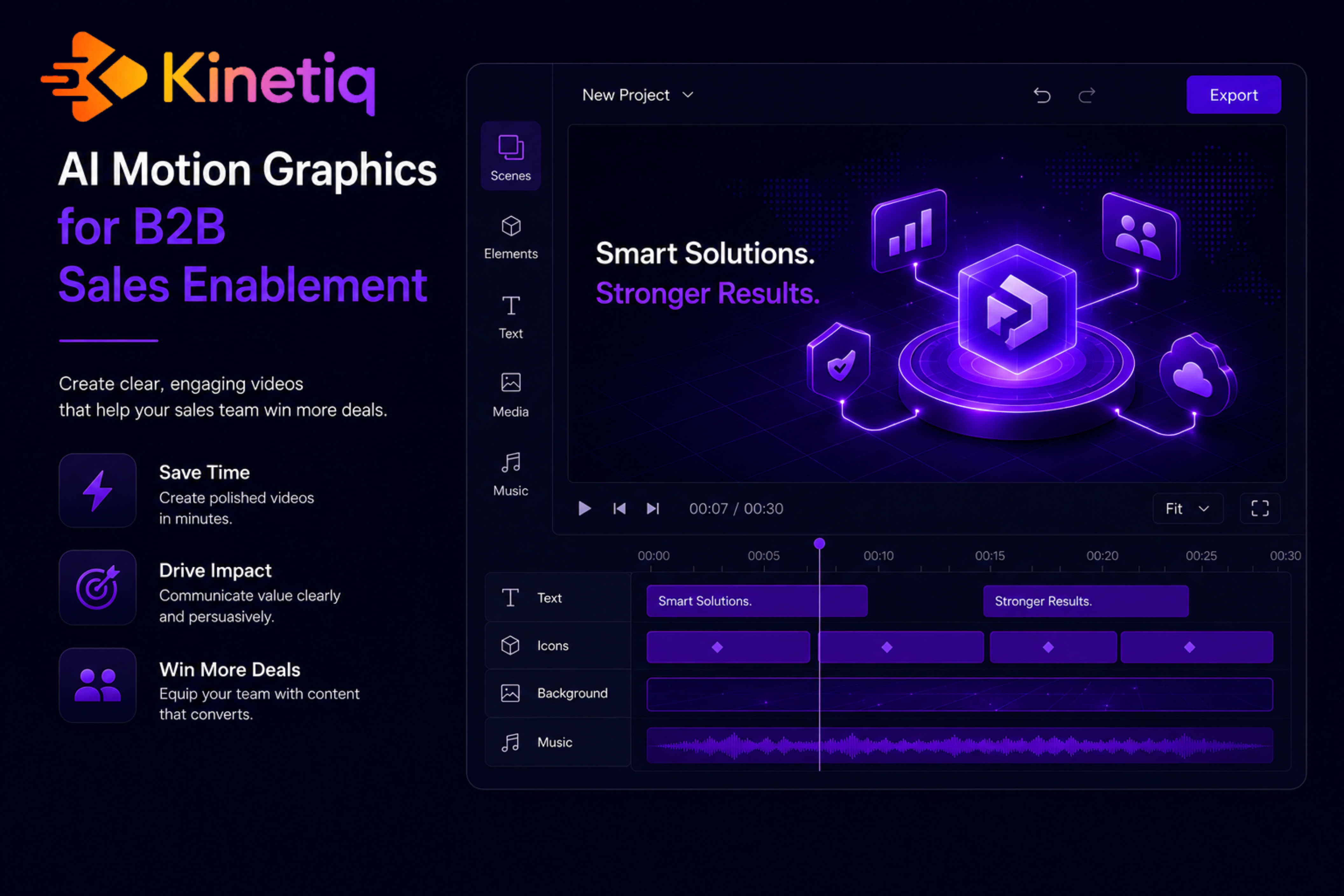
The video every rep wants and no design team can staff
Every B2B sales rep has, at some point, wished for a short, polished video built specifically for the account they're chasing — one that opens with the prospect's logo, speaks to their industry, and walks through the exact feature that matters to that deal. That kind of personalized, account-specific video reliably outperforms a generic deck, but it has always been uneconomical to make by hand. A design or video team simply cannot hand-build a bespoke asset for every strategic account, every competitive deal, and every renewal conversation — so, historically, personalized video gets made for the handful of accounts large enough to justify the design hours, and everyone else gets the same generic one-pager.
This is a genuine revenue problem, not just a nice-to-have. Sales cycles increasingly reward the rep who can show, quickly and specifically, why a solution fits a prospect's situation — and a generic demo video, however polished, reads as generic the moment a buyer has seen the same clip shared by three other vendors. The gap between what personalization could do for win rate and what a design team can actually staff is where deals quietly slip.
Why the old model caps out fast
The traditional path for sales video — brief a designer, wait for a cut, request tweaks, get a final render — was built for a small number of flagship assets a year: the main product demo, maybe a couple of vertical-specific variants. It was never built to produce hundreds of lightly personalized variants for named accounts, which is exactly what a modern account-based sales motion actually needs. Even when a design team is willing to try, the throughput math doesn't work: one designer, one video at a time, days per cut.
Marketing teams sometimes try to compensate by producing a slightly larger set of vertical or persona-based variants upfront, hoping a rep can find one close enough to their prospect. That's better than nothing, but it's still not personalization — it's a slightly larger menu of generic options, and reps can tell the difference, which is why adoption of these libraries tends to be lower than marketing hopes.
The shift: one composition, hundreds of personalized renders
A video-as-code approach to motion graphics reframes the problem from "produce one video per account" to "produce one definition, and let account data drive the variants." A sales or marketing team builds and approves a single master composition — the core demo, comparison, or feature reveal — and declares the pieces that should change per account as variables: the prospect's name, logo, industry vertical, and the specific proof point or statistic that matters to them. From there, generating a personalized cut for the next fifty accounts in a pipeline is a data-driven render, not fifty separate production projects.
The generation itself starts the same way any AI motion graphics project does: describe the demo or explainer in plain language, or point the system at a product page, a deck, or a PR/release note and let it draft the composition, motion, and narration. Editing afterward happens in whichever mode fits the moment — a fast chat instruction ("lead with the integrations slide for this account"), a drag-and-drop change on the canvas, or a direct edit to the underlying composition for a power user on the marketing team.
Where this shows up in a sales motion
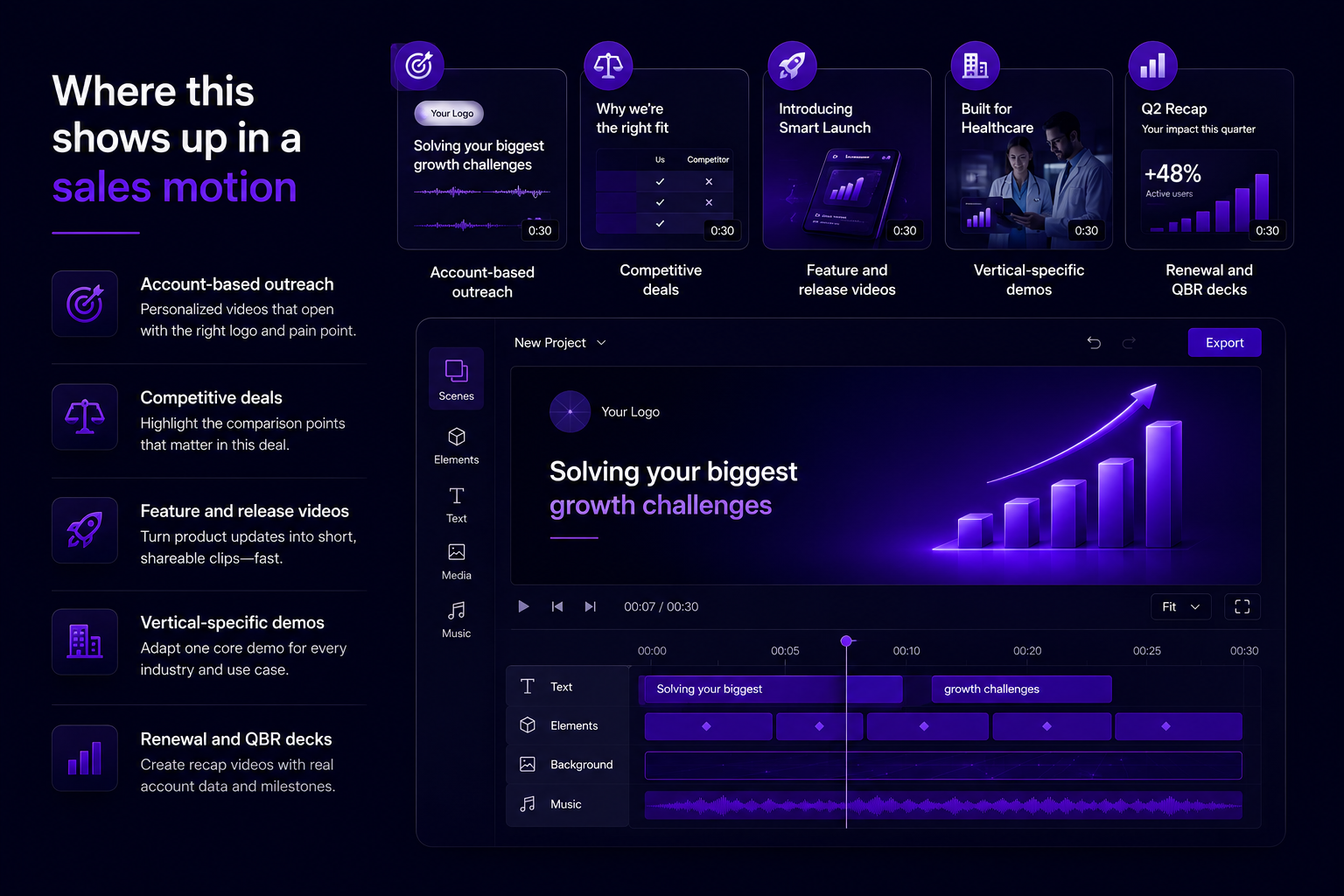
● Account-based outreach: a rep sends a thirty-second video opening with the target account's own logo and a headline pain point, not a generic template.
● Competitive deals: swap in the specific comparison points that matter against the competitor actually in the deal, without a fresh production cycle.
● Feature and release videos: turn a shipped PR or changelog entry into a short feature-reveal clip the same week it goes live, keeping reps current.
● Vertical-specific demos: one core demo adapted with industry-specific language and use cases for healthcare, retail, or financial services prospects.
● Renewal and QBR decks: a recap video built from the account's actual usage data and milestones, produced without waiting on a design queue.
Why this shift is happening now, not five years ago
Account-based marketing and personalized outreach aren't new ideas — sales teams have wanted personalized video for as long as video has existed as a sales tool. What's new is that two capabilities finally arrived together: AI models good enough to draft a full sales narrative from a brief or a product page, and a way to represent that narrative as a structured, parametrized composition rather than a fixed render, so the same approved video can be regenerated with different account data without starting over.
That second part is the piece that specifically unlocks sales enablement at scale. A generative video model on its own produces a compelling clip, but doing that fifty times for fifty accounts means fifty separate generations with no guarantee of consistent structure, pacing, or brand treatment across them. A parametrized, code-based composition solves that by design — the structure is fixed and approved once, and only the declared variables change per render, which is what makes hundreds of personalized variants both fast to produce and safe to trust without individual review of each one.
The result is that personalized video, which used to be economically justified only for the very largest accounts, becomes available to an entire sales floor working an entire active pipeline — not because reps got faster at making video by hand, but because the underlying architecture changed what "making a video" actually requires.
How Kinetiq turns account data into a personalized video
This is precisely the mechanism Kinetiq at https://kinetiq.nagent.ai is built around. A revenue marketing team builds and approves one master demo or comparison composition inside Kinetiq, then declares fields — prospect name, logo, industry, the one proof point that matters — as variables. Kinetiq's parametrized compositions render the same approved structure with different content per account, so a rep working fifty active accounts can have fifty personalized openers without fifty separate production requests.
Generation itself follows Kinetiq's standard pipeline: describe the demo brief, or point Kinetiq at the product's own site or a recent release note and let the Director plan the beats. Because every composition is one editable artifact, a sales engineer prepping for a specific call can make a scene-scoped chat edit — "lead with the API integration slide" — in the minutes before a demo, without disturbing the approved core structure underneath.
Feature by feature: what to reach for in a sales enablement workflow
● Variables (parametrized compositions) — declare prospect name, logo, and industry as fields in Kinetiq so one approved demo becomes a personalized render for every account in the pipeline.
● PR / changelog video mode — point Kinetiq at a shipped release note and get a feature-reveal clip reps can send the same week a capability ships.
● Brand kit and BrandLock-style enforcement — capture your brand once in Kinetiq so every rep-generated, account-specific video stays on-brand automatically, without a designer reviewing each one.
● Templates and adapt — save your best-performing demo structure as a template in Kinetiq and adapt it for a new vertical while keeping its motion and pacing intact.
● Chat-level editing for reps — a rep can request a small, scene-scoped tweak in Kinetiq's chat right before a call, without touching the approved brand system underneath.
● MCP and public API — for sales-ops teams wiring video generation into a CRM trigger, Kinetiq's agent integration and REST API let a personalized video be requested as a step in an automated pipeline.
The pipeline in more detail: from one master demo to a personalized batch
It's worth walking through how Kinetiq's pipeline actually turns one approved asset into many. The Brief and Generate stages happen once, for the master composition: a revenue marketer describes the demo, or points Kinetiq at the product site or a release note, and the Director plans the scene structure and pacing for the strongest general version of the pitch. The Brand stage locks the palette, logo treatment, and tone so every personalized render that follows inherits the same look automatically, with no risk of a rep's version drifting from brand guidelines.
Variables are declared on top of that approved composition — prospect name, logo, industry, a proof-point statistic — and from there, rendering for a new account is a data-driven operation rather than a new Generate pass. Because the underlying composition is one deterministic artifact, batch-rendering fifty accounts produces fifty renders that are identical in structure and pacing, differing only in the fields that were meant to differ, which is exactly the guarantee a brand and sales-ops team needs before handing this capability to an entire sales floor.
For teams that want personalization triggered automatically rather than manually — a demo generated the moment a deal reaches a certain stage in the CRM — Kinetiq's public API and MCP server let that render be requested as a step in an existing automation, with the finished video available to fetch once it completes.
Common mistakes sales and marketing teams make with personalized video
● Personalizing too many fields at once — trying to vary tone, structure, and content simultaneously per account usually produces a less coherent result than picking two or three high-impact variables like name, logo, and one proof point.
● Skipping the master composition review — because every downstream render inherits the master's quality and pacing, a weak master produces fifty weak variants just as easily as it produces one.
● Letting reps generate videos without any brand lock — without a captured brand kit enforcing the guidelines, individual reps' chat edits can drift the look of the video over time.
● Not connecting the render to real account data — manually retyping each prospect's name and industry defeats the purpose; the data should come from the CRM export or an API call, not manual entry.
● Treating this as a one-time asset instead of a living template — as the product or competitive landscape changes, the master composition should be updated once so every future render reflects it, rather than letting personalized videos go stale.
How to know it's actually working
The clearest signal in a sales enablement context is usage — how many reps are actually generating and sending personalized video, and for how many of their active accounts, since a capability that stays unused isn't moving win rate regardless of how good it is in theory. Beyond usage, tracking reply rate and meeting-booked rate on outreach that includes a personalized video against outreach that doesn't gives a direct read on whether the personalization is actually landing with prospects, and tracking time-to-first-send for a new rep shows whether the workflow is fast enough to fit inside a real sales cadence rather than becoming another tool that gets skipped under deadline pressure.
A sample workflow: personalizing a demo for fifty active accounts
A B2B SaaS company's revenue marketing team builds one strong core product demo inside Kinetiq, capturing the brand from the company's own site and refining the pacing and structure on the canvas until it's approved. They declare the prospect's name, logo, industry vertical, and one proof-point statistic as variables.
An export from the CRM supplies the fifty active accounts in this quarter's target list, and the team queues a batch render. Fifty on-brand, personalized demo openers come back, each addressed to its account by name and logo, each carrying the specific proof point that matters to that vertical — all from one approved master composition, without fifty separate production requests to a design team that doesn't exist at that scale.
Frequently asked questions
Can reps personalize their own videos without breaking brand guidelines?
Yes — Kinetiq's brand kit locks the palette, typography, and logo treatment at the account level, so a rep's chat-level tweaks to content don't touch the underlying brand system.
Do we need engineering resources to set up variables for account personalization?
No — declaring variables like name, logo, and industry is done inside the Kinetiq studio itself, without writing code, though power users can also work directly in the HTML source if they want to.
Can we connect Kinetiq to our CRM to automate personalized video generation?
Kinetiq exposes a public REST API and an MCP server built for agent and pipeline integration, so a CRM trigger or automation workflow can request a generated, rendered video headlessly.
How is this different from just making a few vertical templates in advance?
A handful of vertical templates is still generic to any one account. Variables let each render carry the specific account's name, logo, and proof point, which is a meaningfully different (and more effective) kind of personalization.
Who should own the master composition — sales or marketing?
Marketing typically owns and approves the master composition and brand kit so quality and brand safety stay consistent, while individual reps work within that approved structure using small, scene-scoped chat edits for their specific call or account.
Can this scale to an enterprise sales team with hundreds of reps?
Kinetiq's per-user private workspaces, admin controls, and batch rendering are built for exactly this — a shared brand-locked master composition that many reps can personalize from without stepping on each other's work or drifting off-brand.
Rolling this out across a sales floor without creating chaos
The rollout that works best starts small and deliberate rather than handing every rep unrestricted access on day one. A revenue marketing or sales enablement team typically builds and approves one master composition for the single highest-value use case first — often the core product demo or the top competitive comparison — and pilots it with a handful of reps working the largest active accounts, where the impact of a personalized opener is easiest to observe in reply rates and meeting bookings.
Once that pilot validates the format, expanding access in
From there, the natural next step is connecting variable data directly to the CRM rather than relying on manual entry, and expanding the variable set to cover the next use case — a renewal recap, a competitive battlecard video — once the first one has proven its value. Treating each use case as its own small, approved master composition keeps the whole system auditable even as the number of active templates grows.
Beyond outbound: where personalization helps the rest of the deal cycle
Account-based outreach is the most obvious application, but it's rarely the only one that pays off once a sales team has a working master composition and a variable schema in place. The same mechanism applies just as directly to a mid-funnel technical deep-dive sent after a discovery call, where the variable might be the specific integration or module the prospect asked about rather than their name and logo. It applies to a proposal follow-up, where a short recap video referencing the account's actual stated priorities can reinforce a written proposal in a format busy buyers are more likely to actually watch.
It also extends naturally into customer marketing once a deal closes — a personalized "welcome" or kickoff video that opens with the new customer's name and the specific outcome they bought the product to achieve reuses the exact same variables and master composition pattern, just pointed at a different stage of the relationship. Sales, customer success, and marketing teams that share the same underlying templates and brand kit avoid rebuilding the same personalization mechanism three separate times for three separate teams.
A quick checklist before batch-rendering a personalized set
● Has the master composition been reviewed and approved by whoever owns brand and messaging, before any personalization begins?
● Are the chosen variables (name, logo, industry, proof point) actually the ones most likely to matter to the prospect, rather than everything that could technically be personalized?
● Is the account data coming from a live CRM export or API call, rather than being retyped by hand for each render?
● Does the brand kit lock the elements that shouldn't change (palette, logo treatment, tone) so a rep's chat edits can't accidentally drift off-brand?
● Is there a plan for who reviews a sample of the batch before it goes out, especially the first time a new variable set is used?
The takeaway
Personalized sales video used to be reserved for the accounts big enough to justify a designer's time. Kinetiq turns that into something every rep can use for every account in active pipeline — the same brand-safe quality, produced at the scale a real sales motion actually needs. Build your first demo at https://kinetiq.nagent.ai.