
AI Motion Graphics for Real Estate Listings
Every listing deserves a video — most never get one
Listings with video consistently draw more attention than listings with photos alone, and agents know it. The problem is throughput: a busy agent or brokerage might have a dozen active listings at once, each needing fresh photos, a floor plan, and ideally a video tour — and hiring a videographer and editor for every single listing simply doesn't pencil out at typical commission economics. So video becomes reserved for the luxury listing or the flagship property, and the rest of the inventory goes to market with static photos and a slideshow, if that.
The economics get worse the faster a market moves. In a competitive listing environment, the first few days on market are disproportionately important for generating interest, and a video that takes a week to produce misses that window entirely — by the time it's ready, the listing's momentum has often already peaked or faded. Agents feel this tension acutely: they know video would help, but the traditional production timeline doesn't match how fast a listing actually needs to go live.
Why the traditional listing-video workflow doesn't scale
A professionally produced listing video usually means booking a videographer for a walkthrough shoot, waiting on an edit, and paying per listing — a cost and turnaround that only makes sense for a property at the top of the price range. Template slideshow tools solve the cost problem but produce something generic: the same stock transitions and the same canned music bed on every listing, with no real branding for the agent or brokerage and no motion beyond a basic pan-and-zoom.
There's also a coordination cost that's easy to underestimate: scheduling a videographer around a seller's availability, a stager's timeline, and good lighting conditions adds days before production even starts, on top of the edit time afterward. For an agent managing a dozen listings at different stages, that scheduling overhead alone often decides which properties get video and which don't.
Turning listing photos directly into a branded video
An AI motion graphics workflow suited to real estate starts from what an agent already has: the listing photos. Uploading the property images lets the system measure their real dimensions and dominant colors and plan a layout and motion sequence around them — square footage callouts, room labels, a price and address card — rather than forcing photos into a fixed template grid. A music track, whether uploaded or generated from a mood brief, can drive a beat-synced cut so the pacing of the video actually matches the energy of the property, and a brand kit captured once from the brokerage's website carries the agent's logo, colors, and fonts into every listing automatically.
For listings with an existing walkthrough clip rather than just photos, the same underlying approach can take a raw, unedited walkthrough video and add captions, branded lower-thirds, and motion graphics overlays while keeping the original footage and audio intact — turning a phone-shot walkthrough into something that looks properly produced without re-shooting it.
Where this shows up across a brokerage's marketing
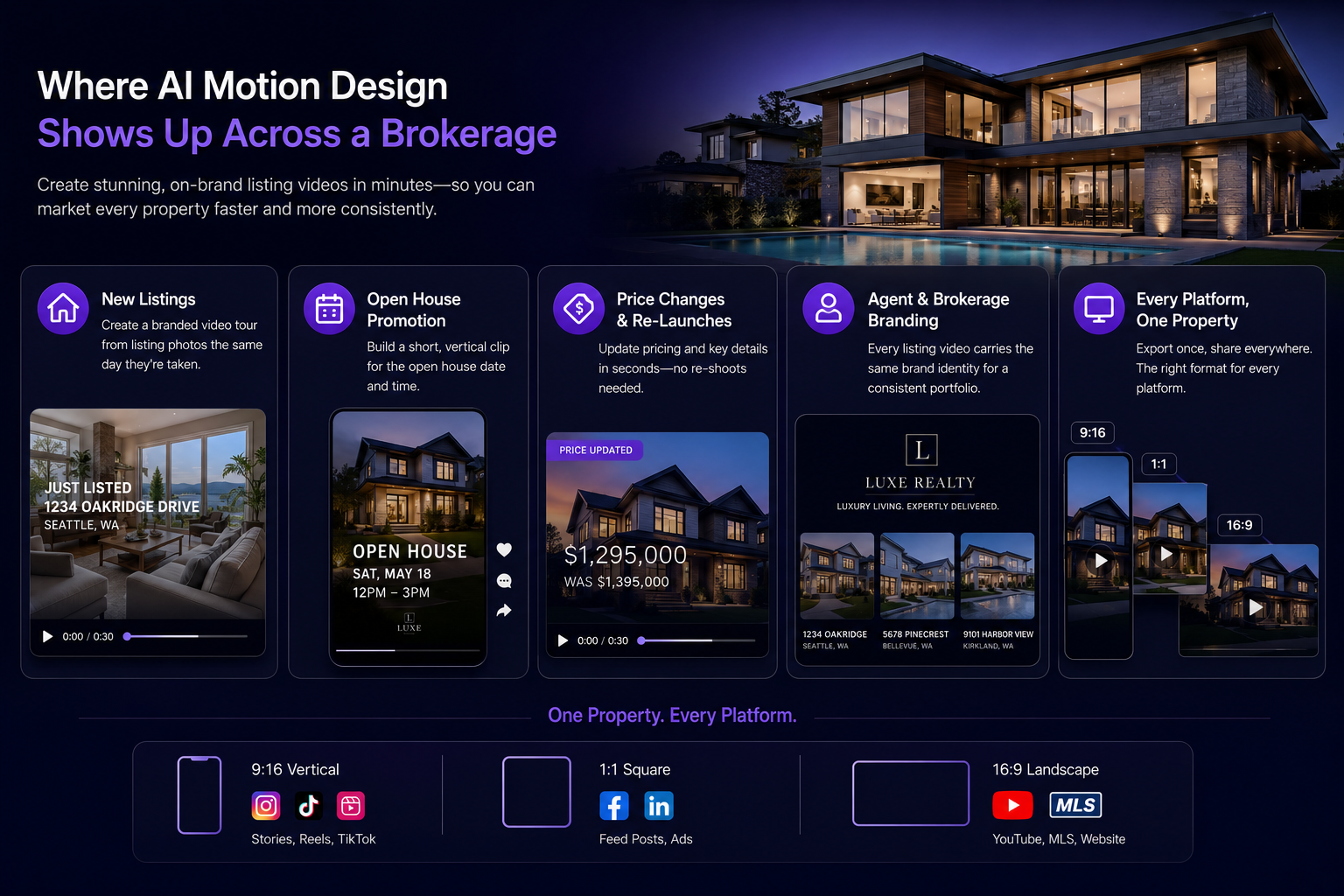
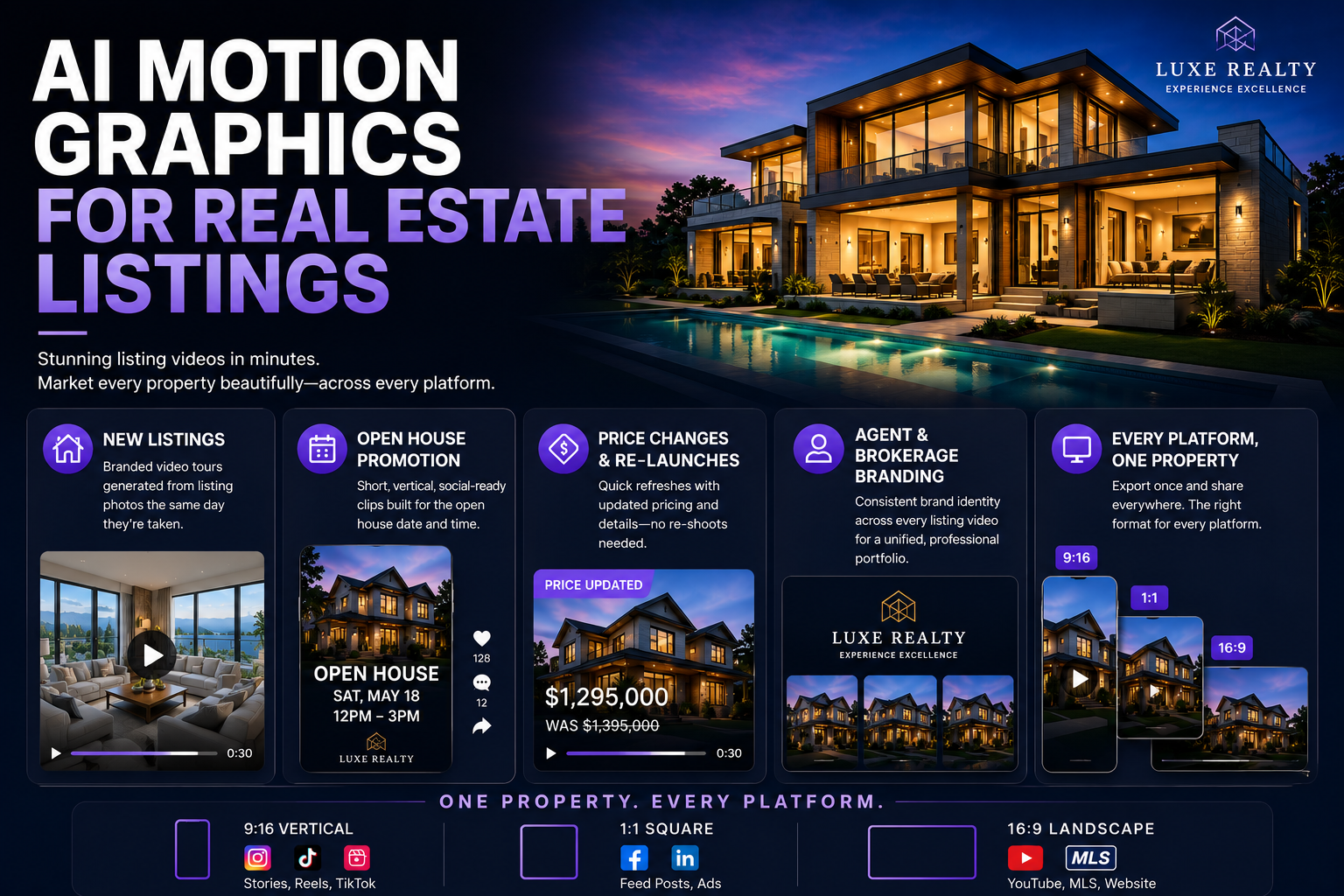
● New listings: a branded video tour generated from the listing photos the same day they're taken, instead of waiting on a separate video shoot.
● Open house promotion: a short, vertical, social-ready clip built specifically for the listing's open house date and time.
● Price changes and re-launches: a quick refresh of the listing video with updated pricing, without re-shooting the property.
● Agent and brokerage branding: every listing video carries the same captured brand identity, so a scroll of an agent's listings looks like one consistent portfolio.
● Every platform, one property: export the same tour at 9:16 for Instagram and TikTok, 1:1 for the feed, and 16:9 for a YouTube or MLS embed.
Why this shift is happening now, not five years ago
Real estate has tried AI-assisted video before, mostly in the form of basic slideshow generators that string listing photos together with a stock transition and a canned music bed. Those tools solved the cost problem but never solved the generic-look problem, because they were built around a fixed template rather than an ability to actually plan a layout and motion sequence around a specific set of images. What's changed is the arrival of systems that measure a photo's real dimensions and dominant colors and plan the composition around that specific property, rather than forcing every listing through the same slideshow shape.
The other piece that had to mature is brand capture — the ability to read an agent's or brokerage's actual website and carry the real palette, logo, and fonts into a generated video automatically, rather than requiring the agent to manually add a logo overlay to every clip after the fact. Combined, these two capabilities are what let a listing video look bespoke to that specific property and consistently branded to that specific agent, at a production cost and turnaround that finally makes sense for the bulk of an inventory, not just the flagship listing.
How Kinetiq turns a photo folder into a listing video
This is the exact use case Kinetiq at https://kinetiq.nagent.ai is built to handle. An agent uploads the listing's photos directly into Kinetiq's screenshot / image video mode, and the system probes each image's real dimensions and dominant colors before planning layout, motion, and room-by-room pacing around them — rather than dropping photos into a fixed slideshow template. A short brief in chat ("a warm, inviting tour for a 3-bedroom family home, ending on the price and my contact info") gives Kinetiq's Director enough to plan a beat-by-beat sequence.
Music can be uploaded or generated from a mood brief inside Kinetiq, and the cut syncs to the beat automatically, so the pacing matches the property's energy rather than defaulting to one generic track. Because the brand kit is captured once from the brokerage's or agent's own site, every listing video that follows carries the same logo, palette, and fonts without the agent having to add branding manually to each one.
Feature by feature: what to reach for on a listing video
● Screenshot / image video mode — upload listing photos to Kinetiq and let it plan the tour's layout and motion around your real images and their actual colors and dimensions.
● Music video / beat-synced mode — bring a track or a mood brief into Kinetiq and get a cut where transitions land on the beat, matching the property's energy.
● Video beautify — for an existing phone-shot walkthrough, Kinetiq keeps your original footage and voice while adding synced captions, branded overlays, and motion graphics on top.
● Brand kit — capture your brokerage's or your own personal brand once in Kinetiq so every listing video is automatically on-brand, no manual logo placement required.
● Templates and adapt — save your best-performing tour format as a template in Kinetiq and adapt it for the next listing by swapping photos and copy, keeping the same motion and pacing.
● Multi-format export — render the same tour in Kinetiq at 9:16 for Instagram1:1 for the feed, and 16:9 for YouTube or an MLS embed, from one source.
The pipeline in more detail: from photo folder to finished tour
Walking through Kinetiq's actual stages shows why this works directly from a photographer's delivery. The Brief stage takes the uploaded photo set and a short description of the property and tone, and the Brand stage — when the agent's or brokerage's site has been captured — applies the logo, palette, and fonts to the tour automatically. The Generate stage is where the Director plans a room-by-room sequence, probing each image's real dimensions and dominant colors so the motion and layout are built around the actual listing rather than a generic template grid.
The Audio stage is where the beat-synced music comes in, whether uploaded or generated from a mood brief, with the pacing of cuts following the track rather than a fixed default timing. The Quality pass checks that no room's scene is blank and that the price and contact card at the end renders correctly — a small but easy-to-miss detail on a fast turnaround. From there, Refine lets the agent make a quick chat or canvas adjustment ("slow down the kitchen scene, it's the best room"), and Render/Download produces the tour in every aspect ratio the listing needs, from the vertical Reel to the MLS-ready landscape file.
Common mistakes agents make with listing video
● Using low-resolution or inconsistent photos — since the system plans the whole video around the actual images, starting from the photographer's best, highest-resolution set makes a visible difference in the final tour.
● Defaulting to the same music track for every property — matching the mood to the property type (energetic for a starter home, calm and spacious for a luxury listing) makes the pacing feel intentional rather than generic.
● Skipping brand capture and adding a logo manually per video — capturing the brand once means every future listing inherits it automatically, which matters as the volume of listings grows.
● Rendering only one aspect ratio and cropping it afterward — cropping a finished video after the fact often cuts off exactly the framing that made a shot work; exporting natively at each ratio avoids that.
● Waiting for a full walkthrough shoot when photos alone would do — for the bulk of listings that don't justify a videographer's schedule, starting from the photo set already in hand gets the video out the same day instead of waiting on a shoot.
How to know it's actually working
For an individual agent, the most direct measure is simply how many active listings now have a video tour that previously wouldn't have — since that's the number production capacity used to cap. Beyond that, watching engagement on the listing itself (views, saves, and inquiries on video-included posts versus photo-only posts) gives a read on whether the format is actually driving more interest, and for a brokerage managing many agents, tracking how consistent the branding looks across different agents' listings is a good proxy for whether the brand-capture step is being used the way it's meant to be.
A sample workflow: a new listing video the same day photos are taken
An agent's listing photos come back from the photographer in the afternoon. Instead of booking a separate videographer for a walkthrough, the agent uploads the photo set directly into Kinetiq, briefly describing the property and the tone they want in chat.
Kinetiq plans a room-by-room sequence around the actual photos, adds a beat-synced music track, and lays the brokerage's captured brand — logo, colors, contact card — over the final scene. The agent reviews the draft on the canvas, tweaks one room's pacing through chat, and renders the tour in vertical, square, and landscape formats for Instagram, the MLS listing, and YouTube — all the same day the photos were taken, at a fraction of what a videographer package would have cost for a mid-market listing.
Frequently asked questions
Do I need a separate video shoot, or can Kinetiq work from my listing photos alone?
Kinetiq's screenshot and image video mode is designed to work directly from listing photos, planning the tour's layout and motion around your actual images without requiring a separate video shoot.
Can Kinetiq add music that matches the property's style?
Yes — you can upload a track or describe a mood, and Kinetiq generates or syncs music to the cut, adjusting pacing to match the property's energy.
Will my listing videos look consistent with my brokerage's branding?
Capturing your brokerage's or personal brand once from your website lets Kinetiq apply the same logo, palette, and fonts automatically to every listing video that follows.
Can I turn an existing walkthrough video into something more polished?
Kinetiq's video beautify mode takes an existing raw walkthrough clip, keeps your original footage and voice intact, and adds synced captions and branded motion graphics overlays on top.
Can a brokerage keep every agent's listing videos looking consistent?
Capturing the brokerage's brand once and having every agent generate from that same brand kit keeps logo, palette, and fonts consistent across the whole roster, without a designer reviewing each individual listing.
What aspect ratios should a listing video actually cover?
Most agents export at minimum a vertical 9:16 for Instagram and TikTok, a square 1:1 for the main feed, and a landscape 16:9 for YouTube or an MLS embed — Kinetiq generates all three from the same underlying tour.
Rolling this out across a brokerage
An individual agent can start using Kinetiq on their very next listing with no coordination required — uploading photos and generating a tour doesn't depend on anyone else's workflow changing. At the brokerage level, the highest-leverage first step is capturing the brokerage brand once and sharing that captured brand kit and a proven template across the agent roster, so every agent's very first video already looks professionally consistent rather than each agent experimenting independently and arriving at different styles.
Brokerages that already work with a preferred videographer for their very top listings don't need to end that relationship — the same pattern seen in other industries applies here too: reserve the hand-shot, fully produced walkthrough for the flagship properties where it's worth the cost and turnaround, and use the photo-to-video workflow for the much larger volume of everyday listings that would otherwise get no video at all.
As adoption grows, a brokerage can build a small library of templates for different property types — a starter home, a luxury listing, a condo — so any agent generating a new tour starts from a format already tuned for that kind of property, rather than every agent making the same structural decisions from scratch on every listing.
Beyond the listing itself: agent and brokerage brand-building
A listing video's most obvious job is marketing that specific property, but the same tool doubles as a brand-building asset for the agent or team behind it. An agent posting a consistent stream of well-branded listing tours — same logo placement, same intro treatment, same visual quality — builds a recognizable personal brand across a feed over time, which is exactly the kind of compounding presence that's historically been reserved for agents with a big enough budget for a dedicated video editor.
Brokerages can extend this further into recruiting: a prospective agent evaluating which brokerage to join notices whether the existing agents' online listings look professional and consistent, and a shared brand kit and template library is a visible, easy-to-point-to piece of the value proposition a brokerage can offer new agents joining the team.
A quick checklist before publishing a listing video
● Are the uploaded photos the highest-resolution, best-edited versions from the photographer, since the whole tour's layout is planned around them?
● Does the music mood actually match the property type, rather than defaulting to whatever track was used on the last listing?
● Has the brokerage or personal brand been captured so the logo, colors, and contact details appear automatically and consistently?
● Has the tour been exported in every aspect ratio the listing will actually be posted to, rather than one ratio cropped after the fact?
● If this property type (starter home, luxury, condo) recurs often, has a template been saved so future similar listings start from a proven structure?
The takeaway
Real estate marketing doesn't lack demand for listing video — it lacks a way to produce it profitably for every property, not just the flagship ones. Kinetiq gives agents and brokerages a way to make video tours standard across the whole inventory instead of a luxury reserved for the top of the market. Turn your next listing's photos into a tour at https://kinetiq.nagent.ai.