
AI Motion Design for SaaS Product Demo Videos
Product Demo Videos in Days, Not Weeks: How SaaS Teams Use AI Motion Design
Every SaaS company eventually learns the same lesson: the product can be genuinely excellent and still lose deals because prospects never see it clearly. A dense feature list on a pricing page doesn't communicate how a workflow actually feels. A live demo call requires a prospect's calendar and a rep's time, and it doesn't scale to the thousands of self-serve signups a product-led growth motion depends on. What actually shows a prospect of the product, at scale, without a human on the call, is video — and for most of the last decade, video was the one part of the SaaS marketing stack that stayed stubbornly slow and expensive to produce.
That's changing. AI motion design tools are now a standard part of how product-led SaaS companies produce demo videos, launch clips, and changelog content, and the shift is worth understanding in detail because it changes not just how fast this content ships, but how often it gets made at all. This piece looks at why product video has always lagged behind the rest of the SaaS marketing stack, and how AI motion design software like Kinetiq AI Motion Design Studio closes that gap.
The Sales Team's Stake in This Too
Product marketing isn't the only function that benefits, and it's worth naming sales directly because the connection is often overlooked. Sales teams at PLG companies routinely field the same handful of "does it do X" questions on calls, and a short, accurate demo clip answering a common objection can be sent ahead of a call or dropped into a follow-up email instead of waiting for the next live demo slot. Because generating that clip no longer requires routing through product marketing's queue, sales-adjacent teams — sales engineering, solutions consulting, customer success — can increasingly produce their own targeted clips for specific deals or specific recurring objections, using the same brand-consistent tooling rather than improvising with a screen recorder and no editing.
This distributed capability matters more than it might initially seem, because the content sales actually needs is rarely the flagship homepage demo — it's dozens of small, specific answers to specific prospect questions, exactly the long tail of content that was least likely to get made under the old production model, because no single piece of it was individually important enough to justify a specialist's time.
Why SaaS Companies Underinvest in Product Video
Ask any product marketer at a mid-size SaaS company how often they'd like to ship a new demo video, and the honest answer is usually "far more than we actually do." Every new feature release, every repositioning of the product, every objection uncovered in sales calls is a reason to make a new video. In practice, most companies ship a handful of polished demo videos a year, not because the need isn't there, but because producing one has traditionally required either an in-house video specialist most SaaS teams under fifty people don't have, or a freelancer or agency relationship that adds days of back-and-forth for even a short clip.
The mismatch is structural. Product teams ship changes on a weekly or even daily cadence. Marketing content built around those changes — landing page copy, release notes, social posts — can be produced just as fast, because writing and design tools for those formats have caught up to that pace. Video hasn't, historically, which means it becomes the bottleneck in an otherwise fast-moving GTM motion. A feature that ships on Tuesday might not get a demo video until the following month, by which point the moment to capitalize on it in outbound, in paid social, and in the product's own in-app messaging has largely passed.
What AI Motion Design Actually Solves for Product Teams
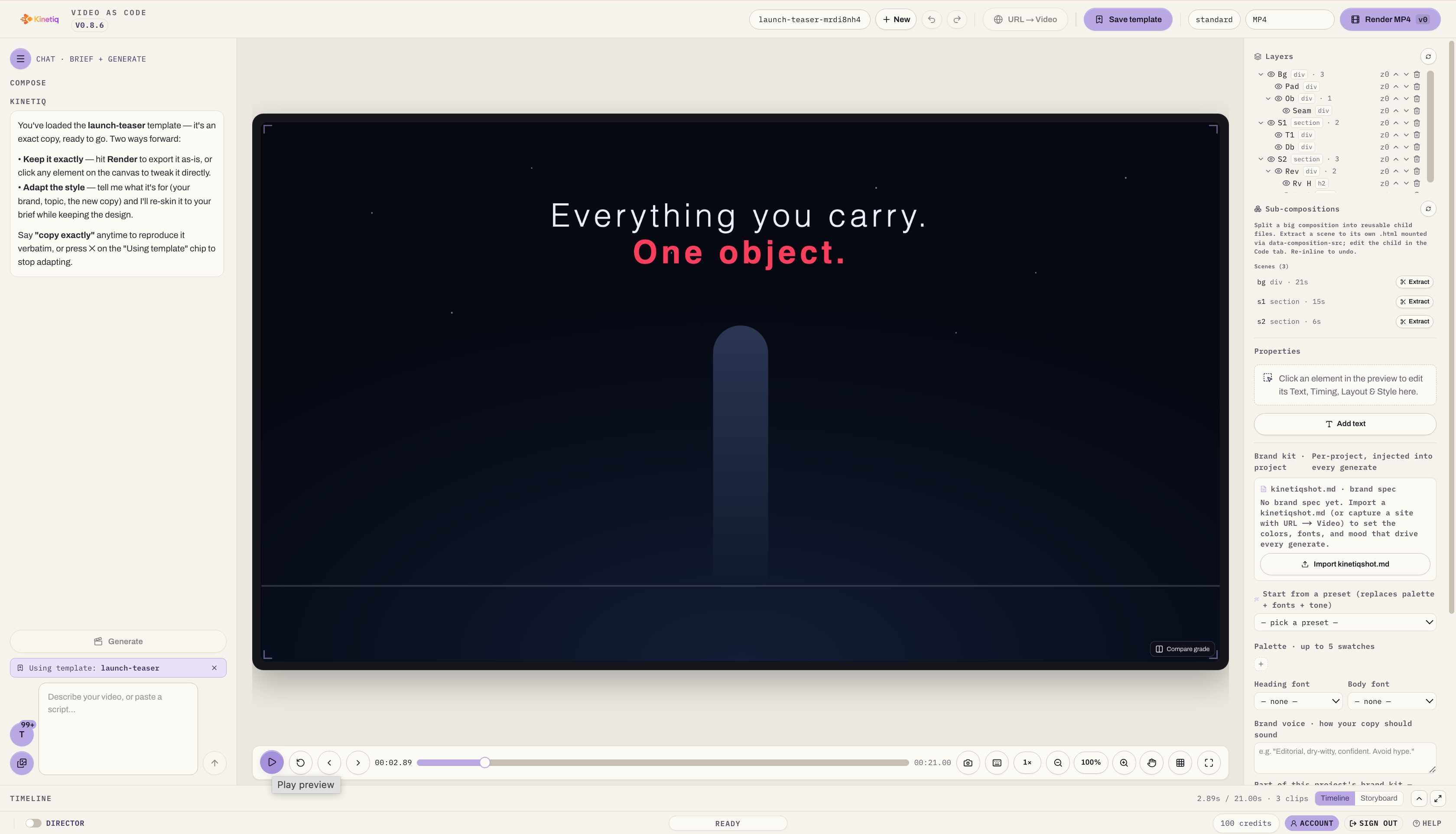
The core capability that matters most for SaaS teams is turning a plain-language brief, an existing script, or even a product page URL directly into a finished, on-brand video without routing through a specialist. Kinetiq's flow — brief, generate, preview, refine, render — means a product marketer can describe a new feature the same way they'd describe it in a Slack message to a colleague, and get back a complete, multi-scene composition with voiceover, music, and motion effects already in place, ready to preview at final quality within minutes.
For SaaS specifically, this closes the exact gap described above: a video no longer has to wait for a specialist's calendar to open up. A product marketer, a founder, or even an engineer on the product team can generate a first cut the same day a feature ships, review it, make adjustments through chat or the canvas, and have something publishable before the excitement around the release has faded.
This matters more for SaaS than almost any other category, because SaaS buying decisions are unusually dependent on the buyer understanding how the product actually works before they'll commit — more so than categories where the value proposition is simpler to state in words. A demo video that ships the same week as the feature, rather than the same quarter, directly shortens the gap between building something good and prospects finding out about it.
Brand Capture Solves a Startup-Specific Problem
Startups and early-stage SaaS companies have a version of the brand consistency problem that looks different from a large enterprise's version. It's not that dozens of teams are producing inconsistent content — it's that there's often no dedicated brand or design resource at all, and whoever is available (a founder, a generalist marketer, a part-time contractor) produces content that drifts visually from one piece to the next simply because there's no one enforcing consistency.
Automated brand capture addresses this directly. Kinetiq captures a brand kit — palette, typography, and tone — from a company's live website, and applies it automatically to every subsequent generation. For a startup, this effectively gives a small team the consistency benefit of a dedicated brand function without needing to hire one. Every demo video, launch clip, and social ad generated afterward inherits the same visual identity by default, which matters enormously for a company whose brand is still being established in the market and can't afford visual inconsistency undermining the credibility that logo and product name are trying to build.
The Demo Video Lifecycle: Before and After
It's useful to walk through how a single feature launch's video content changes end to end.
The old way. Product ships a new feature on a Tuesday. Product marketing writes a script and sends a request to a freelance video editor, who has a queue of other clients and can start work the following week. A first draft comes back five to seven business days later. A round of internal feedback goes back to the editor, adding another few days. By the time a finished demo video exists, two to three weeks have passed since the feature was actually shipped — and the video still needs to be cut down separately for a social teaser, which is another request, another queue, another few days.
The AI motion design way. Product marketing pastes the feature's existing documentation or a rough script directly into the tool the same day the feature ships. A complete composition, already carrying the company's brand kit, previews within minutes. A quick pass of refinement — tightening pacing, adjusting a callout, swapping in an updated screenshot — happens the same afternoon. The finished video renders in the full-length format for the website and product page, and simultaneously in a vertical cut for social, from the same underlying composition. The whole cycle, from feature ship to published video across every channel, fits inside a single day.
This isn't a hypothetical improvement — it's the difference between a product marketing function that treats video as an occasional special project and one that treats it as a standard part of every release, the same way release notes and changelog entries already are.
Changelog and Release Videos as a Standing Practice
One of the more specific opportunities this unlocks for SaaS companies is treating changelog content as video by default rather than text by default. Most SaaS products already maintain a changelog — a running list of what shipped and when — but changelogs are almost universally text, because producing a video version of every release has never been practical at the cadence most teams ship at.
With AI motion design in the workflow, a short video version of a changelog entry — what shipped, why it matters, a quick look at it in the product — becomes a realistic standing practice rather than a special-occasion asset reserved for major releases. This has a compounding effect: customers and prospects who might skim past a text changelog entry are more likely to watch a thirty-second video, and a library of these videos accumulated over a year becomes a genuinely useful resource for sales teams fielding "what's new" questions, for customer success teams onboarding new users, and for marketing repurposing the best moments into social content.
Kinetiq's positioning around agent-native, API-driven use points toward where this goes next: a changelog video generated automatically from a product's own release notes feed, with a human reviewing and publishing rather than initiating each one from scratch. For SaaS teams building this into their release process, that's a meaningfully different operating model than commissioning a video for each release individually.
Product Demos, Explainers, and the Content Types SaaS Teams Need Most
SaaS marketing and product teams tend to need a fairly consistent set of video formats, and it's worth being specific about how AI motion design covers each:
Full product demos for a homepage or product page, walking through the core workflow a prospect cares about most, benefit from the tool's ability to compose a multi-scene narrative from a script rather than a single static screen recording — genuine motion design, not a screen capture with captions bolted on.
Feature explainers, shorter and more focused than a full demo, are well suited to the same brief-to-render flow, particularly because they're the format product marketing needs most often and can least afford to spend a week producing.
Social shorts and launch teasers, cut for the vertical formats social platforms require, come from the same composition as the long-form version, exported to a different aspect ratio rather than re-produced from scratch.
Captioned talking-head content, useful for founder-led marketing or customer testimonial clips, is directly supported as a first-class format rather than something the tool merely tolerates.
Internal and sales-enablement videos, such as a quick walkthrough for a new sales hire or a customer success team, benefit from the same speed advantage even though they never reach an external audience — content that used to not get made at all, because it wasn't worth commissioning professional production for an internal audience, now gets made because the cost of producing it approaches zero.
Why This Matters More for Startups Than It Sounds
It's worth being explicit about why this shift matters disproportionately for startups and early-stage SaaS companies compared to larger, better-resourced organizations. A well-funded enterprise SaaS company can absorb the cost and delay of traditional video production because it has the budget and the runway to wait. An early-stage startup competing for the same prospect's attention often can't — every week a feature goes without a clear video explanation is a weak competitor with faster-moving marketing motions are winning attention instead.
AI motion design closes that gap specifically in the dimension that mattered most: speed to publish, at a quality bar that no longer looks like an obvious "made on a startup budget" compromise, because the brand capture and structural validation built into modern tools catch the visual inconsistencies that used to signal cheap production. A five-person startup and a two-hundred-person SaaS company can both now ship a demo video the same week a feature launches, which was simply not true three years ago.
Evaluating an AI Motion Design Tool for Product Marketing Use
Product and marketing teams at SaaS companies evaluating this category should look for a few things specifically relevant to their workflow, beyond the general capabilities any team would want:
Can it work directly from existing product content? The ability to generate a first draft from a script, product documentation, or a URL rather than starting from a blank brief saves the most time for teams that already write release notes and documentation as part of their normal process.
Does it handle screen-capture-style product footage alongside generated motion graphics? SaaS demos often benefit from blending a genuine product walkthrough with generated explanatory graphics, and the strongest tools support both rather than forcing a choice.
Is the brand kit easy to set up and maintain as the product evolves? Early-stage companies rebrand and iterate on visual identity more often than established enterprises, so recapturing a brand kit should be a quick, low-friction action rather than a heavy setup process.
Does pricing fit a startup's usage pattern? Metered or tiered pricing based on generation volume tends to fit a growing SaaS company's actual usage far better than a large upfront license, particularly for teams still validating how much video content their GTM motion actually needs.
Is there a path to automation as the team scales? API or MCP access matters less on day one than it does a year later, once a team wants changelog videos or release announcements generated automatically as part of an existing product and marketing pipeline.
The Bigger Shift for Product-Led Growth
The broader pattern here is consistent with what AI motion design has done for other categories of marketing content: it doesn't just make existing video faster, it changes what counts as worth making into video at all. When video was expensive and slow, only the highest-stakes content — the annual product launch, the flagship explainer — justified the investment. Everything else, including the steady stream of smaller feature releases that make up most of a SaaS company's actual roadmap, stayed text-only by default.
For product-led growth companies specifically, where the product itself is the primary sales tool and showing it clearly is most of the marketing job, that shift is significant. A GTM motion that can produce a clear, on-brand video explanation of literally everything the product ships, at the pace the product ships it, has a structural advantage over one still treating video as a quarterly special project. That advantage compounds every release cycle, which is exactly the kind of compounding effect that separates fast-growing SaaS companies from ones that grow at the pace their content production allows.
What This Means for Product Marketing Team Structure
The shift also has implications for how SaaS companies staff product marketing as they grow. A common pattern at companies between roughly ten and two hundred employees has been to hire a video-focused contractor or agency relationship once the company has enough revenue to justify it, essentially treating video as a function you graduate into once you can afford a specialist. That pattern is starting to break down, because the tooling now makes it possible for a generalist product marketer to own video output directly from a much earlier stage, without the company needing to reach a revenue threshold that justifies a dedicated hire or agency retainer first.
This doesn't mean video expertise stops mattering as a company scales — a larger, more mature SaaS company still benefits from a dedicated video or brand specialist who can push quality further than a generalist working through an AI tool alone, particularly for flagship campaigns and brand-defining content. What changes is the floor: a company no longer needs to wait until it can justify that hire before it can produce competent, on-brand video content at all. The specialist, when the company eventually adds one, comes in to elevate an already-functioning video motion rather than to build one from nothing, which is a meaningfully different and higher-leverage starting point for that hire.
For competitive positioning specifically, this matters because prospective buyers increasingly form their first impression of a SaaS product through video — a demo clip on a landing page, a feature walkthrough linked from a comparison article, a short clip in a paid social ad — before they ever get to a sales call. A company whose competitors are all producing polished, frequent video content while it's still relying on static screenshots and text is at a real disadvantage in that first impression, regardless of how strong the underlying product actually is. Closing that gap no longer requires the budget or headcount it used to.
Ready to create production-ready videos in minutes instead of weeks? Try Kinetiq today and see how AI-powered motion design can transform the way your team creates, edits, and scales video content.
Frequently Asked Questions
Can a small SaaS team without a video specialist actually produce good demo videos with AI motion design tools?
Yes. The combination of natural-language briefing and automated brand capture means a product marketer or founder without design training can produce an on-brand video, with the tool handling the animation, pacing, and structural quality checks a specialist would otherwise be responsible for.
How fast can a demo video realistically go from feature launch to published?
With a script or existing documentation as a starting point, a first draft typically previews within minutes, and a polished, published version across multiple formats is achievable within the same day, compared to one to three weeks with a traditional freelancer or agency workflow.
Is AI-generated video suitable for a company's primary product demo, or only for smaller content?
It's suitable for both, though teams typically apply more refinement time to a primary homepage demo than to a routine changelog clip. The underlying generation and brand consistency quality is the same regardless of the video's importance; the difference is how much human review and polish gets applied before publishing.
How does this fit into an existing product marketing workflow that already produces release notes and documentation?
The most efficient setups feed existing scripts, release notes, or documentation directly into the tool as the starting brief, rather than writing a separate video-specific brief from scratch, which saves a full drafting step.
What should a startup prioritize when choosing an AI motion design tool?
Fast, low-friction brand kit setup, pricing that scales with actual usage rather than a large upfront commitment, and support for both generated motion graphics and real product screen capture within the same tool.