
We Just Launched Kinetiq on Product Hunt.
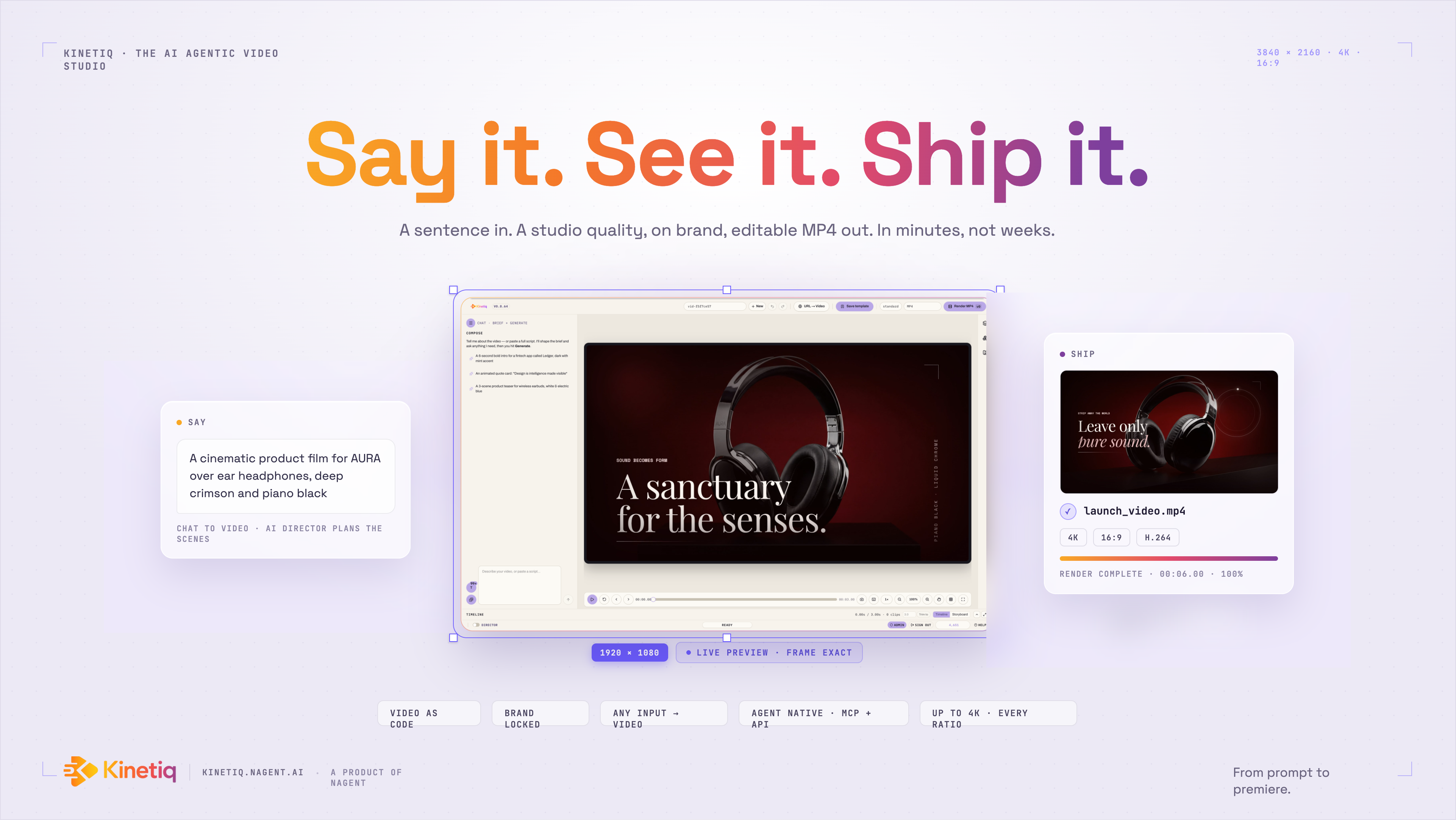
We Just Launched Kinetiq on Product Hunt — Say It. See It. Ship It.
How Nagent's AI motion design studio turns a single sentence into a studio-quality, on-brand motion video — in minutes, not weeks.
Today is launch day. Kinetiq — the AI-agentic motion video studio built by the team at Nagent — is live on Product Hunt. If you've ever sat on a great idea for a launch video, a demo reel, or a social ad because you didn't have the budget, the software, or the six weeks it takes an agency to turn it around, this post is for you. We built Kinetiq because we were that team, and we got tired of settling.
This is the story of what we shipped, why we built it the way we did, and how you can try it today — for free, on Product Hunt, before anyone else does.<div style="font-family: -apple-system, BlinkMacSystemFont, "Segoe UI", Roboto, "Helvetica Neue", Arial, sans-serif; border: 1px solid rgb(224, 224, 224); border-radius: 12px; padding: 20px; max-width: 500px; background: rgb(255, 255, 255); box-shadow: rgba(0, 0, 0, 0.05) 0px 2px 8px;"><div style="display: flex; align-items: center; gap: 12px; margin-bottom: 12px;"><img alt="Kinetiq" src="https://ph-files.imgix.net/3d735207-0c47-4a7e-ab73-31976213ae9b.png?auto=compress,format&codec=mozjpeg&cs=strip&fit=crop&h=80&w=80" style="width: 64px; height: 64px; border-radius: 8px; object-fit: cover; flex-shrink: 0;"><div style="flex: 1 1 0%; min-width: 0px;"><h3 style="margin: 0px; font-size: 18px; font-weight: 600; color: rgb(26, 26, 26); line-height: 1.3; overflow: hidden; text-overflow: ellipsis; white-space: nowrap;">Kinetiq</h3><p style="margin: 4px 0px 0px; font-size: 14px; color: rgb(102, 102, 102); line-height: 1.4; overflow: hidden; text-overflow: ellipsis; display: -webkit-box; -webkit-line-clamp: 2; -webkit-box-orient: vertical;">On-brand motion video in minutes. Say it. See it. Ship it.</p></div></div><a href="https://www.producthunt.com/products/kinetiq?embed=true&utm_source=embed&utm_medium=post_embed" target="_blank" rel="noopener" style="display: inline-flex; align-items: center; gap: 4px; margin-top: 12px; padding: 8px 16px; background: rgb(255, 97, 84); color: rgb(255, 255, 255); text-decoration: none; border-radius: 8px; font-size: 14px; font-weight: 600;">Check it out on Product Hunt →</a></div>
The problem: video is the best medium and the hardest to make
Every marketer, founder, and creator already knows that video converts better than almost anything else. It's the format people actually watch, share, and remember. And yet most teams still don't make the video they need — they settle for a slide deck, a static graphic, or nothing at all.
Why? Because the tools available today force an impossible trade-off:
After Effects — a desktop application with a learning curve measured in months and a per-seat subscription that doesn't scale
Canva and template tools — friendly and fast, but the motion is shallow, the output isn't reproducible, and everything starts to look like everyone else's deck
Remotion and code-first renderers — genuinely powerful "video as code," but strictly developer-only — you're writing React components and running builds, not briefing a video
Agencies and freelancers — weeks of back-and-forth, a brief that gets diluted with every round, and a bill that grows with every revision
The result is predictable: teams either overspend on a single hero video, underspend on something generic, or skip the video entirely and ship the launch without it. We built Kinetiq to remove that trade-off completely.
What is Kinetiq?
Kinetiq is an AI-agentic motion video studio that turns a sentence into a rendered video. You describe what you want in plain language — or paste a script, drop a URL, upload footage, or hand it a music track — and Kinetiq writes the video as code, animates it, checks its own work, and renders a broadcast-quality MP4 you can keep editing by dragging on a canvas or by chatting with it.
On Nagent's Agent Marketplace, Kinetiq is listed as the AI Motion Design Studio agent, under Marketing → Ad Creative Generation, and the positioning line there says it plainly: it turns briefs, scripts, and brand assets into editable, After Effects-style motion videos — explainers, SaaS demos, ads, and social videos — with no manual work. That's the short version. The longer version is that Kinetiq isn't a generator bolted onto a template library; it's a full studio, and the video it hands back is a living, editable artifact rather than a locked file.
One line we keep coming back to internally: Kinetiq is to AI video what a word processor is to writing. You express intent. The system produces a polished, editable, reproducible result — not a one-shot render you either accept or throw away.
It's a product of Nagent, the Bengaluru-based agentic AI platform, and it's live today at kinetiq.nagent.ai.
Say it. See it. Ship it. — the three moments that define Kinetiq
We designed the entire product around three verbs, because that's really all a video should ever take: you say what you want, you see it happen exactly as it will render, and you ship it in whatever format and ratio the moment calls for.
1. Say it — describe it, or bring anything you already have
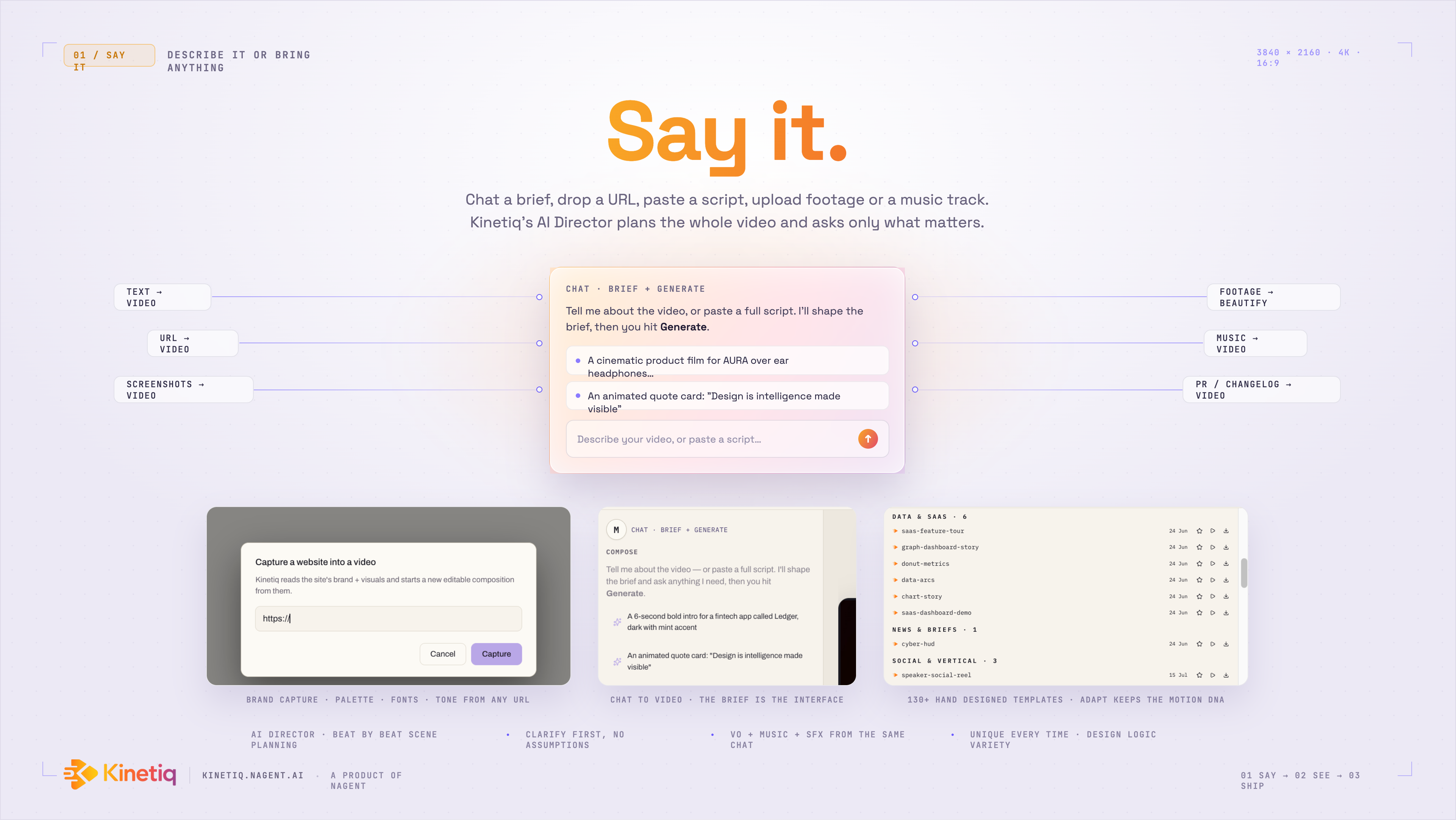
Chat a brief, drop a URL, paste a script, upload footage or a music track — Kinetiq's AI Director plans the whole video and asks only what matters.
Kinetiq doesn't need a blank-page brief. It's built to start from whatever you already have:
Text → video — describe it in chat, or paste a script, notes, or an article, and get a complete video — product launches, brand reels, explainers, social ads
URL → video — point Kinetiq at a website or landing page; it captures the palette, fonts, and tone, screenshots the product, and turns all of it into a branded showcase
Screenshot / image → video — upload product shots or screenshots and Kinetiq plans layout and motion around the real dimensions and dominant colors of your images
Video → video (beautify) — upload a talking-head or raw clip and Kinetiq keeps your natural voice — never an AI overdub — cleans the audio, and adds synced captions, stickers, and motion graphics at the same duration and aspect
Music → video — a track drives a beat-synced lyric video, slideshow, or kinetic promo, with any supplied footage cut onto the same beat grid
PR / changelog → video — a GitHub PR or release notes become a feature-reveal explainer, which is exactly the kind of video most product teams never get around to making
Underneath all of it is what we call the AI Director. It doesn't just fill in a template — it plans the video beat by beat, scales scene count and pacing to the length you asked for, and asks one crisp clarifying question when something is genuinely ambiguous, instead of quietly guessing. Anything hard to undo gets confirmed before Kinetiq starts building.
2. See it — a live studio, not a loading spinner
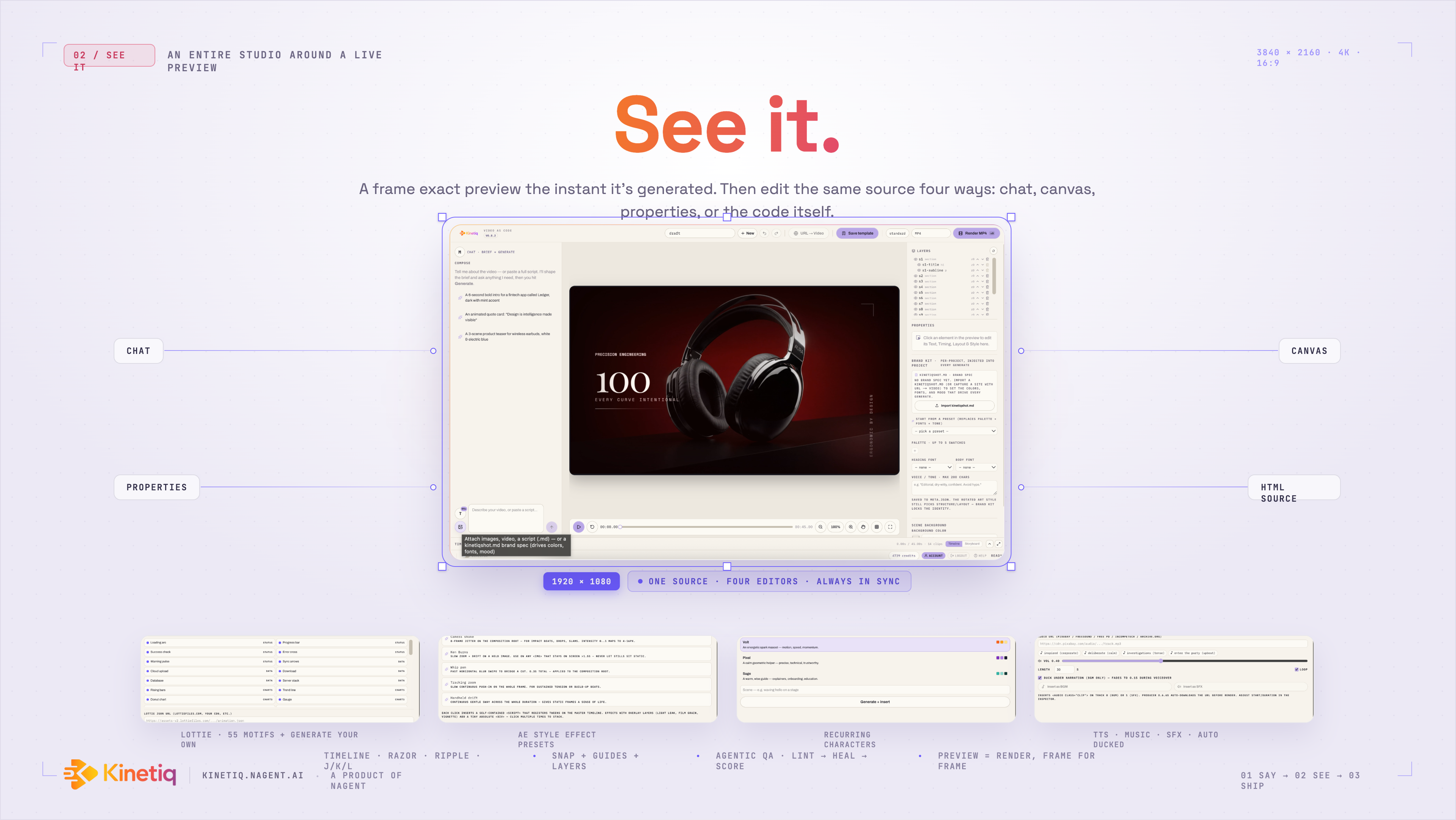
A frame-exact preview the instant it's generated. Then edit the same source four ways: chat, canvas, properties, or the code itself.
This is the part most AI video tools skip. Kinetiq doesn't hand you a single rendered clip and ask you to accept it or start over. It generates a complete HTML composition — scenes, layout, GSAP animation timing — and previews it instantly in the browser, frame-exact to what will eventually render.
From there, you can refine the same source four different ways, and all four stay perfectly in sync:
Chat — "make the headline bigger, slow the intro, swap the accent to navy" — the AI edits the composition for you, scene-scoped, so the rest of the video stays byte-for-byte untouched
Canvas — click any element to drag, resize, or rotate it, with snap-to-guides and alignment — direct, WYSIWYG manipulation
Properties — fine-tune color, gradients, transforms, fonts, blur, shadow, opacity, and per-element animation curves on the selected element
Source (HTML) — power users can drop straight into the HTML editor; changes round-trip back to the canvas, and nothing is hidden
There's also a full multi-track timeline — seek, zoom, per-scene thumbnails, snap and ripple edits, razor/split, J/K/L shuttle — plus undo/redo and multi-select. And because every render is deterministic, "change one thing and re-render" is exact and repeatable. No surprises, no re-rolls that quietly change everything else in the frame.
3. Ship it — a deliverable, not a demo
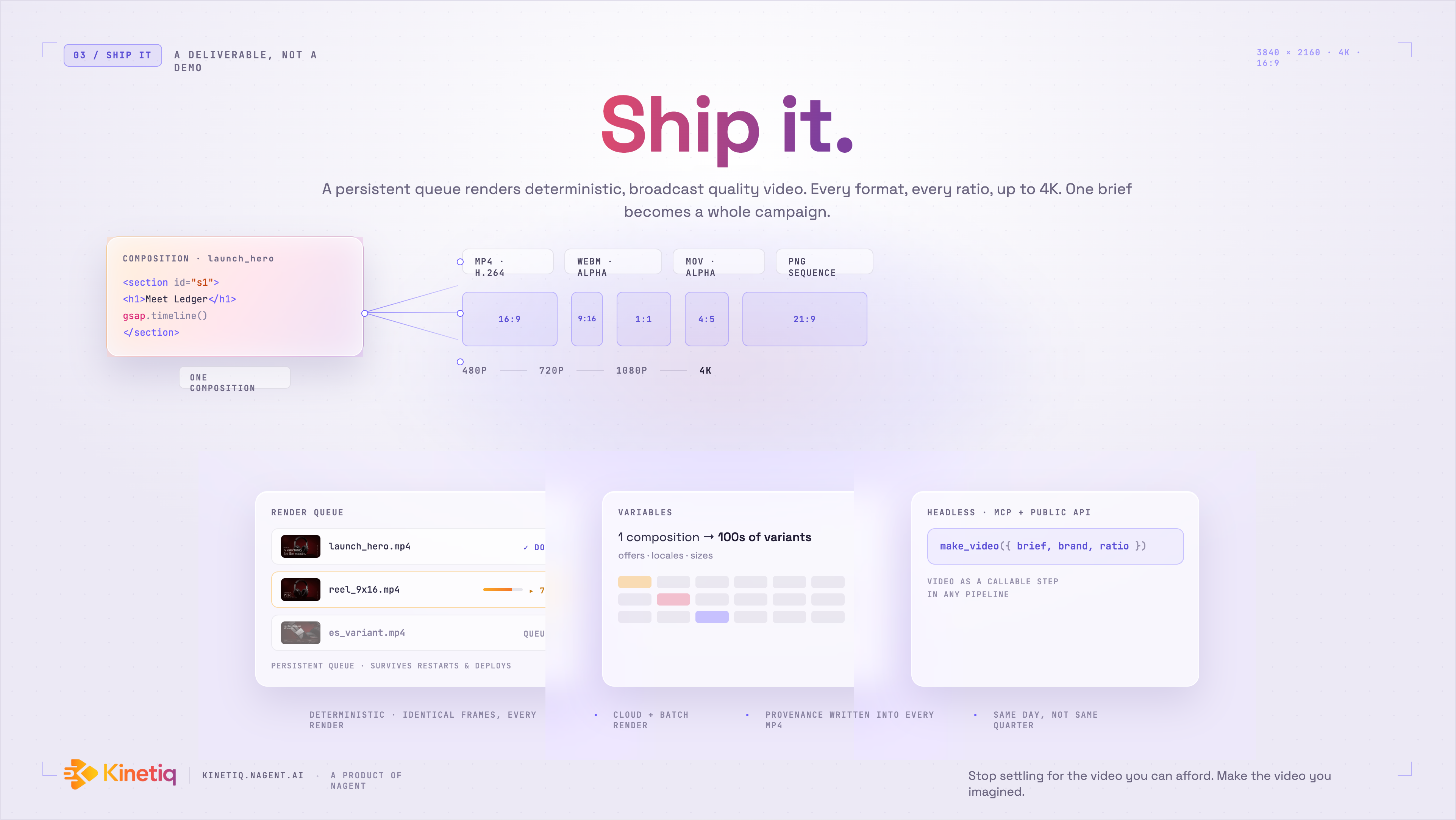
A persistent queue renders deterministic, broadcast-quality video. Every format, every ratio, up to 4K. One brief becomes a whole campaign.
A video that only exists inside a preview window isn't a deliverable. Kinetiq renders to actual files, in the formats a real campaign needs: MP4 (H.264), WebM and MOV with alpha for overlays and compositing, and PNG sequences for frame-accurate VFX hand-off — from 480p up to 4K, at any aspect ratio, since a composition's canvas is simply width by height. 16:9 for YouTube, 9:16 for Reels and Shorts, 1:1 for feed, 4:5 for portrait feed, 21:9 for cinematic, or any custom ratio your brief calls for.
Renders run in a persistent, parallel queue that survives navigating away, a restart, or a deploy — a failed job never blocks the rest, and every finished video keeps its own download, re-run, and delete controls. And because one composition can be turned into a parametrized template — swap the title, price, theme, or accent color and re-render — a single brief becomes hundreds of on-brand variants: sizes, locales, offers, all sharing one source of truth.
For teams that want video as a step in a bigger pipeline rather than a destination, Kinetiq ships headless too: a built-in MCP server and a public REST API mean any MCP-capable agent, or your own code, can call make_video({ brief, brand, ratio }) and get a rendered file back — no studio UI required.
Under the hood: motion video as code, made agentic
The reason Kinetiq can do all of this — chat, canvas, properties, and code, all staying in sync — is that every video is one deterministic HTML composition. A root element carries the width, height, and duration; clips carry their own start time and track; animation timelines are registered, created paused, and driven by seeking, so a given composition renders to the exact same frames every single time.
That single design decision has a large knock-on effect: because the artifact is plain HTML, a model can author and edit it directly, a human can tweak it visually on a canvas, and a headless-Chrome-plus-FFmpeg pipeline can turn it into a frame-exact MP4 — the same source serving all three. It's also diffable, version-controlled, and reproducible in a way that a locked Canva template or an opaque After Effects project file simply isn't.
On top of that engine, Kinetiq runs its own quality-assurance loop before you ever see a draft: structural linting, WCAG contrast checks, layout-overflow inspection, coverage-gap healing so there are no blank beats, a frame-0 poster guard, and an audio-drop check so a produced voiceover can't silently vanish. The point isn't just a pretty preview — it's a video that's been checked, not just generated.
The engine is the printing press. Kinetiq is the publishing house — the AI authoring, the visual studio, the asset and audio pipeline, the render queue, the QA loop, and the SaaS layer are what turn a rendering engine into a product anyone can actually use.
How Kinetiq compares
We get asked constantly how Kinetiq sits next to the motion video tools people already know, so here's the honest version rather than the marketing version:
vs. After Effects — still the ceiling for hand-tuned, pixel-level motion control, and that's exactly its cost — a weeks-to-months learning curve, fully manual authoring, and opaque project files that no AI agent can touch. Kinetiq trades the last slice of manual control for a path from idea to a polished, reproducible video that's roughly 100x faster.
vs. Canva — friendly and template-rich, but the motion is shallow and the output isn't code — so it can't be diffed, versioned, or programmatically varied. Kinetiq generates a bespoke, fully-animated composition from your brief rather than a template you fight against.
vs. Figma — a design tool, not a video renderer — great for a still frame or a prototype, but not built for broadcast MP4s with audio tracks and frame-accurate rendering. The two are complements, not competitors.
vs. Remotion — the closest tool in spirit — genuinely powerful, code-based video — but strictly developer-only: React components, wired props, a build step. Kinetiq delivers the same reproducibility while being usable by anyone, with AI generation and the whole creative pipeline built in.
If you want the one-sentence version: use After Effects when a senior motion designer needs total control of a single hero piece. Use Kinetiq for everything you need at volume, on brand, right now.
A whole motion video studio, not just a generator
Past the initial brief, Kinetiq's creative pipeline is built in rather than bolted on. Voice-over, background music, and sound effects are offered, confirmed, and produced in the same chat you used to brief the video — music auto-ducks under narration, and a talking-head keeps its own voice rather than getting overdubbed. AI image generation produces on-brand vectors, icons, and backgrounds from a prompt, with cut-out assets returned on a transparent background and text never baked in unless you ask for it. And a captured brand kit — palette, fonts, mood — applies automatically across every template and generation, so an entire library stays on-brand without anyone manually policing it.
Reuse is a first-class idea, not an afterthought. Save any composition as a template, star your favorites, or share one to a teammate. "Adapt" re-skins a saved template to a new brief while keeping its motion and structure DNA, so a format that worked once becomes a repeatable series instead of a one-off. Variables let you declare fields like title, price, or accent color and re-render the same composition with different content — the mechanism behind turning one brief into a hundred on-brand variants for different products, locales, or offers.
It also covers the formats that don't fit neatly into "make me a launch video": logo stings and kinetic typography, stat count-ups and data-viz hits, lower-thirds and animated callouts, cinematic word-synced captions on an existing clip, and interview or podcast packaging with timed lower-thirds and picture-in-picture cards. From a 5-second logo sting to a 3-minute explainer, square to cinematic, it's the same studio and the same brief.
Speed and cost, honestly
The real return on Kinetiq isn't a single feature — it's collapsing the idea-to-published-video cycle from weeks to minutes, without adding headcount. Learning enough to start with After Effects takes weeks to months; with Remotion it's a developer ramp measured in days; with Kinetiq it's minutes, because the brief itself is the interface. A first watchable cut that takes hours to days by hand takes roughly minutes in a chat brief. And producing five platform variants — 16:9, 9:16, 1:1, each with its own copy — which normally means hours of manual rework per format, becomes one brief rendered through variables and templates.
None of that requires hiring or waiting on a motion designer, and because a hard model allowlist and full token/cost metering sit underneath every generation, spend can't quietly run away. The marginal cost of the second video, and the hundredth, keeps dropping as your templates, scenes, and brand kit compound — where an agency or a freelancer's cost stays roughly linear per asset, no matter how many you've already ordered.
Quick answers to the questions we expect
A few things people ask us in almost every demo:
Do I need design or video experience? — No. If you can describe what you want, you can make it. Power users can drop into the HTML, but it's never required.
Is this just AI-generated templates? — No — Kinetiq authors a bespoke composition for your brief, with real layout, real animation, and real timing, then lets you refine it. What you get back is editable code, not a fill-in-the-blank template.
Is my work private? — Yes. Every account's videos, templates, assets, and renders are strictly isolated to that account, admins included, and a workspace identifier written into each render's metadata identifies the workspace — never a viewer.
Is the output actually broadcast quality? — Deterministic, up-to-4K H.264 MP4 (or WebM, MOV, or a PNG sequence) with audio, rendered by a headless-Chrome-and-FFmpeg pipeline — the same composition renders identically every time you press render again.
Who's already using it
Kinetiq wasn't designed around one persona it's built for anyone who needs on-brand video without hiring a specialist:
Marketers and growth teams: brief in chat, apply the brand kit, generate variants, render per platform for launch videos, social ads, and A/B creative
Founders and startups — describe the product, or just paste the landing page URL, and let Kinetiq capture the brand and generate the promo — no motion designer required
Agencies and studios — build per-client templates and brand kits, then spin variants with variables to produce on-brand client video at volume
Social and content creators — a short brief or a track in, a vertical export out, tweaked on canvas in minutes
Podcasters and interviewers — upload the clip, keep the speaker's own voice, add captions, stickers, and overlays, and render — without re-shooting anything
Product, DevRel, and docs teams — point at a PR or paste release notes and get a feature-reveal explainer out the other side — the video most product teams never get around to making
Enterprises — governed templates, brand enforcement, auditable code output, and API access for scaled, compliant video ops
The workflow is the same for every one of them: describe, optionally capture a brand, generate, refine on canvas or by chat, render, download. No timeline expertise required, and no coding — unless you want it.
Why we're launching on Product Hunt today
We built Kinetiq because we kept watching good ideas die at the motion video stage — not for lack of a good product or a good story, but because nobody on the team had eight hours to learn a timeline editor, or eight thousand dollars for an agency retainer. Product Hunt is where the people who feel that exact pain the most tend to show up first: builders, marketers, and small teams who need to ship this week, not this quarter.
If that's you, we'd love for you to try Kinetiq today, tell us honestly where it falls short, and — if it earns it — give us an upvote. Launch day support from people who actually use the product is worth more to us than any amount of paid promotion.
Get started
Open Kinetiq at kinetiq.nagent.ai and request an invite from the login page.
Describe your video — or paste a script, drop a URL for instant brand capture, or upload footage, screenshots, or a music track.
Watch it generate, then refine by dragging on the canvas or asking in chat.
Render and download your MP4 — ready to publish.
Stop settling for the video you can afford. Make the video you imagined.
Kinetiq — Say it. See it. Ship it. Kinetiq is a product of Nagent, and it's live on Product Hunt today. Come say hi, try it on your own brief, and let us know what you build.