
What Is Kinetiq? The AI Video Studio Explained
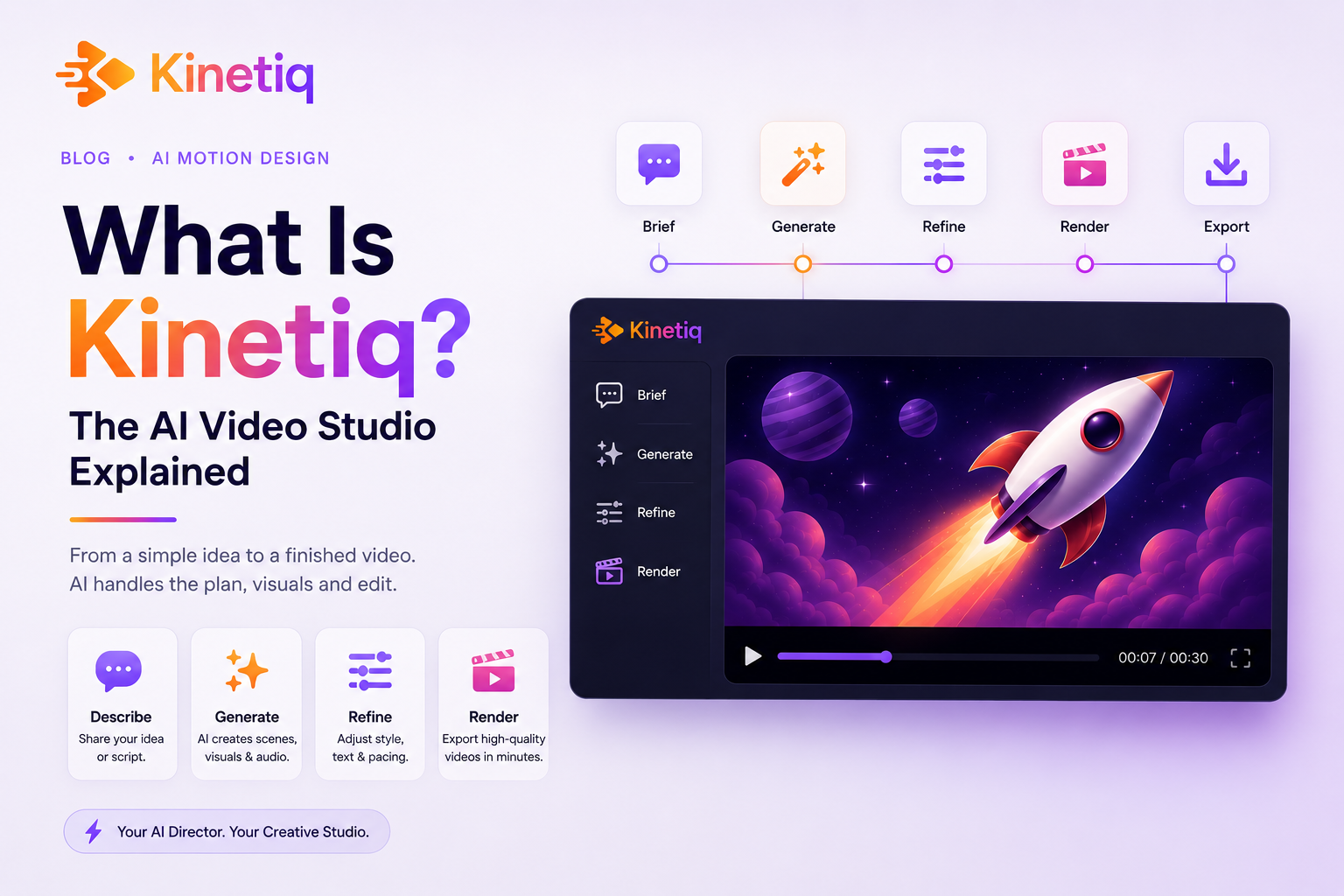
What Is Kinetiq? The AI Video Studio That Turns Text Into Studio-Quality Video
If you've ever tried to make a professional video, you already know the problem. After Effects takes months to learn. Hiring an agency takes weeks and a budget most teams don't have. Templates are fast, but they look like every other template — generic, forgettable, and off-brand. So most people don't make the video they actually need. They settle for a slide deck, a stock clip, or nothing at all.
Kinetiq exists to remove that bottleneck entirely. It's an AI-agentic video studio that turns a plain-language description into a rendered, studio-quality video — no software to learn, no editor to hire, no timeline-scrubbing expertise required. You type a sentence. Kinetiq writes the video as code, animates it, checks its own work, and hands you back a broadcast-quality MP4 you can keep refining forever.
In this guide, we'll break down exactly what Kinetiq is, how it works under the hood, what kinds of videos you can make with it, and why the underlying architecture — "video as code" — makes it fundamentally different from every AI video tool that came before it.
Say it. See it. Ship it.
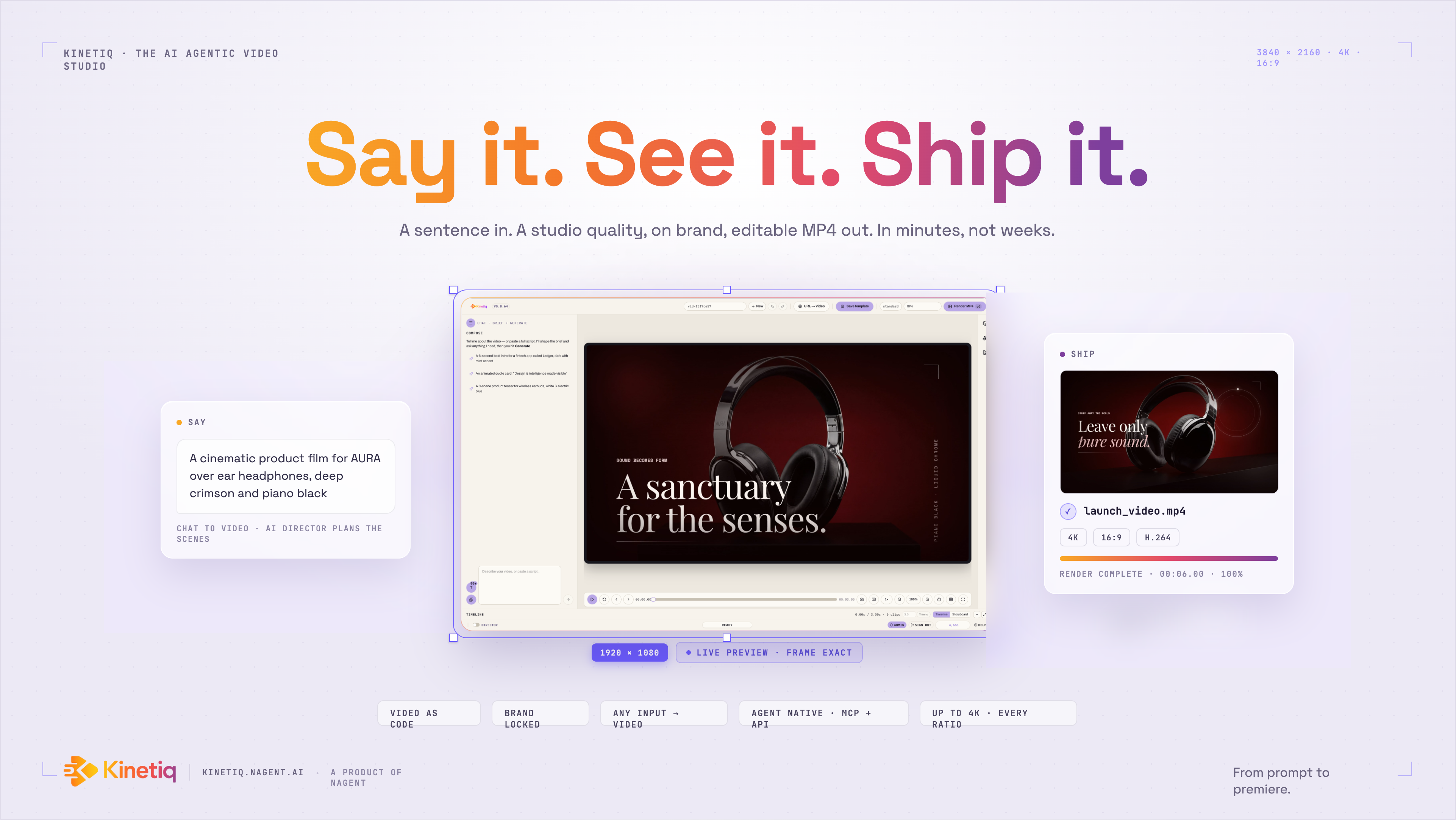
Kinetiq turns a sentence into a studio-quality, on-brand video — in minutes, not weeks.
Video is arguably the most persuasive medium on the internet, and it has always been the hardest one to produce well. The tools that make broadcast-quality motion possible — After Effects, Premiere, Cinema 4D — were built for specialists, and they stayed that way for decades. Meanwhile, the tools built for "everyone else" — Canva, drag-and-drop template builders — trade away the very thing that makes video powerful: originality. Everyone's Canva video looks like a Canva video.
Kinetiq's bet is that AI models have finally gotten good enough to author motion, not just describe it. Give a large language model the right canvas — a deterministic, agent-native video engine — and it can write real animation, real layout, and real timing, the same way a human motion designer would, except in seconds instead of days. Kinetiq is that canvas, wrapped in a full creative studio that anyone can use.
Who it's built for: marketers, founders, agencies, independent creators, product and DevRel teams, educators, and enterprises — essentially anyone who needs great video without the cost, the software, or the skill curve that traditionally comes with it.
How Kinetiq Actually Works
Unlike a chatbot bolted onto a video timeline, Kinetiq is built around a genuinely different idea of what a "video" is. Under the hood, every Kinetiq video is a deterministic HTML composition — plain HTML annotated with data attributes for timing, animated by a GSAP timeline, and rendered pixel-perfect to MP4 through a headless-Chrome and FFmpeg pipeline.
That sentence matters more than it sounds like it should, so let's unpack it.
A traditional video file — an MP4 you export from Premiere or After Effects — is a locked, opaque binary. You can't diff it, you can't version it in Git, and you certainly can't hand it to an AI model and ask it to "make the headline bigger." A Kinetiq video, by contrast, starts life as code: a structured HTML document with a root element carrying data-composition-id, data-width, data-height, and data-duration attributes, and individual clips marked with data-start, data-duration, and data-track-index. Animation timelines are registered on window.__timelines, created paused, and driven entirely by seeking — which means the composition is deterministic and wall-clock-independent. The same composition will render to the exact same frames, every single time, on any machine.
Because the artifact is HTML rather than a proprietary binary, three very different actors can all work on the same file:
An AI model can read and write it directly, the same way it reads and writes any other code.
A human can manipulate it visually on a canvas — dragging, resizing, and tuning properties — without ever looking at the underlying markup.
A renderer can turn it into a pixel-perfect MP4, WebM, MOV, or PNG sequence.
That shared source is the foundation that makes Kinetiq genuinely agentic, rather than an AI feature glued onto a conventional editor. It's also why Kinetiq describes its videos as "diffable, version-controlled, reproducible, and editable by both humans and AI agents" — a claim no traditional video tool, and few AI video tools, can honestly make.
The end-to-end pipeline
When you actually sit down to make something in Kinetiq, the process looks like this:
Brief. You describe the video you want in chat, or paste in a script, or drop in a URL. Kinetiq asks smart follow-up questions about look, feel, motion, logo, and length — without ever surfacing technical jargon you don't need to know.
Brand capture (optional). Point Kinetiq at a website URL and it captures your palette, fonts, and tone into a design spec that every scene in the video will honor automatically.
Generation. A model writes a complete HTML composition — scenes, layout, GSAP animation, timing — all at once. For longer pieces, a "Director" layer plans the video beat by beat, so pacing scales naturally with length instead of producing boring static holds.
Quality pass. The composition is automatically checked and repaired, with structural validation running behind the scenes.
Preview. The video plays instantly in an in-browser player, showing exactly what will render.
Refine. You can adjust the result on a visual canvas, tune values in a properties panel, edit the timeline, drop into the raw HTML source, or simply ask chat to change something.
Render. You queue a render at draft, standard, or high quality, with control over format, resolution, bitrate, and HDR.
Download. You get a deterministic MP4, WebM, MOV, or PNG sequence at up to 4K, in any aspect ratio.
Notice what's missing from that list: a learning curve. There's no keyframe graph to master, no codec settings to research, no render farm to configure. The complexity is still there — it's just been absorbed by the system instead of pushed onto you.
Four Ways to Edit, One Source of Truth
One of the more understated but genuinely important design decisions in Kinetiq is that every video is a single HTML composition, and every editing surface — chat, canvas, properties, and source code — reads from and writes to that same file. Nothing is siloed, and nothing gets out of sync.
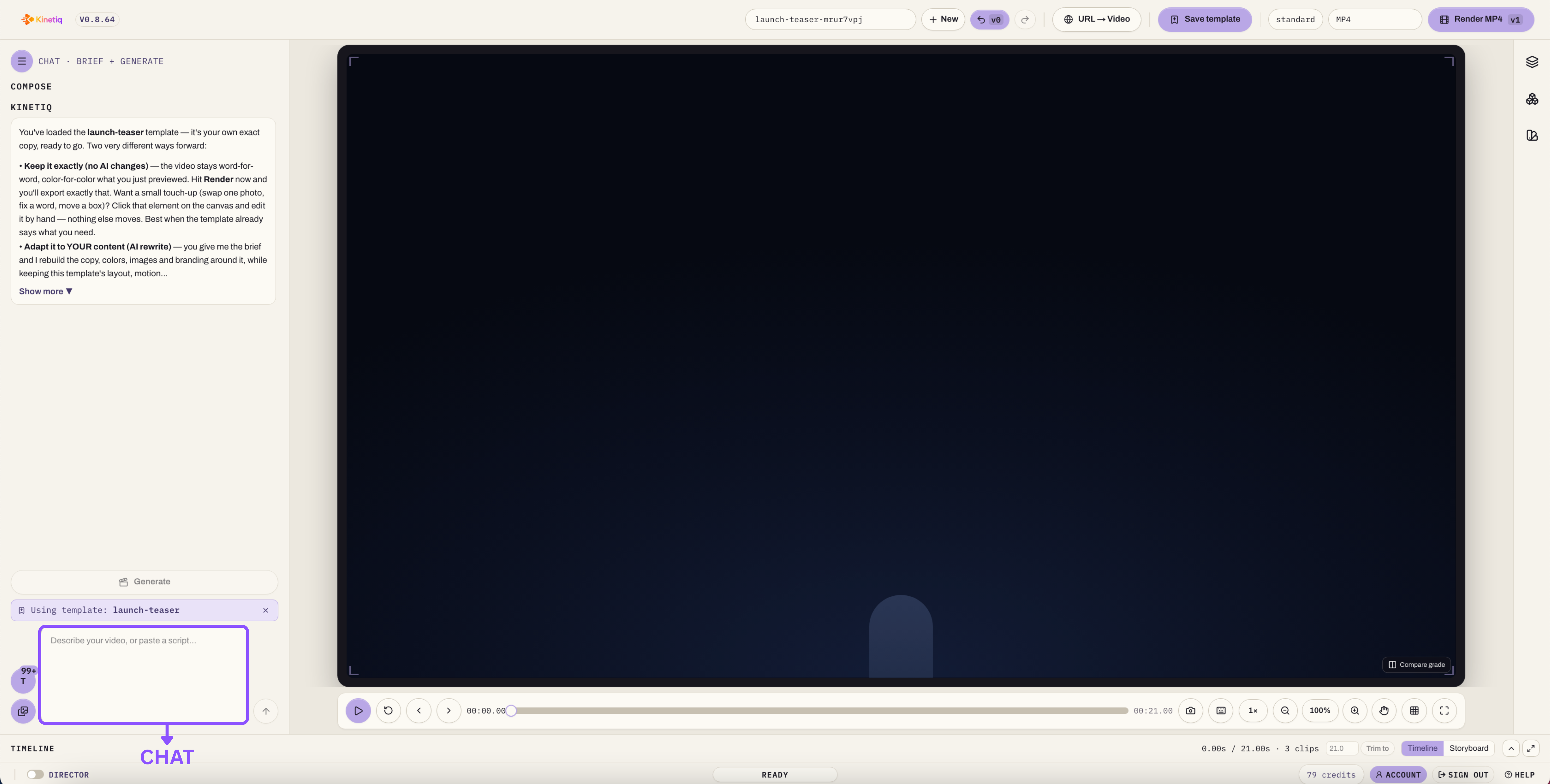
Chat. You can simply type "make the headline bigger, slow down the intro, swap the accent color to navy," and the AI edits the composition directly. This is the fastest way to make intent-level changes without touching a single control.
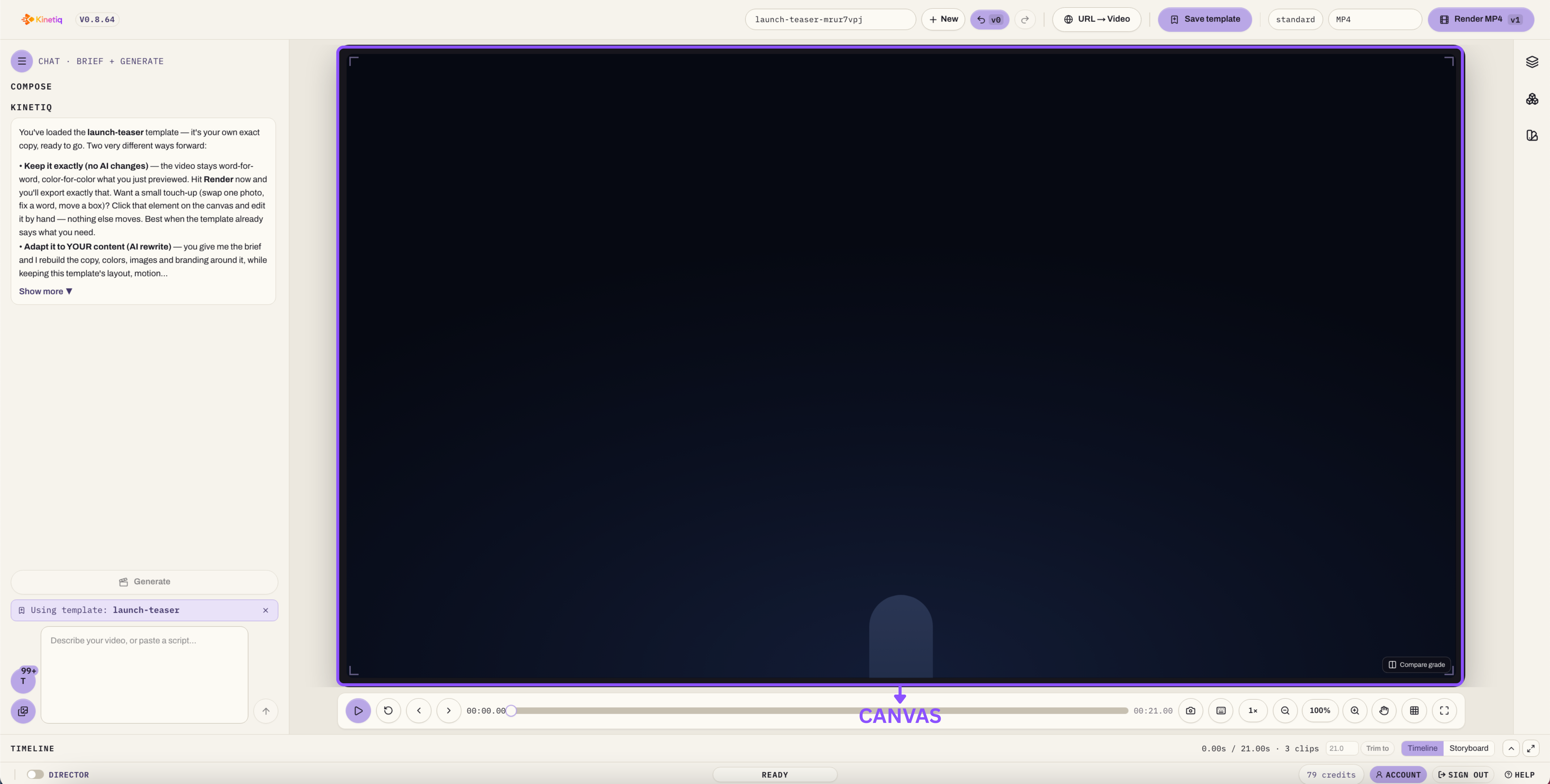
Canvas (visual). For anyone who wants direct manipulation, the canvas lets you click any element to drag, resize using corner handles, or rotate it, with snap-to-grid and alignment guides doing the fiddly work for you. This is the closest experience to a traditional design tool like Figma or Canva, except everything you touch is backed by real, exportable code.
Properties panel. For fine control, the properties panel exposes color, gradients (angle and stops), transforms, fonts, border-radius, blur, shadow, opacity, and per-element animation — including ease curves and staggered timing built on GSAP.
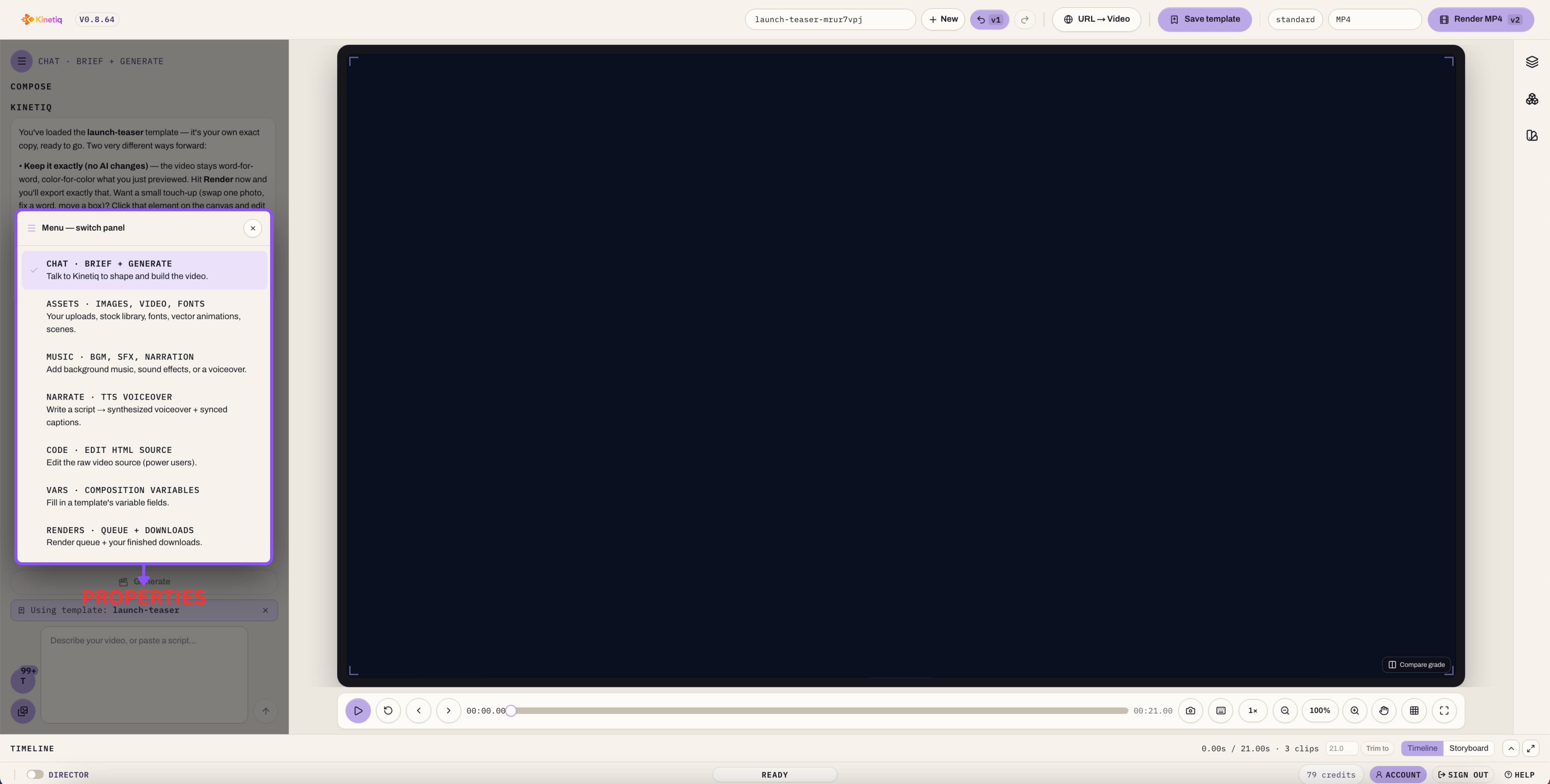
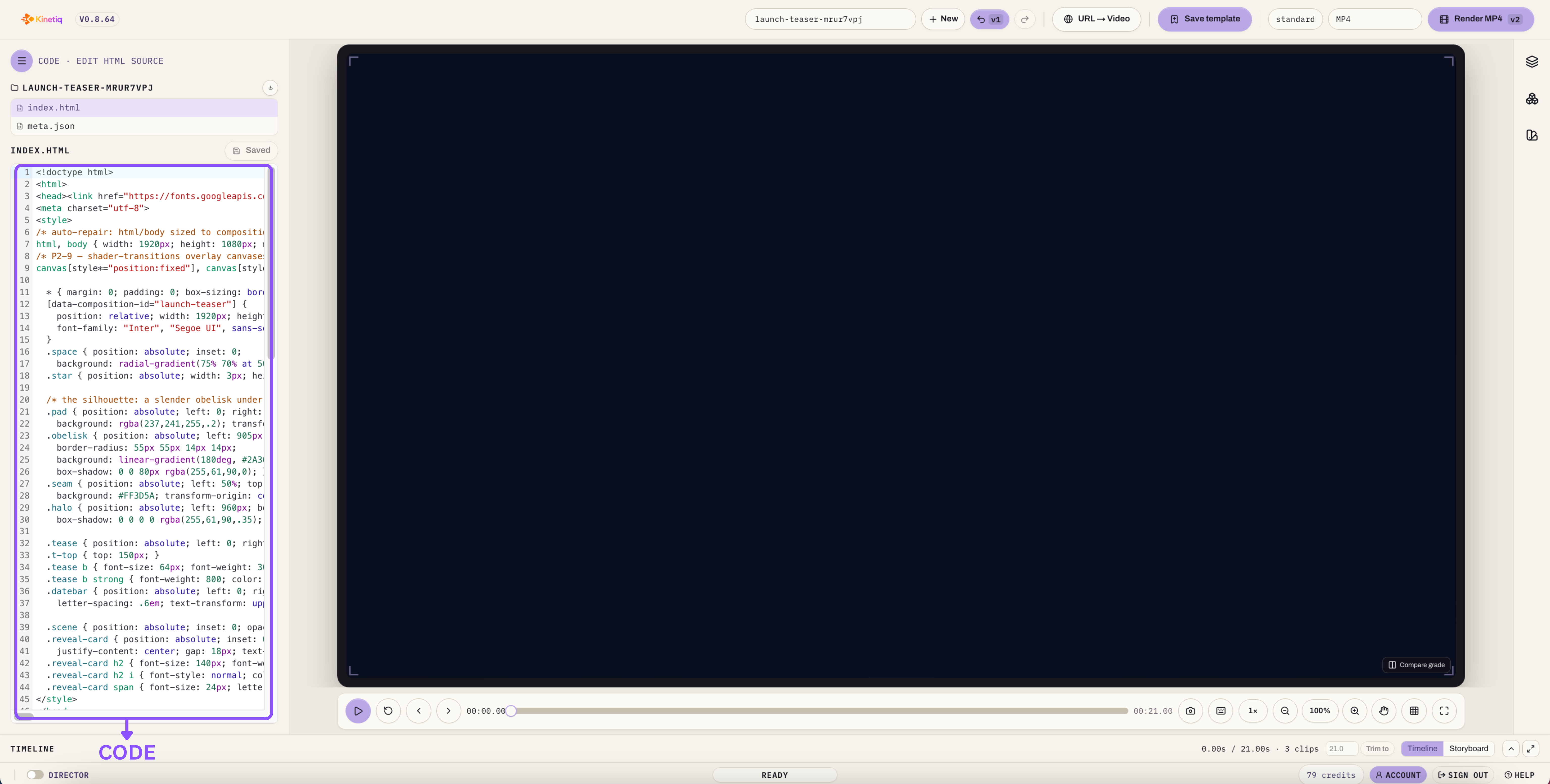
Source (HTML). Power users, developers, and technically-minded teams can drop straight into a code editor and hand-write changes, which round-trip cleanly back into the visual canvas. Nothing in Kinetiq is hidden behind a black box.
Layered on top of all four is a full multi-track timeline with seek, zoom, per-scene thumbnails made from real rendered frames, plus full undo/redo, multi-select, and copy/paste. And because rendering is deterministic, "change one thing and re-render" is exact and repeatable — there's no risk of a re-render subtly drifting from what you saw in preview, which is a real and common failure mode in traditional non-linear editors.
What You Can Actually Make With Kinetiq
Kinetiq isn't tuned for one narrow use case. It's built around the actual range of videos teams need in a given month:
SaaS and product launch videos — feature reveals, "explain my product in 60 seconds" pieces, app and website marketing.
Brand and sizzle reels — brand films, montages, motion posters, and title sequences.
Explainers — concept explainers, "how it works" pieces, and educational content with full narration.
Website-to-video — turn a URL into a branded showcase or social clip automatically.
PR, changelog, and developer videos — turn a GitHub PR or a set of release notes into a code-change explainer.
Social shorts and ads — vertical Reels, TikTok, and Shorts content, feed ads, and A/B variants at scale.
Motion graphics — logo stings, kinetic typography, stat count-ups, chart and data-viz pieces, lower-thirds, and animated headlines.
Captioned talking-head video — add cinematic, word-synced captions to an existing clip.
Graphic overlays — package an interview or podcast with timed lower-thirds, data callouts, and picture-in-picture cards.
Internal comms and training — branded announcements, onboarding sequences, and lesson explainers.
Fully custom compositions — multi-scene narratives, loops, or freeform video at any length.
From a five-second logo sting to a three-minute explainer, and from square to cinematic aspect ratios, it's the same studio and the same simple brief process behind every output.
Why "Unique by Design" Actually Matters
A common worry with AI generation tools is that everything starts to look the same — the "AI aesthetic" problem that's already visible in a lot of AI image and video content online. Kinetiq addresses this directly through what it calls design-logic variety: a high-entropy per-request creative seed combined with a rotating art-direction and structure engine, so the same prompt never returns a carbon copy of a previous result, and two different users typing the same brief get genuinely different videos.
Crucially, this variety comes from design logic — palette choices, layout decisions, motion-family rotation — rather than random noise. That distinction matters because it means the variation is intentional and coherent, not just visually chaotic. Two users asking for "a clean SaaS launch video" will get two videos that both look professional and on-brief, just with different creative choices behind them.
This sits alongside capability-aware tool selection, where Kinetiq reasons about what a given moment in the video actually needs and reaches for the appropriate engine — real 3D, vector animation, particle effects — even if you never mention the technique by name. And if you do name something specific, like "a Three.js shaded, textured globe," Kinetiq treats that as a firm requirement rather than faking it with flat CSS.
Determinism and Creativity Are Not in Tension
It's worth pausing on a point that trips a lot of people up: how can a system be both "unique every time" and "deterministic"? These operate at two different layers, and understanding the distinction is genuinely useful if you plan to use Kinetiq at any scale.
Generation is where uniqueness lives. Every new brief produces a fresh composition — different palette, layout, pacing, and motion — even if the prompt is nearly identical to one you've used before.
Rendering is where determinism lives. Once a composition exists — once the HTML has been written and finalized — rendering it to MP4 will always produce the exact same frames, every time, on every machine. Press "render" on a saved project ten times and you get ten identical, broadcast-quality files.
That determinism is what makes Kinetiq's output trustworthy rather than just fast. It's safe to queue renders, safe to push jobs to cloud workers, and safe to build automated pipelines around, because there's no risk of a render silently drifting from what you approved in preview. New idea → unique video. Re-render a saved video → identical result, guaranteed.
The Technology Underneath
Kinetiq is a Next.js (Turbopack) and React application written in TypeScript with Tailwind CSS, but the interesting engineering lives one layer down, in the render pipeline and the AI orchestration.
Rendering. The deterministic video-as-code engine converts HTML plus data attributes into MP4 using headless Chrome (via Puppeteer) and FFmpeg, with frame-exact capture that guarantees a render always matches what you saw in preview.
Animation. GSAP is the default master clock, but Kinetiq layers in first-class support for Lottie (vector animation), Three.js (3D, shading, and texture work), Anime.js (grid and spring-based stagger effects), CSS keyframes, the Web Animations API, and WebGL/TypeGPU shader transitions. It also draws on a growing kit of specialty libraries — Rough.js for hand-drawn looks, over a hundred GLSL scene-cut transitions via gl-transitions, canvas-confetti and particle effects, halftone and dot-matrix patterns, D3-shape for data visualization, and Splitting.js for per-character text animation — all pinned for integrity and safe to use inside a render.
AI models. Kinetiq is deliberately model-agnostic, routing across frontier models — Claude, Gemini, OpenAI, and Grok — plus any OpenAI-compatible provider, always favoring whichever is currently best available. A hard model allowlist ensures only approved models can ever bill against your key, with token and cost tracking built in from the start.
Audio. Kokoro provides local, no-key text-to-speech; ElevenLabs offers premium voices, music, and sound effects for teams with a key; Whisper handles transcription so captions and pacing sync to actual spoken words.
Images. Prompt-to-image generation is available for brand and scene visuals through pluggable, key-gated providers.
Agent integration. A built-in MCP server lets any MCP-capable AI agent generate and render videos headlessly, without ever touching the studio UI.
Every generative feature runs on API keys you control. Nothing is hardcoded to a single vendor, and features simply light up when a key is present and degrade gracefully when it isn't.
Reusability: Turning Videos Into Capital
Perhaps the most underrated part of Kinetiq's design is how aggressively it treats every finished video as reusable capital rather than a one-off asset.
Templates. Any composition can be saved as a template and cloned into a new project.
Adapt. You can re-skin a saved template against a brand-new brief in chat — Kinetiq preserves the motion and structural "DNA" of the original while swapping in new copy, brand elements, and imagery. A single winning format effectively becomes a repeatable series.
Variables. Compositions can be parametrized with fields like title, price, theme, or accent, letting you render the same underlying video with different content — ideal for product catalogs, localized versions, or large batch runs.
Scenes library. Self-contained scenes can be saved and remixed across entirely different projects.
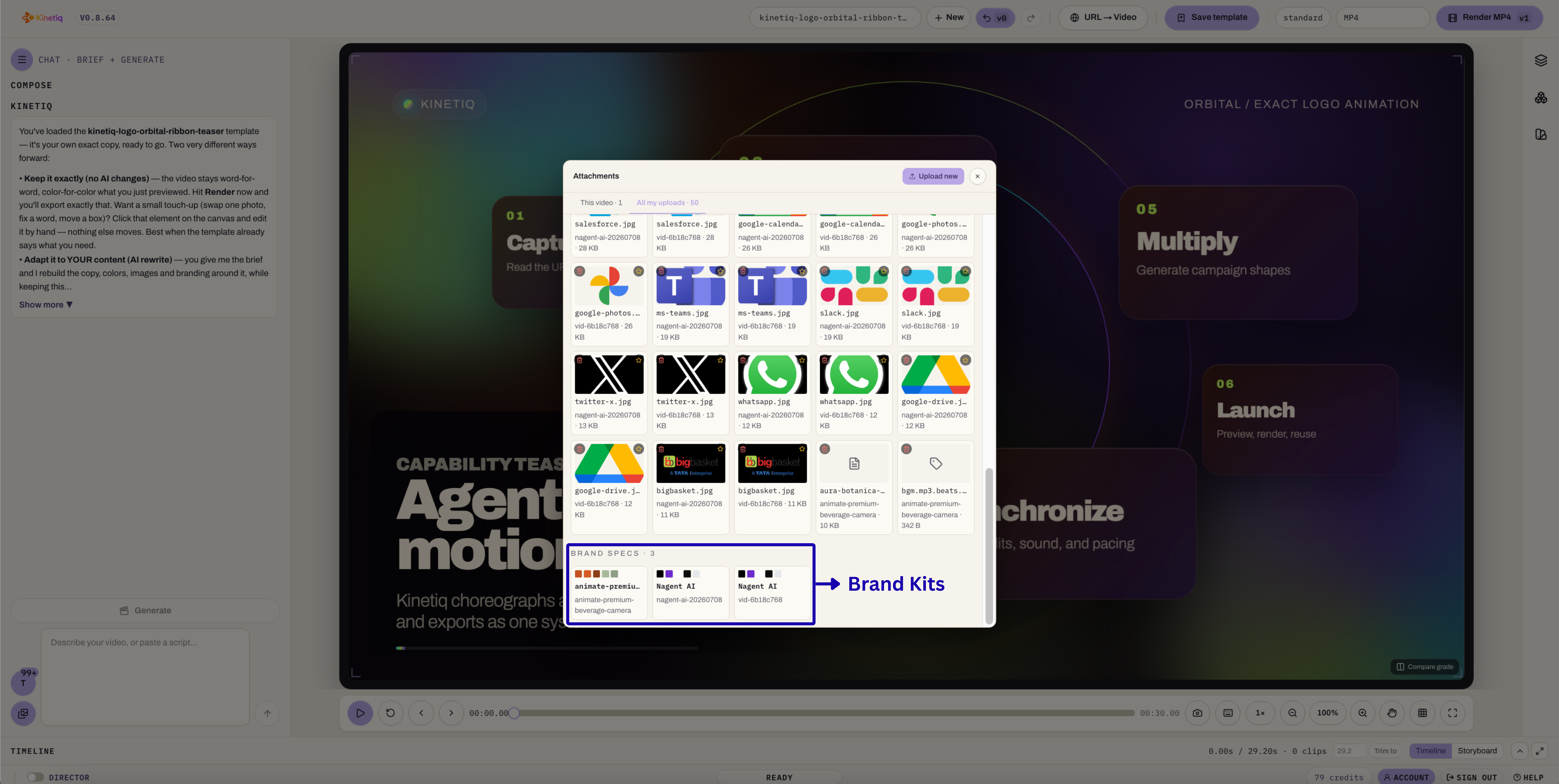
Brand kit. A captured palette, font set, and mood get applied automatically across every template and generation, keeping an entire library on-brand without manual policing.
The compounding effect here is real: build a format once, and you can spin off dozens of on-brand variants — different sizes, different languages, different offers — in minutes, driving the marginal cost of each additional video toward zero.
The Chat Interface: More Producer Than Chatbot
Kinetiq's chat isn't a generic assistant bolted on for convenience. It's designed to behave like a producer sitting across the table from you. It greets you, learns and remembers your name, and always identifies itself as Kinetiq, by Nagent — never surfacing the underlying models or vendors powering it.
Functionally, it infers your intent and fills in sensible gaps rather than interrogating you with a long form. It asks a single, sharp clarifying question only when something is genuinely ambiguous. It confirms anything hard to undo — for example, how to treat the voice in an uploaded talking-head clip — before acting. And it gives you a clear recommendation instead of dumping a wall of options in your lap, while flagging likely mistakes early rather than letting you discover them in a finished render.
When you attach a video, paste in a script, or start from a template, it takes a proper intake — asking what the footage is for, whether you want captions, what kind of motion you're after — and it surfaces what it already knows rather than asking you to repeat yourself.
Getting Started
The actual workflow, once you understand the pieces above, is refreshingly simple:
Open Kinetiq in your browser.
Describe your video — or paste in a script, or drop a URL for instant brand capture.
Watch it generate, then refine by dragging on the canvas or asking in chat.
Render and download your MP4, ready to publish.
No installation, no plugins, no rendering rig to configure on your own machine (though a desktop app for offline rendering is in active development).
Who Actually Uses Kinetiq, Day to Day
Because Kinetiq removes the traditional skill and cost barrier to video production, the people using it day to day look quite different from the people who traditionally touched video tools.
Marketers and growth teams use it for launch videos, feature announcements, social ads, and rapid A/B variant testing. A typical workflow looks like: brief the concept in chat, apply the brand kit, generate a handful of variants, and render one version per platform.
Founders and early-stage startups use it to produce pitch, demo, and launch videos without hiring a motion designer or waiting weeks on an agency retainer. Many simply describe the product, or paste in a URL, and let Kinetiq capture the brand and generate a first promo pass automatically.
Agencies and studios use it to deliver on-brand client video at volume — building per-client templates and brand kits, then spinning off variants using variables instead of re-building each asset by hand.
Social and content creators lean on the vertical (9:16) generation path for Reels, Shorts, and kinetic-type pieces, tweaking the result on canvas before export.
Product, DevRel, and documentation teams turn changelogs, pull requests, and release notes directly into explainer videos — a use case that's nearly impossible to service affordably with a traditional agency, because the content changes too fast to justify a manual production cycle.
Educators and course creators brief a concept and let Kinetiq automatically add narration via text-to-speech, turning what used to be a slide deck into an animated lesson.
Enterprises use governed templates, brand kits, and auditable code output to keep large libraries of video consistent, with a cloud render queue and API access supporting production at scale.
Developers and AI agents can skip the UI entirely and drive Kinetiq programmatically through its MCP server, treating video generation as just another automated step in a larger pipeline.
The common thread across every one of these groups is the same four-step loop: describe the video, optionally capture a brand, generate and refine, then render and download. Nobody needs to learn timeline-based editing to get there.
Why This Matters Beyond the Feature List
It's easy to read a feature list and come away thinking of Kinetiq as "AI video generation, but with more options." The more important claim is structural: because every video is a deterministic HTML composition rather than a locked binary file, the entire category of problems that make traditional video production slow — revisions that require a full re-edit, brand drift across a growing library, an inability to batch-produce variants, a total lack of auditability — simply doesn't apply the same way.
Changing a headline and re-rendering twelve videos isn't a redo. It's an edit. That's a genuinely different operating model from anything a timeline-based editor, however good, can offer — and it's the reason Kinetiq frames itself less as a video editor and more as a studio built for a world where AI models can finally author motion directly.
Final Thoughts
Kinetiq's core insight is a simple one: video has always been powerful and always been hard to make, and the gap between those two facts is exactly where most good ideas go to die. By treating video as code rather than as a locked binary, and by building a full studio — generation, editing, brand, audio, image generation, and quality assurance — around a deterministic rendering engine, Kinetiq collapses the distance between "I have an idea for a video" and "I have a finished, on-brand, broadcast-quality file ready to publish."
Stop settling for the video you can afford. Make the video you imagined.
Kinetiq — Say it. See it. Ship it.