
Cut Blog Production Time by 60% With AI

Cut Blog Production Time by 60% With AI
You can cut blog production time by 60% without losing brand voice, but only if you stop treating AI as a drafting tool and start treating it as a configured team member. The difference is setup. Content teams that see AI output as "raw material to fix" have misconfigured their agent. Teams that ship publish-ready posts have defined tone parameters, audience inputs, and review gates before the first word is generated.
Here is exactly how to do it.
Why do most AI-assisted blogs still need heavy editing?
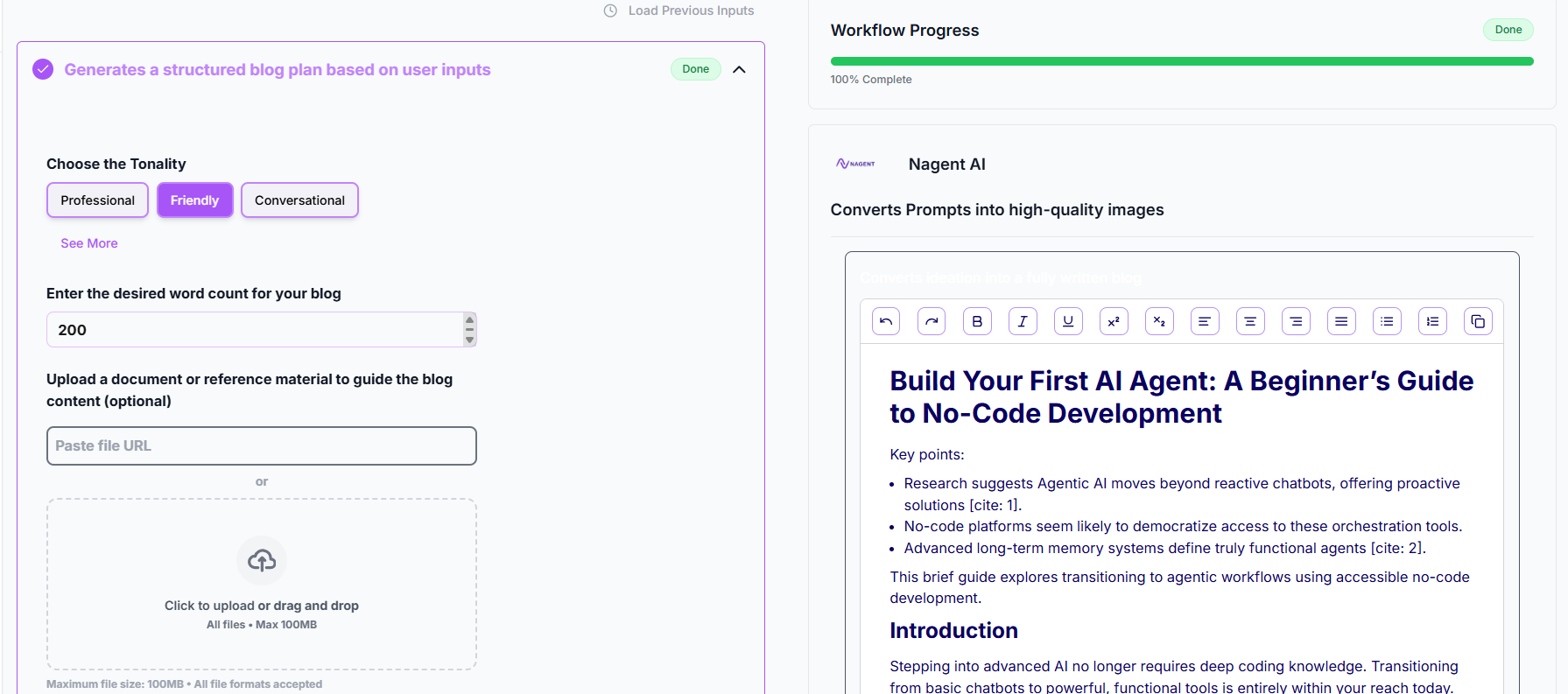
Most AI-assisted blogs need heavy editing because the agent was never told who it is.
Content teams hand an AI a topic and expect a brand-aligned post. That is like hiring a freelancer, giving them a headline, and expecting them to match six months of editorial style without a brief. The output is competent but generic, and generic costs you two hours of rewrites.
The fix is not a better AI. It is a better configuration.
What tone parameters actually control brand voice?
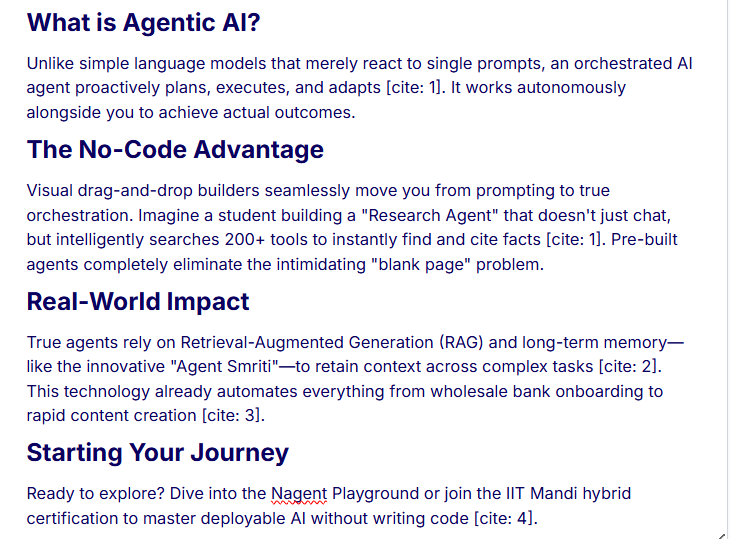
Tone parameters are the instructions that constrain how the agent writes, not just what it writes.
Most teams define tone as a single adjective: "professional" or "friendly." That is not enough. Brand voice has at least four levers:
Register: formal, conversational, or direct?
Sentence rhythm: short punchy sentences or longer analytical ones?
Vocabulary tier: plain English (Grade 7-8 Flesch-Kincaid) or industry-native jargon?
Point of view: does the brand have opinions, or does it hedge everything?
When you configure an AI blog writer agent, map each lever explicitly. For a SaaS content team, that might look like: conversational register, sentences under 18 words, no passive voice, strong POV on industry trends.
On Nagent, CREA leads the AI Content team, and this configuration lives with the team: your brand, tone rules and audience profiles sit in the Knowledge Hub the team writes from. The setup step is not optional. It is the entire reason the output is publish-ready.
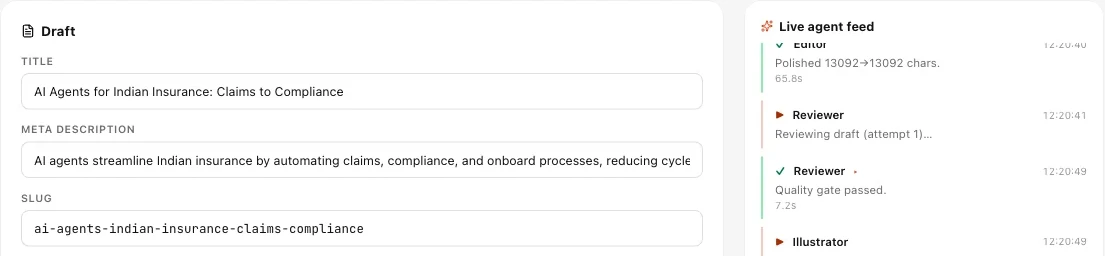
A Blog Studio run: the draft's title, meta description and slug beside the live agent feed.
How do you define audience targeting inputs before generation?

Audience targeting inputs tell the agent who it is writing for, so it calibrates depth, assumed knowledge, and pain points automatically.
A vague audience brief ("SaaS marketers") produces vague content. A precise one produces posts that feel written by someone who has lived the problem.
Define three things before every generation run:
Job title + seniority: "Content lead at a 50-person SaaS company" reads differently from "VP Marketing at a Series-C."
Primary pain: what is keeping them up at night? Be specific. "Publishing 8 posts a month with a team of two" is a pain. "Content strategy" is not.
Assumed knowledge level: does this reader know what a content brief is, or do you need to define it?
Feed all three as structured inputs, not as a paragraph of context, but as labeled fields. Structured inputs produce structured reasoning. The agent can then calibrate reading level, choose relevant examples, and avoid over-explaining basics to an expert audience.
This is how how to speed up blog production with AI becomes a practical outcome rather than a content experiment.
Where should review checkpoints sit in the workflow?
Review checkpoints should sit at three gates: before generation, after structure, and before publish, not after a full draft.
Most teams review at the end. That is the most expensive place to catch problems. If the outline is wrong, the draft is wrong, and you are rewriting at full cost.
A three-gate model compresses that:
Gate 1: Pre-generation brief review (5 minutes)
Check tone parameters, audience inputs, and keyword targets before the agent runs. A misconfigured brief costs 5 minutes to fix here. It costs 90 minutes to fix in a completed draft.
Gate 2: Outline approval (10 minutes)
Have the agent produce a structured outline first. Review H2 questions, argument flow, and section order. Approve or redirect. Only then generate the full draft.
Gate 3: Final polish pass (15 minutes)
At this stage, you are checking for factual accuracy, internal link placement, and CTA alignment, not rewriting sentences. If you are rewriting sentences at Gate 3, the tone parameters at Gate 1 were wrong.
Three gates, 30 minutes total. That is how you cut blog production time by 60% without sacrificing quality.
How does AI maintain brand voice across a high-volume publishing calendar?
AI maintains brand voice at scale through persistent configuration, not through repeated prompting.
This is the structural advantage that most lean editorial teams miss. When tone parameters, audience profiles, and style rules live inside the agent's configuration rather than in a Google Doc someone has to copy-paste, every post inherits them automatically.
On Nagent, that configuration lives in the Knowledge Hub and the shared context of the Content team room, so it carries across every run. The team keeps the vocabulary list you approved last quarter and what worked in a previous content series. You do not re-brief from scratch each time.
For a team publishing 8-12 posts per month, that shared record removes the single biggest source of voice drift: different team members prompting the same agent differently on different days.
What does a fully configured AI blog workflow look like end to end?
A fully configured AI blog workflow moves from brief to publish-ready draft in four steps, with human input at defined gates only.
Here is the sequence teams using how to speed up blog production with AI effectively follow:
Structured brief input: job title, pain, knowledge level, primary keyword, tone parameters, target word count. Takes 5 minutes.
Outline generation + Gate 2 review: agent produces H2-level structure. Human approves or redirects in 10 minutes.
Full draft generation: agent writes to approved outline, inheriting all tone and audience parameters.
Gate 3 polish pass: human checks facts, links, and CTA. 15 minutes.
Total human time: ~30 minutes per post. Pre-AI equivalent: 3-4 hours. That is where the 60% reduction comes from, and it compounds across a full publishing calendar.
The same configuration logic applies beyond blog content. On Nagent, Alpha, the AI video teammate, plans video ads to a preset and quotes each one before anything renders. The principle is identical: configure once, generate at scale, review at gates.
What should you never delegate to the AI agent?
You should never delegate factual verification, internal linking strategy, or final CTA decisions to the agent without human review.
These three areas carry the highest brand risk:
Factual claims: agents hallucinate. Every statistic needs a human trace to a source before publish.
Internal links: agents will suggest plausible links. A human needs to verify those pages exist and are contextually relevant.
CTAs: the conversion goal changes by campaign. An agent configured for awareness content will write weak CTAs for a bottom-of-funnel post. Set the CTA explicitly in the brief.
Everything else, structure, prose, keyword integration, readability, is safely delegatable once your configuration is solid.
Related reading
Frequently Asked Questions
How long does it take to configure an AI blog writer agent for the first time?
Initial configuration takes most content teams 2-3 hours. That covers defining tone parameters, building audience profiles, and setting up the three-gate review workflow. After that, each post runs in roughly 30 minutes of human time. The setup investment pays back within the first week of publishing.
Will AI-generated blog posts rank on Google?
AI-generated posts rank when they meet Google's E-E-A-T standards: Experience, Expertise, Authoritativeness, and Trustworthiness. That means factual accuracy, original insight, and clear authorship, not just keyword density. A well-configured agent produces structurally sound drafts; a human editor adds the experience signals that drive rankings. Neither alone is sufficient.
How do you prevent brand voice drift when multiple team members use the same agent?
Store tone parameters and audience profiles in one shared configuration, not in a document someone might skip. When configuration lives with the team rather than in a brief template, every team member generates from the same baseline. On Nagent that baseline is the Knowledge Hub the Content team writes from, shared across sessions and people.
What is the right publishing cadence to start with when adding AI to a content workflow?
Start with your current cadence and run one post per week through the full AI-assisted workflow before scaling. This lets you calibrate tone parameters against real output before committing to volume. Most teams reach full cadence integration, with all posts running through the configured workflow, within 3-4 weeks.
Can the same agent configuration work for both SEO blog posts and thought leadership pieces?
Not without adjustment. SEO posts prioritize keyword structure, scannable formatting, and search intent alignment. Thought leadership pieces prioritize POV, argument depth, and authority signals. Keep separate configurations for each content type. Switching between them takes under 5 minutes once both are set up.
What's next
See how a configured agent workflow runs in practice, book a free 30-minute demo at nagent.ai and we will walk through a live blog production run from brief to publish-ready draft.