
Watch the video: NORA: research first, then the e-mail
Everything NORA does points at one outcome: a qualified meeting a person picks up.Her work stops at the handoff.
See how she works ↗What NORA does
Work with her in the team room first. Her own surfaces hold the detail, from Mission control to Pending.
The Sales team room
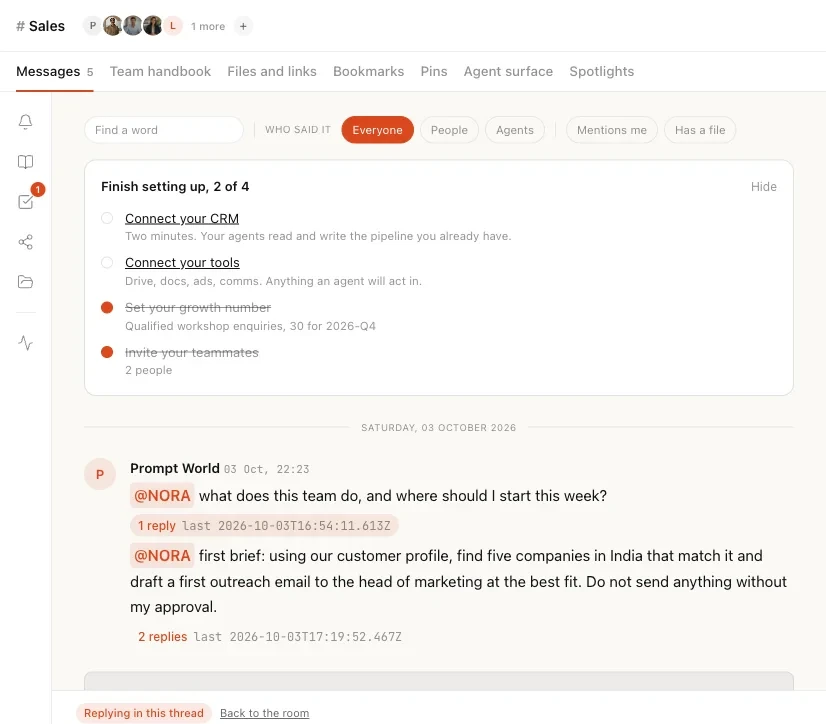
A team room is one conversation that your people and your agents share. Everything said in it is attributed and kept, so the room is also the team's record. SERA leads the Sales room, with NORA, the writers VANI and LIPI, and your people in the same thread.
Ask her in the room
Type @ and pick NORA to ask her something. Addressing an agent asks it to answer; addressing a person only records it. A question is answered in a thread beside the room, with the sources the answer came from.
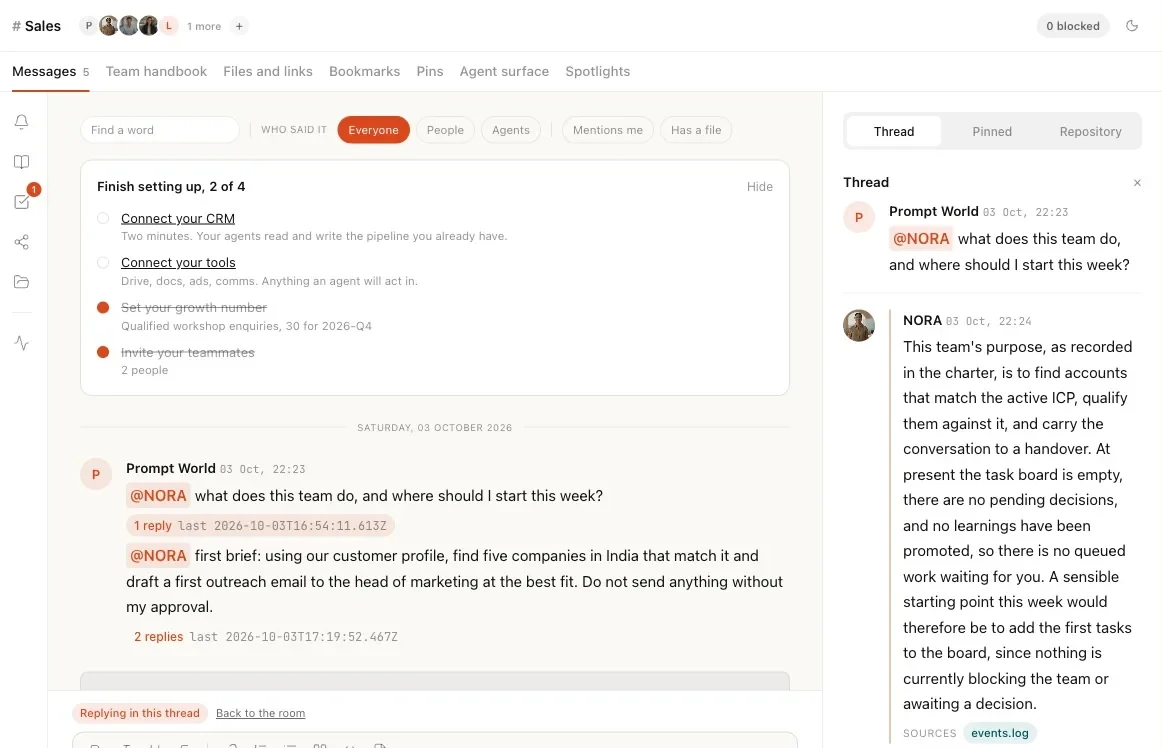
Brief her, and approve in the thread
Ask her for prospects and the discovery runs on the lead-generation bench under her, where the workspace holds that module. An instruction nothing can run yet waits as a card for you to confirm, and a held action waits as Held at the gate until a person approves or refuses it. A send is never offered from a room thread: it starts from her Messages surface or a workflow.
What sets her apart
Multiplayer
NORA works in the room your people and the other agents share, and everything said there is attributed and kept. A document shared into the room is acknowledged by each agent at its next run, and nothing enters the team memory silently.
Agents get promoted like people
For each kind of action, once she has at least 20 scored actions in 30 days, a strong record and no overrides, Nagent proposes widening what she may do alone, and a workspace admin accepts or declines. Repeated overrides propose narrowing it.
State of the art control plane
Every action she takes is logged with what triggered it, what it cost and how it was resolved. What waits for a person shows on Actions and on her Pending surface, and her research runs against a daily outreach budget and a cost-cap exception queue.
Human on the loop
Research and drafting run on their own; on a new workspace every send waits for a person. Her drafts come from the research dossier and your own knowledge and offerings, and each Good answer or Not what I wanted in the room feeds the loop that moves her trust.
Every claim traces to the research
Each fact a draft states about a prospect must trace to the dossier, its signals, its pitch hooks or the company record, or the draft is refused. With a thin dossier she asks one qualifying question instead of asserting.
Contacts revealed only for a fit
She reveals a contact only for a company that scores 70 or more out of 100 against your customer profile.
Qualified before your CRM
A prospect enters your CRM view only with its four qualification questions answered with evidence, and a handoff nobody acknowledges escalates after 36 hours.
Her surfaces
What each one is for, and how it looks.
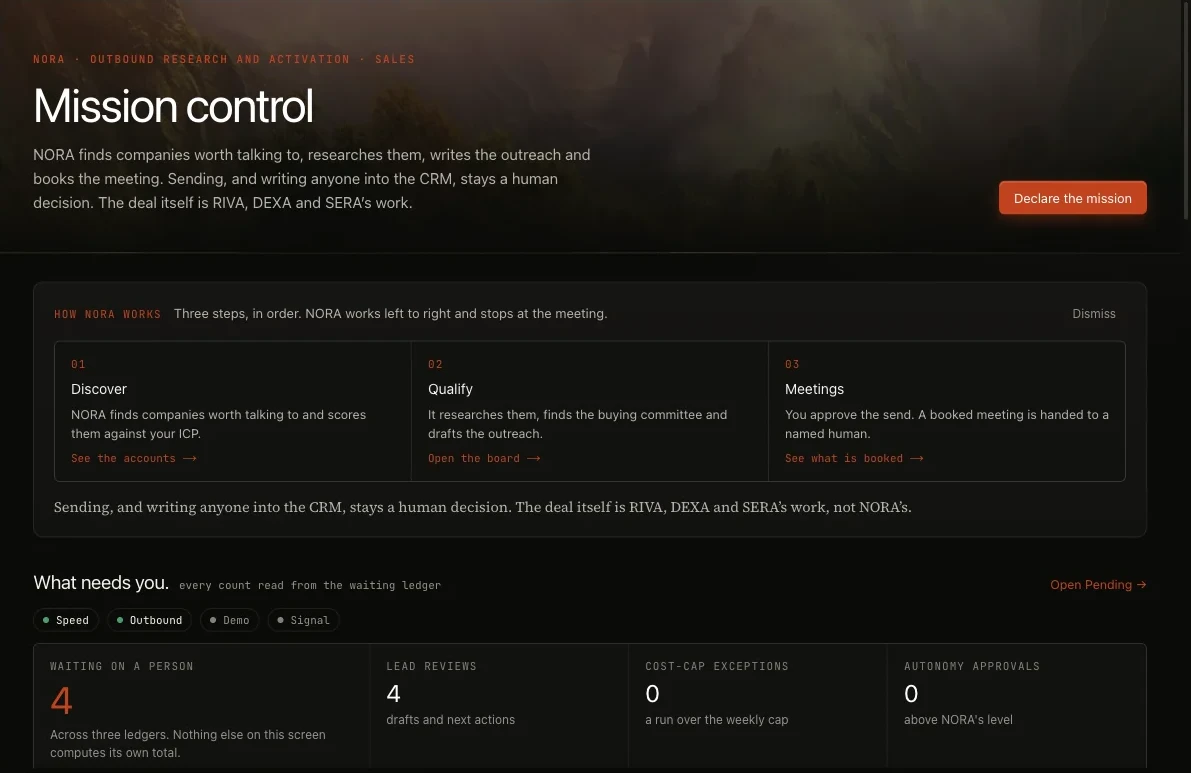
Mission control
What NORA did today, what it spent, and what is waiting on you. Its What needs you row counts lead reviews, cost-cap exceptions and approvals, all read from her Pending surface.
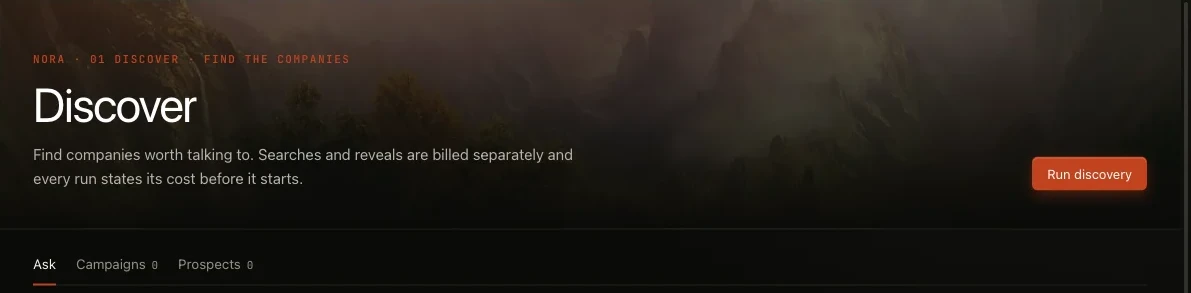
Discover
She finds companies and people that fit your customer profile, as a one-time search or a saved campaign that runs daily or weekly, and scores them. Customers and suppressed contacts are removed.
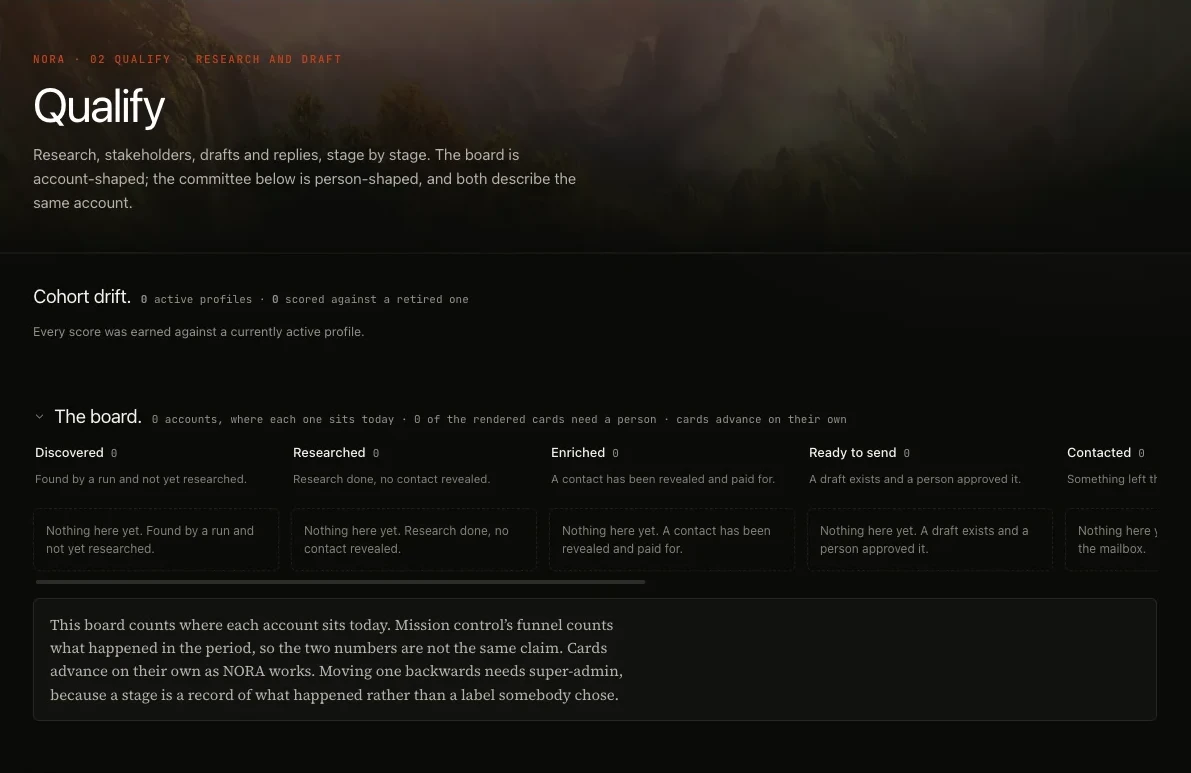
Qualify board
Each company sits in one stage, and moves when something happened: research completed, people found, a draft approved, an e-mail sent. Contact details are revealed only for a company that scores 70 or more out of 100 against your profile.
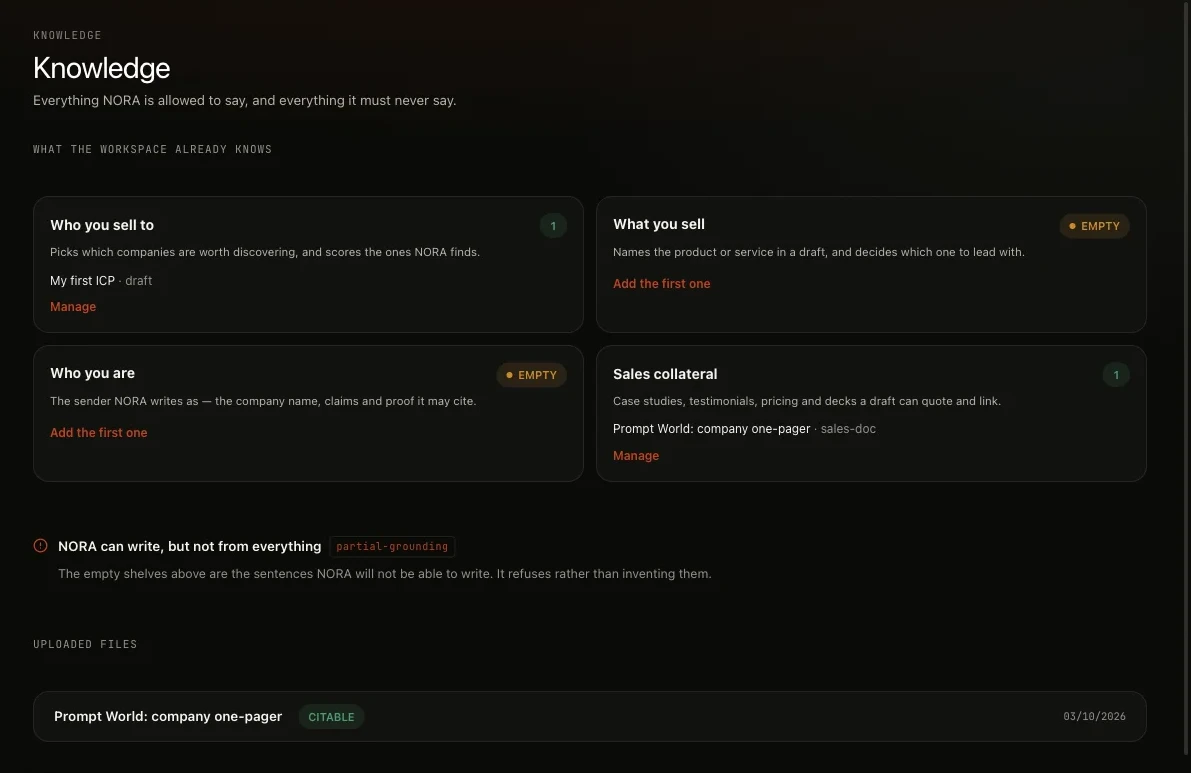
Knowledge
Four shelves: Who you sell to, What you sell, Who you are and Sales collateral. Her drafts come from the research dossier and these shelves, and with a shelf empty she can write but cannot cite.
Messages review queue
Drafts wait on her Messages surface to be read, edited, approved or rejected. Approving a draft moves its company to Ready to send; it does not send it.

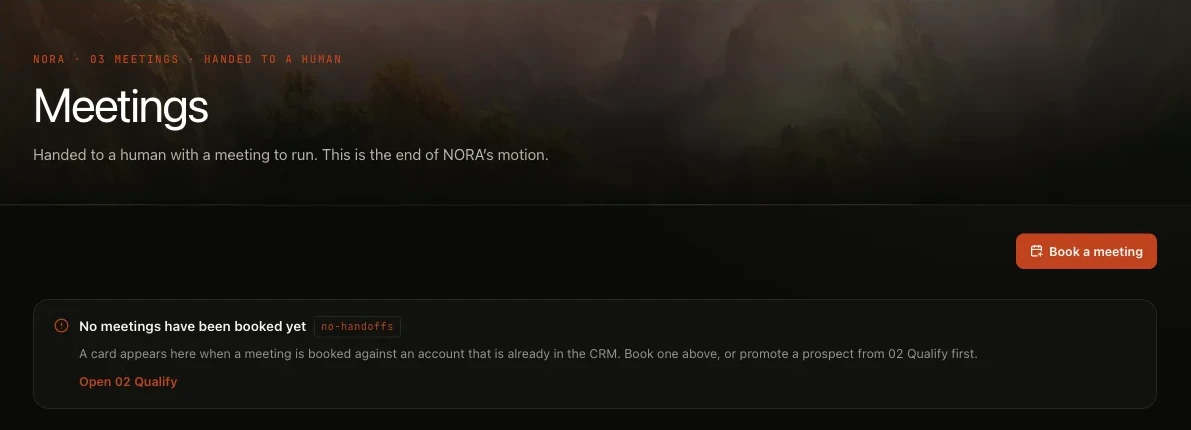
Meetings and handoff
A qualified reply becomes a meeting and a handoff card on her Meetings board, with the dossier and the committee. A person acknowledges it, and a handoff nobody acknowledges within 36 hours escalates.
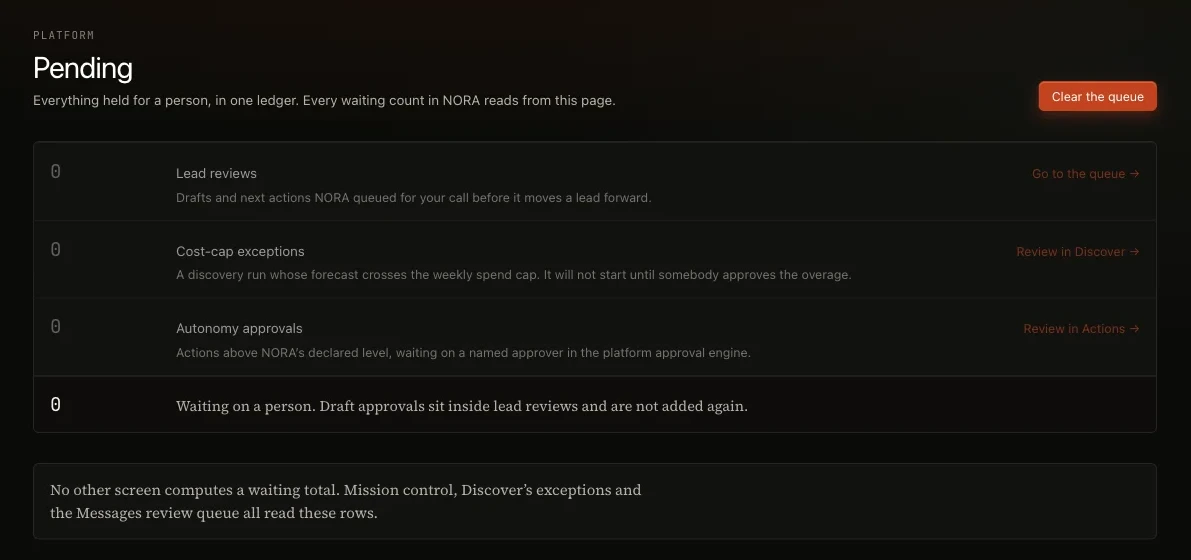
Pending
Everything waiting on you in one list: lead reviews, cost-cap exceptions and approvals, each with a link to where it is decided.
Surfaces from a demo workspace. Figures are not customer results.
How she works
Five steps from a customer profile to a handoff define who you sell to, discover, qualify and research, review and send, then replies and handoff.
A campaign on one thread · Illustration
An illustration of one e-mail campaign, with made-up accounts, people and counts. Nothing in it is a customer result.
Finds and researches every prospect so campaigns start with the right accounts.
Drafts outreach tuned to your product a first touch, follow ups and a closing breakup e-mail.
Reads every reply until a person takes the meeting classifying each one, and the cadence stops or changes course.
The whole motion · Illustration
One campaign, from list to handoff sourcing, drafting, approval and the handoff, in one window.
Her team
NORA reports to SERA VANI writes her e-mail, a lead-generation bench can work beneath her, and a person takes every meeting.
How work passes: NORA finds and researches the account, VANI writes the e-mail from the dossier and your knowledge, a person approves the send, and a qualified reply becomes a handoff card a person acknowledges. Her work stops there; DEXA, coming soon, takes the deal from that point.
What she works with
Her skills, tools and signals. And what your workspace connects for her to work.
Skills
ICP briefing
Turns a declared customer profile into a working brief the team can act on.
Play A - Outbound-led
The default motion: source the buying committee, thread it and hand warm replies to a person.
Play B - Signal-led
Wakes on a buying signal and writes the first touch against the stored dossier.
Committee threading
Maps and messages the buying committee as four roles, never one contact.
The qualification four
Four questions with evidence standards, checked before a prospect moves on.
Tools
Run discovery
Searches a contact data provider for companies and people that fit the active profile, scores them and removes suppressed contacts.
Trigger research
Researches a prospect company into a dossier, behind a cost gate.
Reveal contact email
Resolves one discovered contact's work e-mail from a contact data provider.
Rank prospects by signal
Orders the prospect queue by signal timing and names the signal behind each position.
Confirm a buying signal
Records that a person agreed a signal is real; confirmed signals rank higher.
Draft outreach
Composes a first-touch or follow-up e-mail for a prospect.
Send draft
Sends an approved draft to the prospect.
Run cadence
Sends the day's follow-ups and breakups for each pipeline stage.
Book a meeting
Records a meeting a prospect agreed to, owned by a named person, and writes the handoff.
Promote to lead
Turns a prospect contact into a lead in your CRM view.
Approve cost exception
Lets a person approve research the cost cap flagged.
Signals
Buying signals
Stated pain, funding, a new leader, hiring, a tech change or expansion, each with its source and date. They order the queue by who is worth contacting now; after 30 days a signal counts as stale.
Fit score
Each company is scored 0 to 100 against your customer profile; industry, company size and geography weigh most.
Reveal threshold
A contact is revealed only at a fit score of 70 or more.
Research dossier
An overview, why the company fits, its signals and its pitch hooks; every claim in a draft must trace to it.
Reply intent
Each reply is classified, and the cadence stops or changes course.
Your confirmations
A signal a person confirms ranks higher; one a person dismisses stops counting but is kept.
Integrations
Your sending account
Outbound e-mail goes from your own sending account and verified domain; until you add one, it goes through a shared Nagent account. Replies come back to her.
Your CRM view
Her CRM view reads the workspace's own lead records. An outside CRM can be connected as a tool, but her pipeline does not sync with it.
Connected tools
Connect a tool once under your workspace, then tick each action an agent may use; nothing is enabled on connect.
The trust model
Autonomy is earned, not deployed.
She starts on a short leash. Every campaign is drafted for your review, and nothing leaves the workspace until you approve it.
What she may do alone widens on approved work, and a person signs every promotion.
Customer stories
Live customers, from day three. two teams that let NORA run outbound and got meetings back.
How NORA generated measurable outcomes and accelerated pipeline creation from the third day of onboarding.
Read the story ↗Ten meetings with senior Principals in Chicago, sourced, drafted and booked by NORA.
Read the case studies ↗"NORA delivered 8 qualified leads on the 3rd day of getting onboarded."
"NORA booked 10 meetings with senior Principals in Chicago for Sophoz."
Enterprise readiness
Enterprise controls from day one. every workspace isolated, every role scoped, every action written to an audit trail you can read.
Compare and keep reading
Weigh her against the alternatives then keep reading, and watch her film.
Compare
Read
Watch and see the work
Questions
What teams ask before they hire her sending, replies, your CRM and research spend.
What is NORA?
NORA, Nagent Outbound Research and Activation, is the AI teammate who runs outbound research on Nagent's Sales team and reports to SERA, the AI Sales Team Lead. She finds accounts that match your customer profile, researches each into a dossier with sources, drafts e-mail outreach, reads the replies and hands a qualified prospect to a person.
Will NORA send e-mail without my approval?
No. On a new workspace every send waits for a person, whatever level her seat shows; drafting and research run on their own. Drafts wait on her Messages surface to be read, edited, approved or rejected, and Broadcast releases only already-approved drafts inside the sending hours you set.
Does NORA send messages on social networks?
No. NORA sends e-mail. Templates for social networks can be written, and a person sends them. Her drafts come from the research dossier for the prospect and from your workspace's own knowledge and offerings, so every claim about the reader traces to something she found.
What happens when a prospect replies?
The reply is classified as interested, objection, scheduling or unsubscribe, with anything else set aside as noise, so the cadence stops or changes course. A qualified reply becomes a meeting and a handoff card on her Meetings board. A person acknowledges it, and a handoff nobody acknowledges escalates after 36 hours.
Can NORA work from our existing CRM?
She reads the workspace's own lead records. An outside CRM can be connected as a tool, under a connection only your workspace can use, but her pipeline does not sync records with it. Every tool action is ticked on individually before any agent may use it.
How does NORA keep research spend in check?
Research and contact reveals cost money, so they run against a daily outreach budget and a cost-cap exception queue rather than open-ended. Saved campaigns carry a cap on profiles per run, and every agent on Nagent has a daily and a monthly spending cap.
How much does NORA cost?
NORA works on the Sales team. Nagent plans are Solo at $29.99 a month ($19.99 billed annually), Team at $299 a month ($199 billed annually) and Business at $1,499 a month ($999 billed annually). Enterprise is by quote. The pricing page shows which teams each plan includes.
Bring your team. Bring your agents.
Start with Sales.
Pricing
NORA works on the Sales team. Nagent plans are Solo at $29.99 a month ($19.99 billed annually), Team at $299 a month ($199 billed annually) and Business at $1,499 a month ($999 billed annually). Enterprise is by quote. The pricing page shows which teams each plan includes.
See all plans