
NORA: outbound research and activation
How NORA finds and researches accounts, drafts first-touch outreach, hands a qualified meeting to a person, and which of her actions wait for approval.
Browse documentation
NORA finds the accounts and hands a person the meeting
NORA is the Sales team's outbound research and activation teammate, and the lead of the Sales room. She owns the top of the funnel: from "we have no idea who to call" to "here is a qualified account and everything we know about it".
| Field | Detail |
|---|---|
| Team | Sales, as a team lead under SERA |
| Measured on | Qualified meetings handed to a person |
| Her screens | NORA mission control |
| Agent page | Agent workbench, NORA |
| Public page | nagent.ai/nora |
What she does, and what she does not
She does five things.
- Discovery. She finds companies that match your active customer profile, scores each one, and records which profile produced the score and when.
- Research. She deepens a company she found: the people, the signals and a dossier.
- Drafting. She writes the first-touch email from what your workspace knows about itself, and rewrites it on request. VANI writes these drafts for her.
- Sending. She sends a draft only after it has been approved, and checks the draft's approval again immediately before it leaves.
- Handoff. When a company qualifies, she books the meeting and hands a dossier to a named person, then records the outcome that person reports.
She does not do four things.
- She does not send a draft nobody approved. A draft still marked as a draft is refused with "Approve before sending", whatever her level.
- She does not write unqualified people into your CRM. Her CRM view counts a lead only when the four qualification questions are answered with evidence. On a new workspace that view is nearly empty, and that is correct.
- She does not close deals. Her motion ends at Meetings. The deal after that belongs to a person; DEXA, coming soon, will help keep it in order.
- She does not set her own target. A target is a statement a person makes. She reads it; she cannot declare it.
Her screens
Everything NORA does is on her own surface, at nagent.ai/admin/nora. Six tabs run across the top.
| Tab | What it is for |
|---|---|
| Today | What NORA did, what needs you and how the month is going |
| Review | Every lead, draft and budget exception waiting for a person: Waiting and Drafts to approve |
| Prospects | The companies and people NORA found, the searches that find them, and where each account stands: Companies, People, Campaigns and Board |
| Outreach | Every e-mail NORA wrote, the templates it starts from, broadcasts and the meetings booked: Emails, Templates, Broadcasts and Meetings |
| Results | The month against its targets, and what worked: Mission, Performance and ICP profiles |
| Settings | Who NORA looks for, what it knows and how it works |
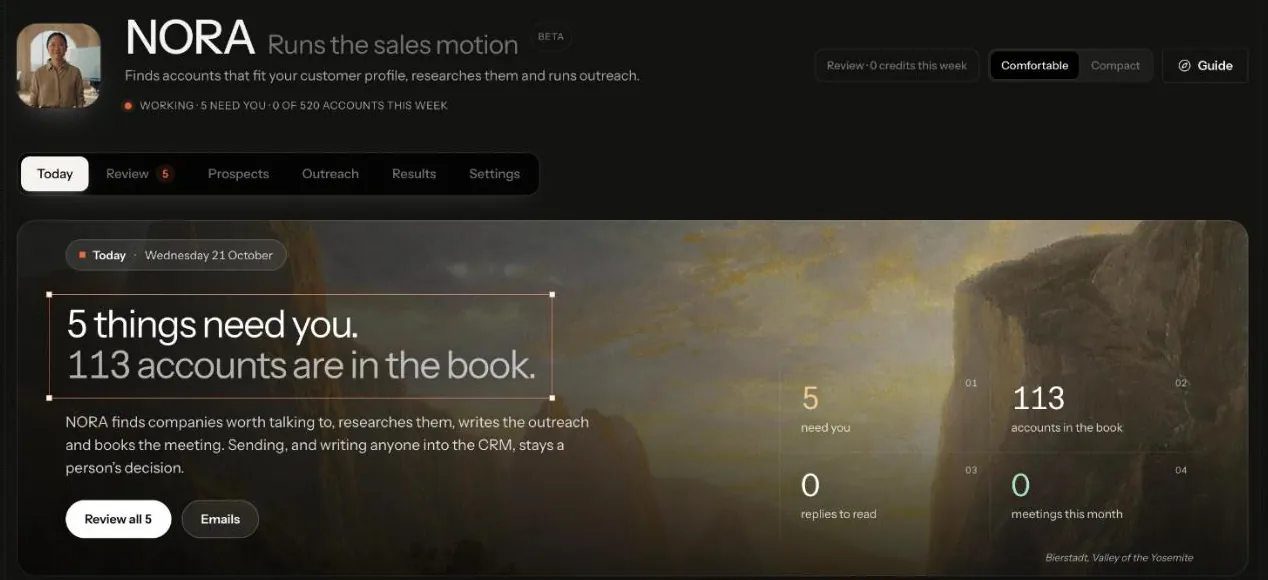
Today shows no figure it did not read. Until a target is set, Results says no mission has been declared rather than inventing a number. Its need you count covers lead reviews, cost-cap exceptions and approvals above her level, all read from Review.
NORA inside her team room
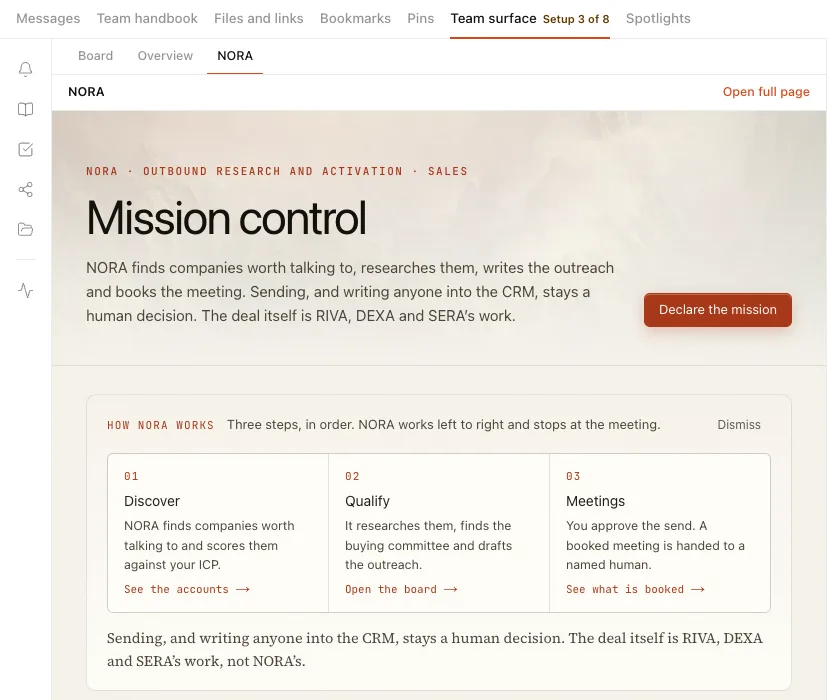
Her screens also open inside the rooms that carry her: the NORA team room and the Sales room. Open Team surface and choose the NORA tab, beside Board and Overview. Mission control opens in the room, and its links to Discover, Qualify, Meetings and Pending stay in the room too. Open full page leaves for her own surface.
The tab follows the sidebar: a workspace whose sidebar does not show NORA has no NORA tab in its rooms either.
Setting the period's targets
On mission control, press Declare the mission at the top, or Set targets (Adjust targets once some exist) beside the mission. Fill in at least one target and press Declare targets. Leaving a box empty keeps what is already set; nothing here deletes a target.
What she needs before she can work
A workspace can have NORA installed and still produce nothing. In order:
- An active customer profile. Nothing is discovered without one. With none active, mission control says "The funnel is not running" and links you to the profile. See who you sell to.
- Knowledge to write from. Her Knowledge screen shows four shelves: Who you sell to, What you sell, Who you are, and Sales collateral. With some shelves empty she can write but cannot cite: a draft will describe what you sell and cannot point at anybody you have sold it to. See products and services and adding knowledge.
- A sending account. Without a from-address your domain authorises, drafts compose and approve normally and then fail when sent. See email and integrations.
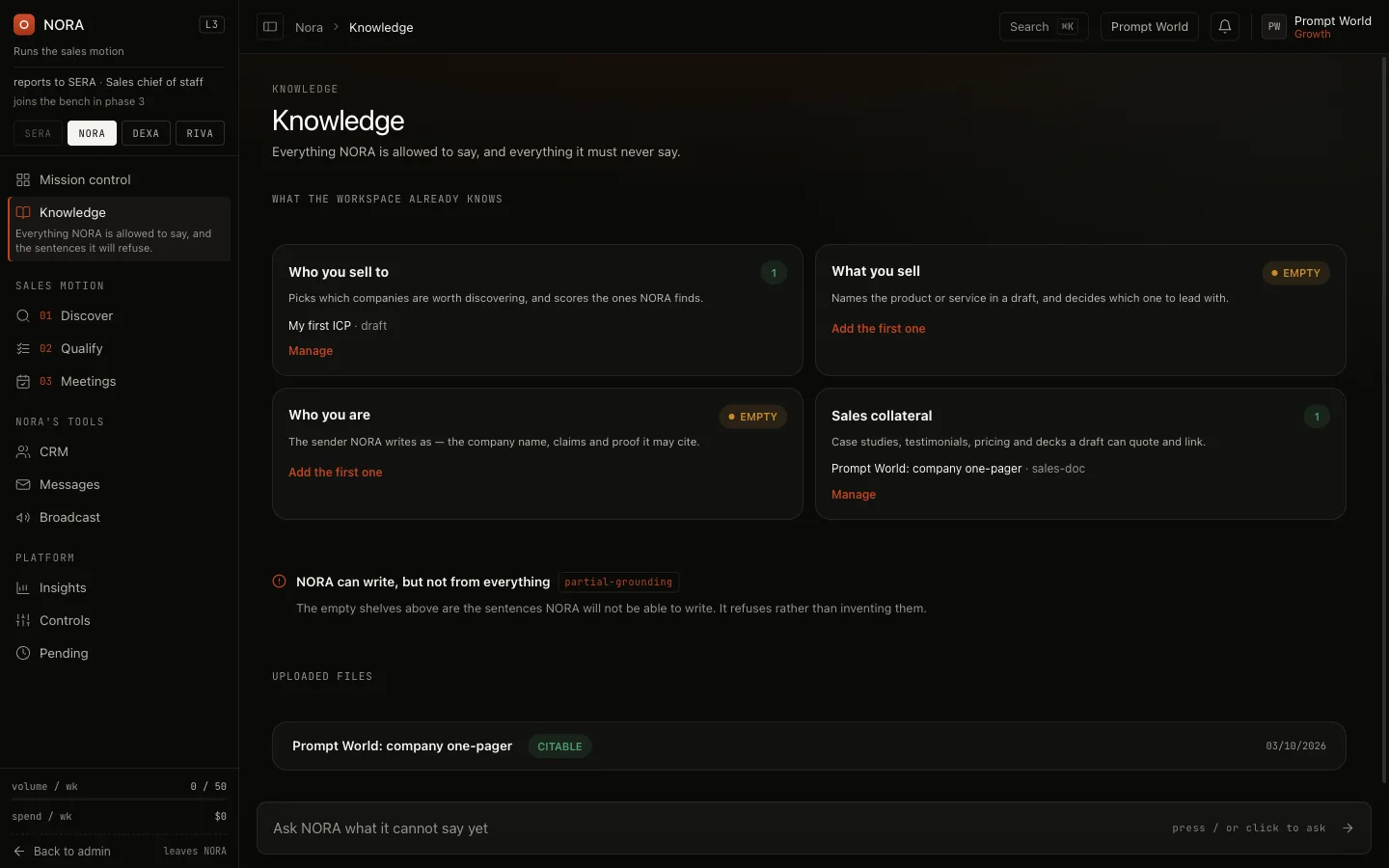
For Prompt World, which runs prompt engineering workshops for marketing and sales teams, a useful first stock is the workshop outline under What you sell, a case study from a past cohort under Sales collateral, and a profile naming heads of marketing and sales enablement at mid-sized B2B companies.
How a prospect moves
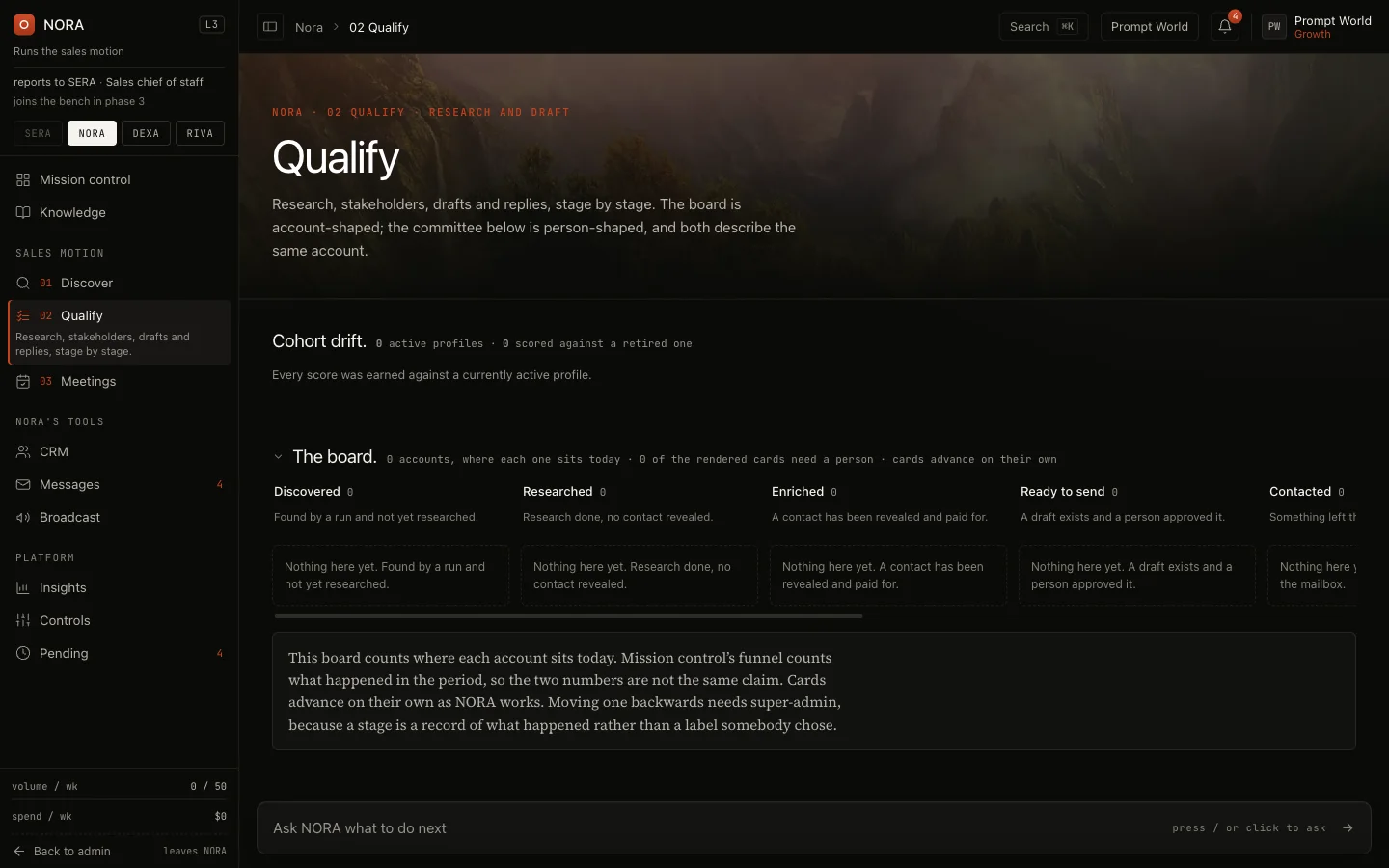
Each company NORA finds sits in one stage on the Qualify board.
| Move | What causes it |
|---|---|
| Discovered to researched | Research on the company completes |
| Researched to enriched | People at the company are found |
| Enriched to ready | The first draft is approved |
| Ready to contacted | The first email is actually sent |
| Contacted to engaged | A reply reads as interested, or as a question |
| Contacted to disqualified | A reply reads as not interested, or as an unsubscribe |
| To lead | The account is written into your CRM as a qualified lead |
Disqualified and lead are final. A company moves backwards only when a person moves it, and that move is recorded.
A reply that reads as an unsubscribe does one more thing: the address is written to your workspace's suppression list, as it is when a recipient opens the unsubscribe link every prospect email carries. From then on no send reaches that address, whether NORA sends or you press Send, and the check runs at the moment of sending, not at approval. See unsubscribe and suppression.
The board lists every company in each stage, not a sample; scroll a column to reach the rest. Each card shows the company's score and band, what it has cost so far, the next step (such as Research this account or Discover stakeholders), and the name of the profile it was scored against when it has one.
Contact details are revealed only for a company that scores 70 or more out of 100 against your profile. Below that, the contact is held.
What asks first
Every NORA action declares the level it needs to run without asking. Below that level, it waits for a person. Reads always run.
| Action | Runs on its own from |
|---|---|
| Find companies, research a company, reveal a contact | L3 |
| Draft or regenerate outreach | L3 |
| Approve or reject a draft | L3 |
| Book a meeting, write a qualified account to the CRM | L3 |
| Send a draft | Held for a person |
| Run the follow-up cadence | Held for a person |
Sending is the one step that cannot be undone. It is gated separately from the level on NORA's seat, and on a new workspace every send waits for a person's approval. What waits shows in the Sales room, on Actions and on her Review tab. See autonomy and governance and approvals and the Inbox.
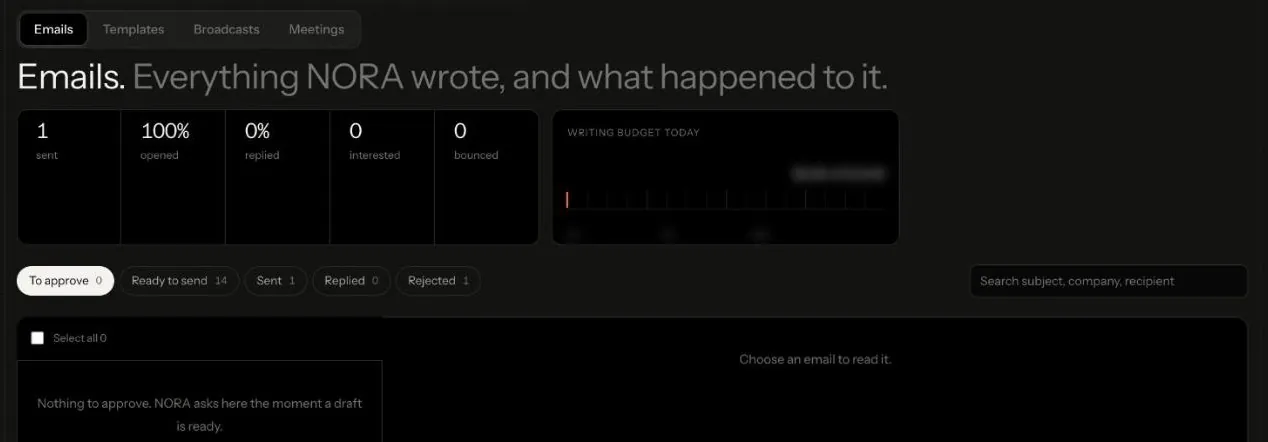
Drafts wait on her Outreach tab, under Emails, in To approve, beside Ready to send, Sent, Replied and Rejected. Approving a draft moves its company to Ready to send; it does not send it.
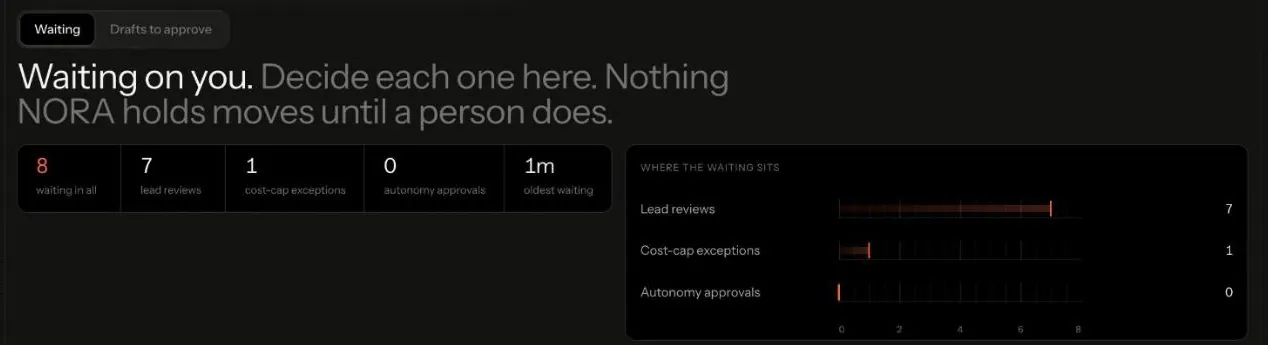
Review, on Waiting, gathers everything waiting on you in one list: lead reviews, cost-cap exceptions and approvals above her level, each decided there. "Nothing NORA holds moves until a person does.
Handing over the meeting
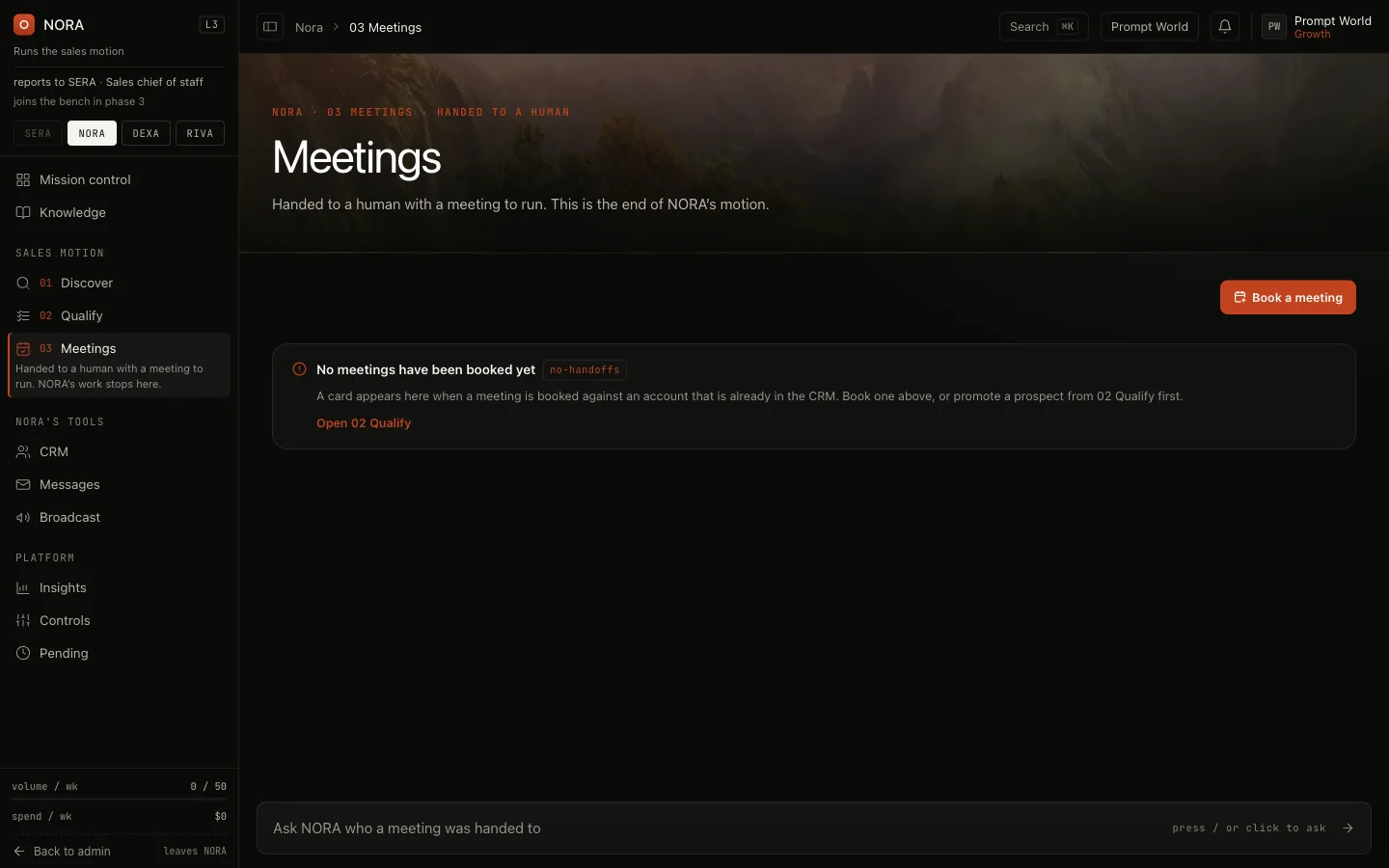
A qualified company becomes a handoff on the Meetings screen: the booked meeting, the dossier and the committee. A person acknowledges it. A handoff nobody acknowledges within 36 hours is escalated. Once it is acknowledged, the deal is a person's to run from the lead's page in the CRM. After the meeting, record how it went; NORA counts a meeting as held only from that recorded outcome.
Briefing NORA
Open the Sales room and address her, or use Ask on her Discover screen. Describe who you want in a sentence; she finds them and reports what it cost.
@NORA find heads of marketing at 200 to 2,000 person B2B companies in India who are hiring for sales enablement@NORA which prospects replied this week, and what did they ask?
To run the same search again on a schedule, save it as a campaign. See running outbound campaigns.
Our logic
Outbound is where an agent's mistake reaches a stranger's inbox. So NORA researches before she writes, writes only what your knowledge can back, and never sends a draft that was not approved. Her level decides how much of that she may do without you; it never removes the approval on the draft.
Limits today
- Broadcast can be held. Until opt-outs are recorded against addresses, the Broadcast screen says so and sends nothing.
- An empty CRM view on a new workspace is expected. A lead enters it only with its four qualification answers backed by evidence.
- SERA, the AI Sales Chief of Staff, leads the Sales room and NORA reports to her. NORA's own pages do not escalate to SERA on their own yet; ask SERA in the room.