Agent Configuration: Shape every agent to the brand
Why agents a brand cannot shape fail a consumer CMO, and what Agent Configuration is.
Nagent · Platform
Agent Configuration
Shape every agent to the brand: its instructions, skills, tools, level, budget, voice and knowledge, set by the brand team and kept on the record.
NAGENT.AI · OCTOBER 2026
The problem
An agent the brand cannot shape is an agent the brand cannot trust.
Off-the-shelf AI speaks in nobody’s voice
It does not know the brand, the range or the rules, so every prompt starts by explaining them again.
Nobody can say what a tool is allowed to do
Accounts get connected with everything switched on, and spend has no stop until the bill arrives.
Every change goes through someone else
A vendor or an agency holds the set-up, so the brand team cannot see who widened what, or when.
02 · AGENT CONFIGURATION · NAGENT
What it is
The brand team decides what each agent knows, follows, reaches and may spend.
Agent Configuration is where a brand assembles its teams, builds agents from one sentence and tunes each one on its own page, in plain settings anyone on the team can read.
The Room
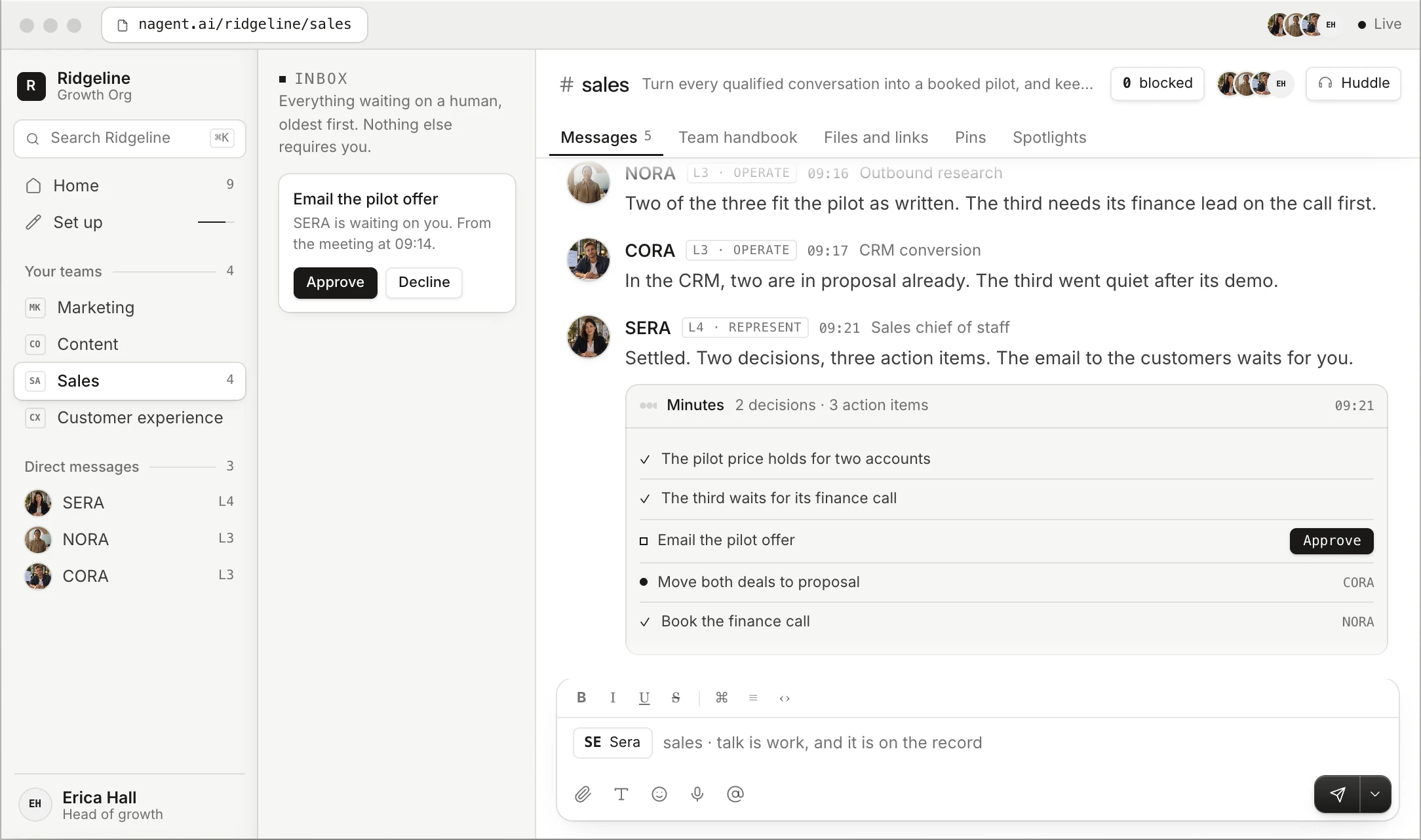
Where configured agents work. The team’s charter and roster reach every agent in it.
The Team · configured here
Teams, their agents and every agent’s settings, in the Agent Workbench and on Teams.
The Work
Runs inside the settings. Every brief works under the agent’s level, tools and budget.
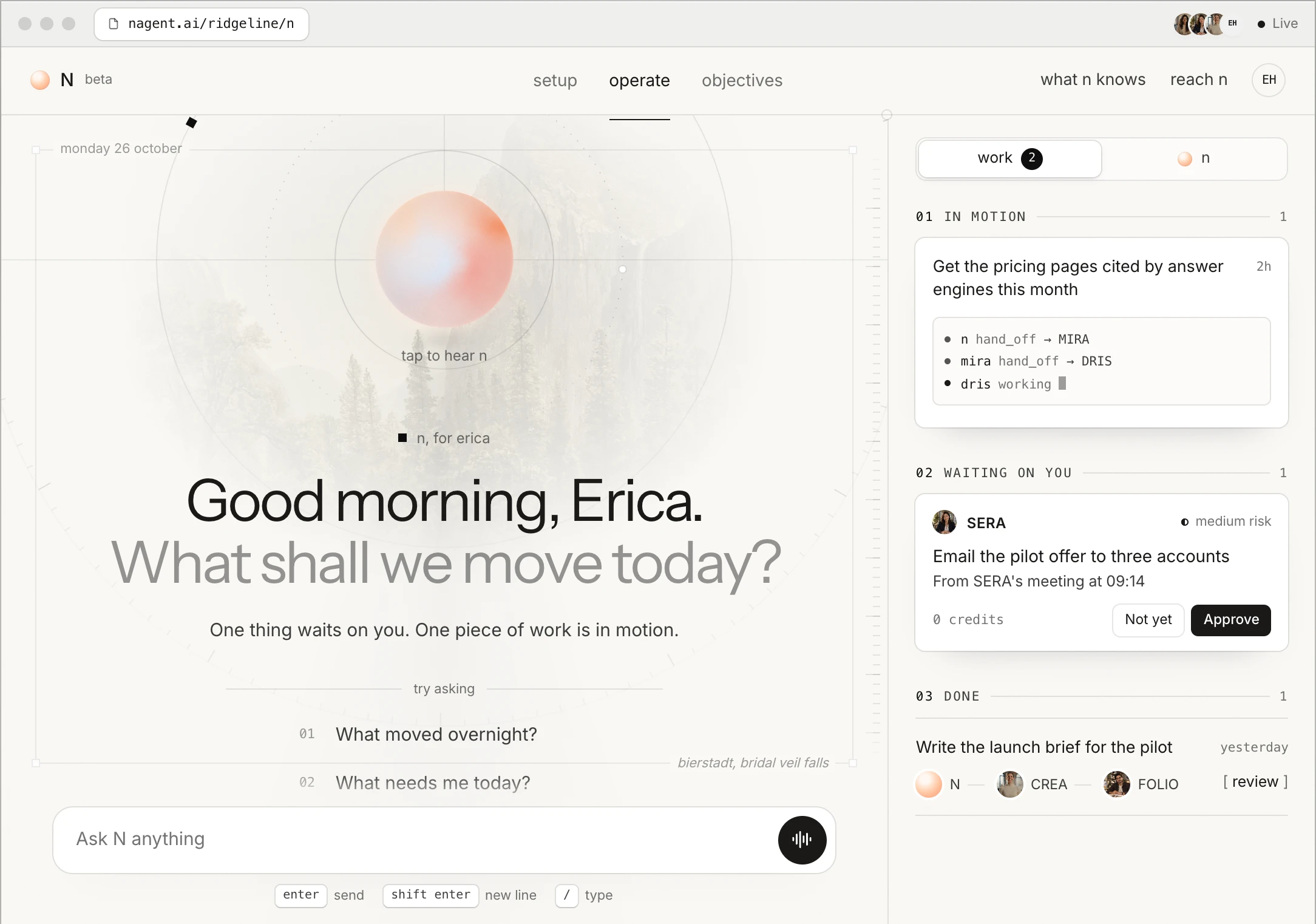
Above every team sits N, the one teammate each person talks to, by voice or by text.
03 · AGENT CONFIGURATION · NAGENT
How it works
One sentence starts an agent. Its own page keeps it in shape.
01
Start from a team
Seat the sales, marketing or content team, or write a charter for a new one.
02
Describe the agent
One line in plain words. The builder asks a few questions, each with a recommended answer.
03
Review the draft
Tools, skills, triggers and guardrails, field by field. Nothing exists until Provision agent.
04
Tune its page
Instructions, skills, tools, level and budget, each on a tab of the agent’s own page.
05
Extend the team
Add agent from the member list. It joins at its own level, with its own tools and budget.
The short way: ask the Build AI Team chat for a whole team in one message. Nothing is built until a person approves it once.
04 · AGENT CONFIGURATION · NAGENT
Capabilities
Every setting that shapes an agent sits with the brand team.
Prebuilt or built. Seat the sales, marketing or content team whole, add one lead at a time, or form a team from a blank charter.
Agents from one sentence. The builder drafts skills, tools, triggers and guardrails for a person to read before anything exists.
Skills a person can read. Written procedures in plain words. Change one and every agent that carries it follows.
Tools narrowed per agent. Each action of a connected tool is chosen one at a time and narrowed to the agents that need it.
Levels and budgets per agent. Each agent keeps its own level, and daily and monthly caps in credits checked before every paid call.
A voice and a brief of its own. Each lead speaks in its own voice, and every agent reads the Knowledge Hub and its team’s charter.
05 · AGENT CONFIGURATION · NAGENT
Anatomy of an agent’s page
Every setting has a name on the agent’s page, and a person can change it.
System prompt
The agent’s standing instructions.
Identity
Tagline, description, and who may run it.
Skills
The written procedures it follows.
Tools & Integration
The actions it may call.
Governance
Model, autonomy level, risk level, tools.
Budget
Daily and monthly caps, and what happens at one.
Guardrails
Rules it checks: warn, queue, block or pause.
Policies
What needs approval, and its hard limits.
Hierarchy & Handoff
Who it reports to and hands work to.
Triggers
A schedule, an event or a connected tool.
Learning mode
Always learning, or in a training window.
Surfaces
Finding, analysis, plan, draft or result.
06 · AGENT CONFIGURATION · NAGENT
In practice · Illustrative
A festive launch, set up by the brand team rather than a vendor.
01
Seat the launch teams
MIRA arrives with DRIS, NIA, HOOK, Echo and MOXA. CREA arrives with RUPA, Alpha and FOLIO.
02
Attach the festive skill
A festive claims checklist, written once as a skill, is attached to RUPA, Alpha and MOXA.
03
Narrow the ad accounts
The Google Ads and Meta Ads actions are narrowed to NIA, which runs the season’s ads.
04
Set caps for the season
Alpha’s and RUPA’s caps are set for the launch, with paid calls queued for approval at the cap.
05
Brief N, then extend
The brand head briefs N. Echo joins the launch room to watch reviews, at its own level.
07 · AGENT CONFIGURATION · NAGENT
How it connects
Configuration decides how an agent uses everything else on Nagent.
Knowledge Hub
Brand, products, customer profile and operating rules, read before it works.
Team record
The charter, the roster and what the team agreed to remember, read on joining.
The agent’s settings
Configuration
Instructions, skills, tools, level and budget decide what it does with each of these.
The room
The team lead hands each brief to the teammate whose role and tools fit it.
Approvals
Anything above the agent’s level waits on a card for a person.
Agent memory keeps what worked and what failed, and Hierarchy & Handoff sets who it passes work to.
08 · AGENT CONFIGURATION · NAGENT
Inside the growth org
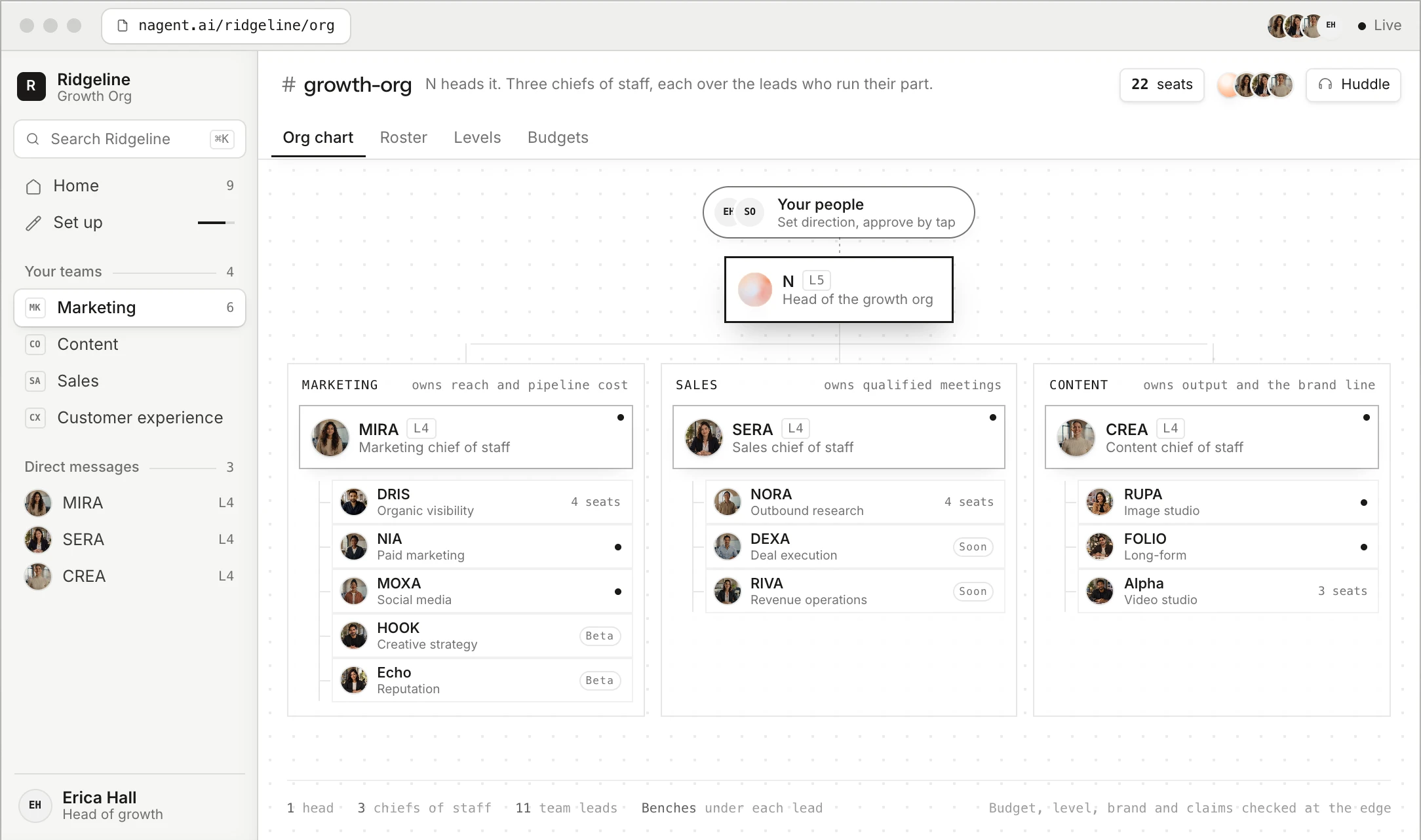
Configuration shapes every seat in the growth org.
People
The brand team and its head of growth
N
N
Head of the growth org
N briefs the three AI chiefs of staff
Marketing · owns reach
MIRA
AI Marketing Chief of Staff
DRIS
NIA
HOOK
Echo
MOXA
Sales · owns meetings
SERA
AI Sales Chief of Staff
NORA
DEXA
RIVA
L
LIPI
V
VANI
Content · owns output
CREA
AI Content Chief of Staff
RUPA
FOLIO
Alpha
L
LANDON
P
PAIGE
N
NOVA
B
Blog Studio
Beta: HOOK, Echo, LIPI and VANI. Coming soon: DEXA, RIVA and PAIGE. Customer experience runs on Convexa, on its own subscription.
Where configuration sits
Set up on
Teams, where the brand assembles its teams, and the Agent Workbench, where each agent is tuned.
For each agent
Instructions, skills, tools, level and budget. Hierarchy & Handoff sets who it passes work to.
The Growth Org room
The team lead hands each brief to the teammate whose role and tools fit it.
09 · AGENT CONFIGURATION · NAGENT
Control
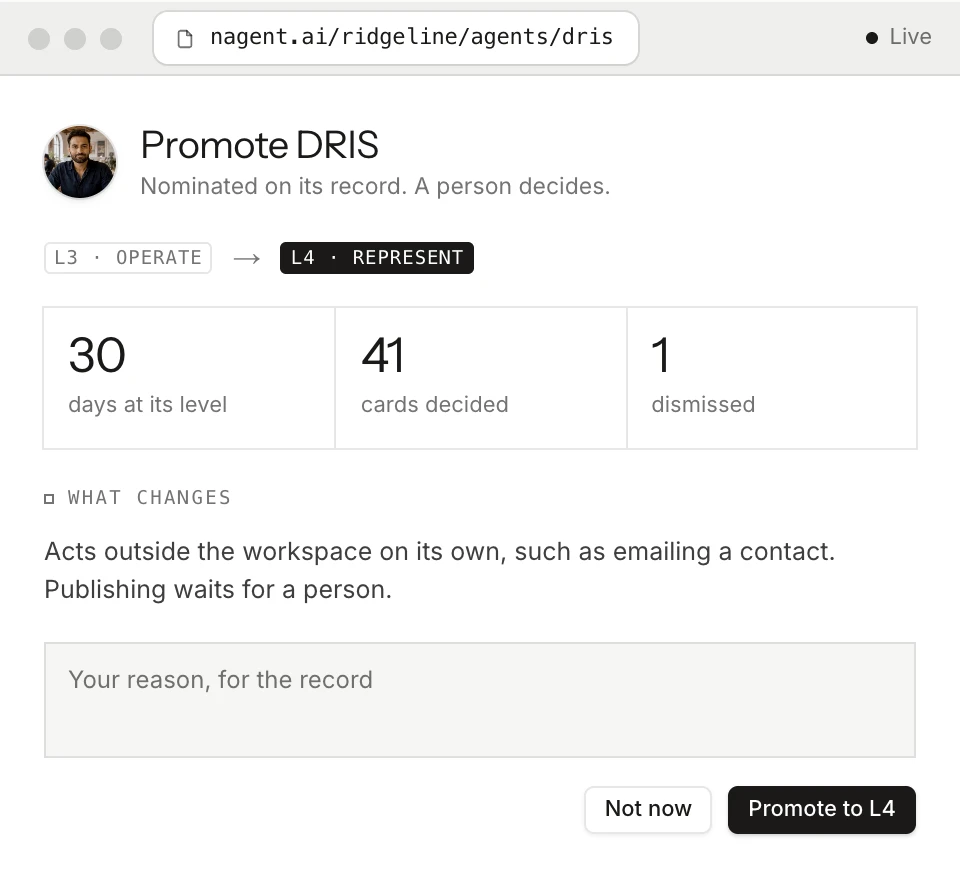
Every change to what an agent may do alone lands on the record.
What waits for a person
Any action above the agent’s level, on a card.
Who may change what
A level rises one step at a time, and a person decides each step.
What lands on the record
Every level move, with who made it and why.
A new agent starts at L2 Assist. Budgets are daily and monthly caps in credits, checked before every paid call.
10 · AGENT CONFIGURATION · NAGENT
The difference
Agents shaped by the brand, not by whoever connected the tool.
The usual way
On Nagent
A prompt that re-explains the brand every time.
Standing instructions, skills and the Knowledge Hub.
An account connected with everything switched on.
Each action chosen, and narrowed to named agents.
Trust given to a tool all at once.
Trust earned per agent, one level at a time.
Spend found on the invoice.
Caps checked before every paid call.
Set-up held by a vendor, changes unseen.
Set-up on the agent’s own page, changes on the record.
11 · AGENT CONFIGURATION · NAGENT
What a person can check
Every agent’s settings and record can be read without asking anyone.
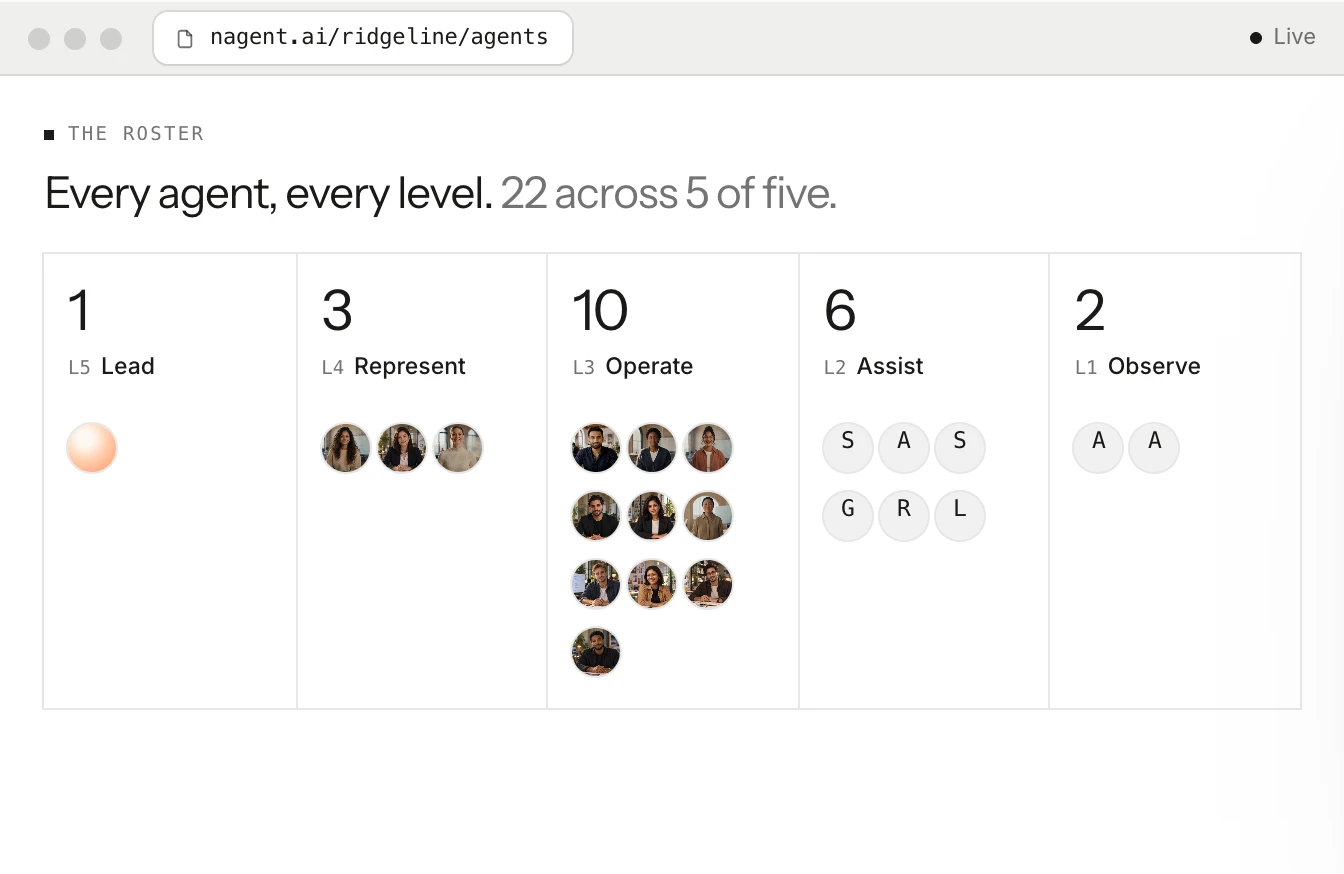
The ladder
The Agent Workbench counts agents at each level, with each one’s state and rank on the org chart.
Six tiles per agent
Status, Autonomy, Trust, Runs · 24h, Risk and Cost per run, at the top of its page.
The Budget pane
Spend today and this month against each cap: Healthy, Approaching cap, Exceeded or Paused.
Auto floor
For each action, its class and the level that runs it alone, or Locked.
The autonomy ledger
Trust, errors, blocks and autonomy for every agent, read before anyone changes a level.
Workspace set-up
Cards computed from what is configured now, so an expired tool asks for a person.
12 · AGENT CONFIGURATION · NAGENT
Next step
Start with one team, and shape it from there.
01
A 30-minute call
We look at the brand’s funnel and show the workspace.
02
Set up the workspace with N
Brand, tools and teams, set in one conversation.
03
The team earns its level
Agents start by asking. A person decides every step up.