
How to Set Up an AI Marketing Team with a Chief of Staff
To set up an AI marketing team, start with the outcome the team owns, then hire one coordinator and the leads who run each channel under it. On Nagent that means hiring the Marketing department, which seats MIRA, the AI Marketing Chief of Staff, and her team leads. You then set up with N and MIRA in N · Setup, connect each lead's tools, check what every agent may do on its own, and send each lead a first ask. This guide walks through each step in order.
What does an AI marketing team need before it can work?
An AI marketing team fails for the same reasons a human one does: nobody owns the number, nobody knows who does what, and work moves without anyone checking it. Before you add a single agent, settle four things:
One number the team is run against. Reach, qualified leads, pipeline cost: pick one, with a target and a date.
One owner of the plan. Someone has to turn the number into a week of work and hand each piece to the right person. On Nagent that is the AI chief of staff.
Clear lanes. Organic visibility, paid acquisition, ad creative and reputation are different jobs with different tools. Each needs its own lead.
A person who approves. Anything that spends money, speaks for the company or changes a live page should wait for a named person until the agent has earned more room.
Nagent builds those four into the Marketing department, so most of the setup is filling in your specifics rather than designing a team from scratch.
Where does MIRA sit in the team?
A Nagent team is built like a team you would hire: an AI chief of staff who owns the outcome, team leads who run their part of it, and sub-agents who do the specialist work. The full model is on the team page. For Marketing, which owns reach and pipeline cost, the line looks like this:
MIRA, AI Marketing Chief of Staff. Reports to you.
DRIS, organic visibility (SEO and AEO). Sub-agents include an SEO auditor, an AEO runner, technical SEO and a content producer.
NIA, paid marketing. One sub-agent per ad channel: Google Ads, plus Meta ads and ChatGPT ads in Beta.
HOOK, creative strategy (Beta). Eight sub-agents: SCOUT, MINE, ANGLE, SCRIPT, GATE, PACK, PULSE and VAULT.
Echo, reputation (Beta). Seats for each kind of place you are reviewed, such as REVIEWS, LOCAL and APPS.
MOXA, social media. Coming soon.
Work moves down the line and back up it. You ask the department in one line, in MIRA's room. MIRA decides who owns it and hands it to that lead. The lead breaks it down, puts the tasks on the board and briefs its sub-agents. Each sub-agent does its part and hands the result back to its lead, never sideways to another seat. The lead brings one answer back, with anything that needs a person waiting on a card, and you approve, edit or decline it in the room where the work is.
Two rules keep this bounded. One message can pull in at most three more teammates, and every hop is checked against the receiving agent's own budget. Work MIRA hands over runs under the receiving teammate's own level, so a handoff never lends her trust to anyone else.
Writing, images and video belong to a different department. When the marketing team needs a blog post, a landing page or a set of ad images, the request goes as a written handoff to CREA's Content team in its own room, and the result comes back to the thread that asked.
How do you set up an AI marketing team, step by step?
These are the steps in the order you will meet them. Most take minutes. Connecting tools takes longest, because only you can sign in to them.
Step 1: Hire the Marketing department at sign-up
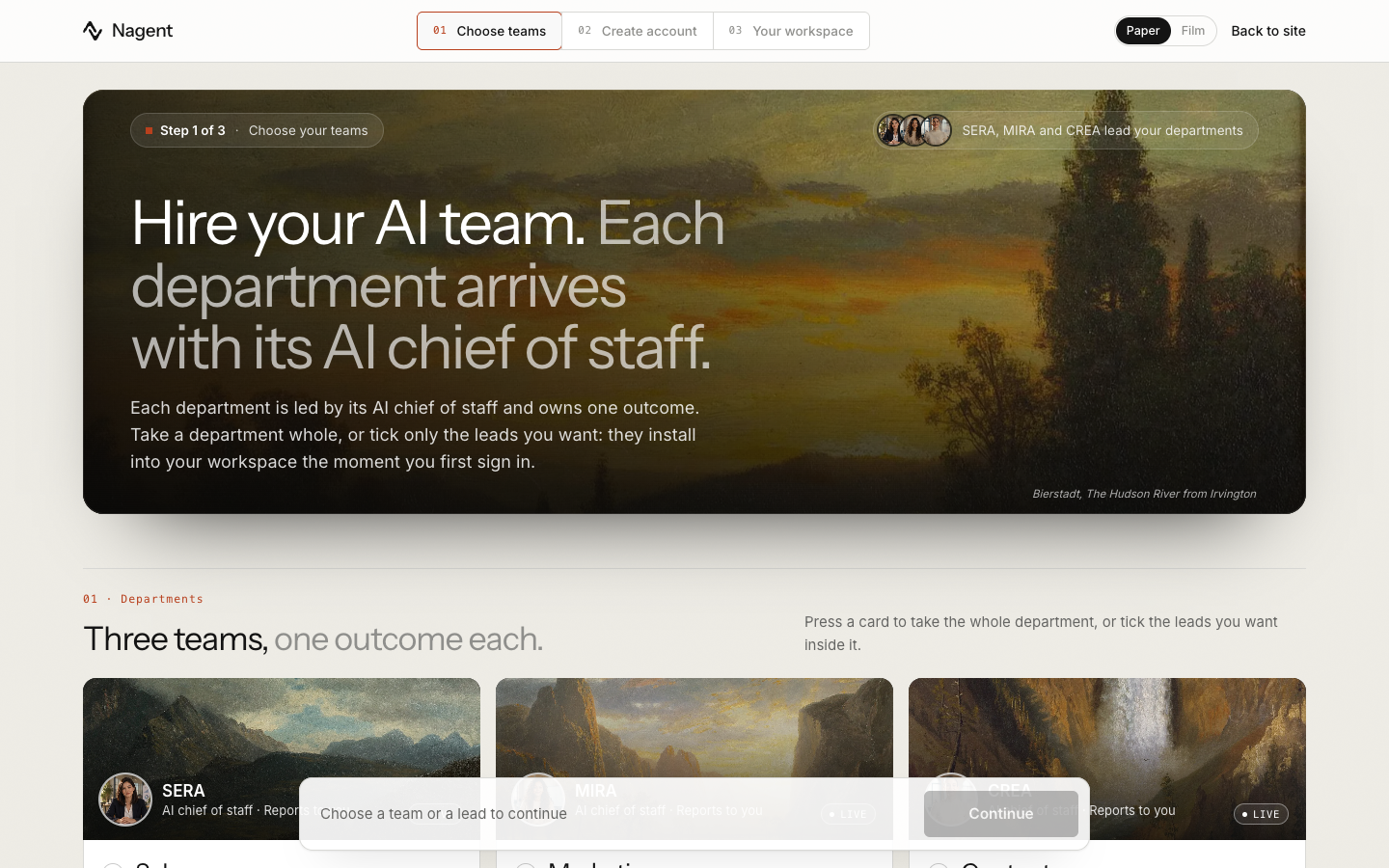
Go to onboarding. Sign-up has three steps: Choose teams, Create account and Your workspace. The first screen, Hire your AI team, shows three department cards: Sales with SERA, Marketing with MIRA and Content with CREA, each naming the outcome it owns. Marketing owns reach and pipeline cost.
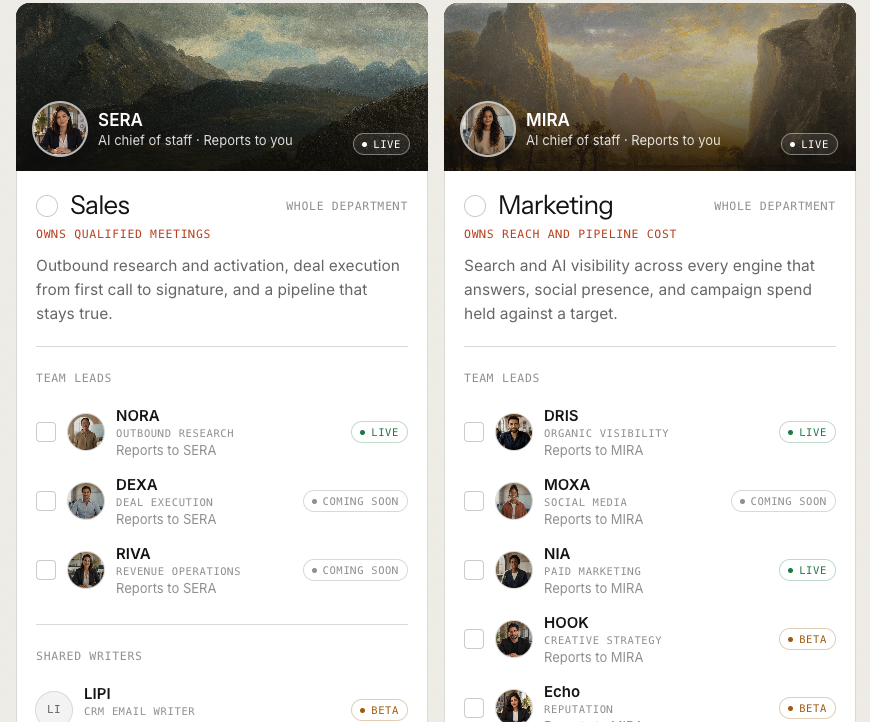
Under Team leads, the Marketing card lists DRIS and NIA tagged Live, HOOK and Echo tagged Beta, and MOXA tagged Coming soon, each marked Reports to MIRA.
Press the card, marked Whole department, to take Marketing whole, or tick only the leads you want. Ticking a single lead gives you that lead, its own room and a seat in the Marketing room, and nothing else. HOOK and Echo are seated only when you take Marketing whole or tick each one. Then press Continue and create your account. Your teams install the moment you first sign in. Adding a lead later needs the settings write permission, which an Organisation admin holds.
Step 2: Set up with N and MIRA in N · Setup
Set-up runs as a conversation in N · Setup, with N, the head of your AI growth org (Beta), and the AI chief of staff of the first team you chose. For Marketing it is headed N, with MIRA, your AI Marketing Chief of Staff. N says it will set this up with MIRA, and that SERA and CREA will pick up their teams once you are done.
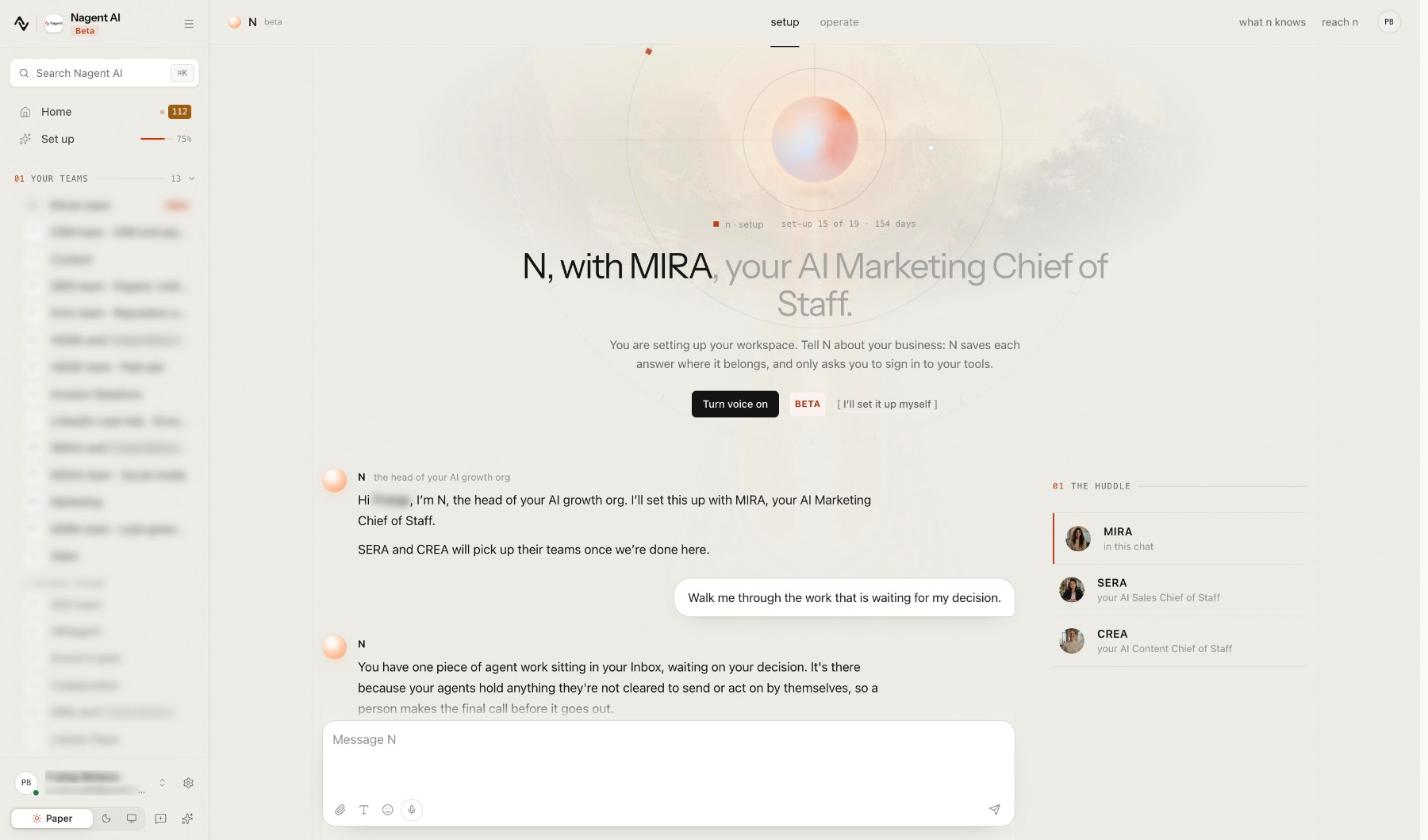
Tell N about your business: it saves each answer where it belongs, and only asks you to sign in to your tools. Turn voice on (Beta) lets you talk instead of typing, and I'll set it up myself switches to the set-up screens. The huddle lists MIRA, in this chat, with SERA and CREA.
The same work shows as a checklist under Set up in the sidebar, with five steps: Onboarding, Connect tools, Website, Brand and N · Setup. Each step opens the set-up chat, and you can pause and resume from that page.
The chat asks one question per reply: what you sell, to whom, and the number the workspace is run against. Give it your site's address and up to 25 pages go into your Knowledge Hub, where every agent reads them. Each thing it saves shows as a card marked Saved, with Undo where it can be undone. The lead set-up guides cover DRIS (domains, Search Console, Analytics, competitors), NIA (ad accounts), HOOK (its brand pack and ad data) and Echo (what it listens for and the facts it may state).
Two things stay with you: MIRA never approves work on anyone's behalf, and signing in to a tool is always your step.
Step 3: Connect the tools each lead needs
The Connect tools step, Give Nagent tools to work with., counts what is connected and what your teams still need, then lists every tool with a search box and category chips such as Marketing and Ads, and Analytics and SEO. Talk to MIRA does the same in the chat.
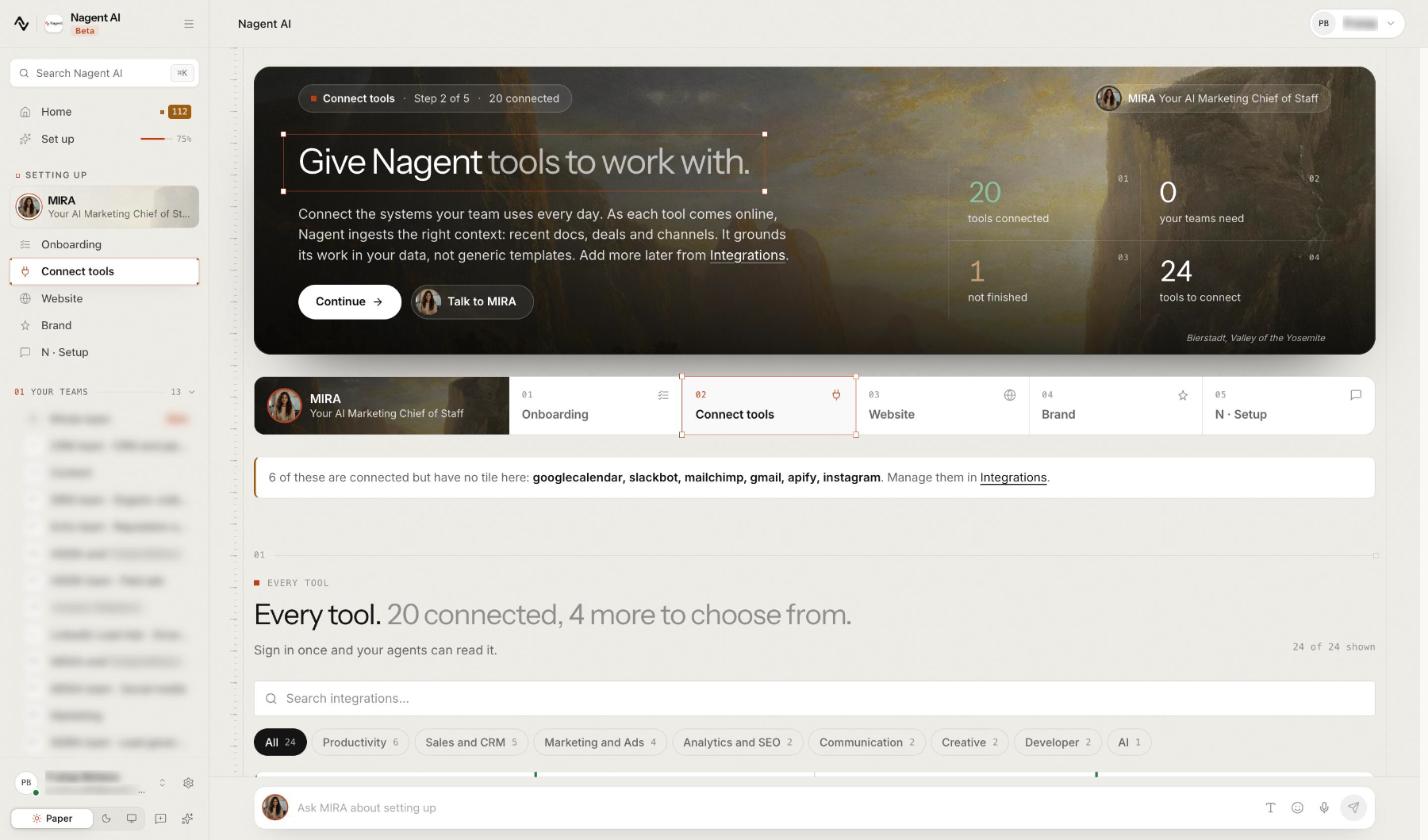
Each lead reads from different systems and can work without the others, so connect the lanes you care about first.
Lead: DRIS, Connect: Your domain, Google Search Console, Google Analytics 4, What it unlocks: Citations of your site, coverage gaps, organic clicks, visits from answer engines
Lead: NIA, Connect: Google Ads; Meta ads and ChatGPT ads are Beta, What it unlocks: Questions about your account, new campaigns from a brief, proposed changes to live ones
Lead: HOOK, Connect: Its brand pack, your ad results file, Meta Ads, What it unlocks: Claims and proof GATE checks against, and what your past ads teach it
Lead: Echo, Connect: Google Business Profile, who Echo listens for, approved facts, What it unlocks: Review cases and checks on what AI assistants say about you
In the chat, a connection is a card with Sign in to connect, which says Connected only once the tool confirms it. Beyond these, Nagent connects to hundreds of tools through Composio, plus your own API, from Integrations.
Step 4: Open MIRA's room and the lead rooms
Every team you belong to is listed under Your teams in the sidebar. Taking Marketing whole gives you MIRA's Marketing room plus the DRIS team, HOOK team and Echo team rooms.
The Marketing room is where you brief the department. It opens with Welcome to #Marketing. and the room's charter, which ends by saying that content for the room is made in the Content room, by CREA's team.
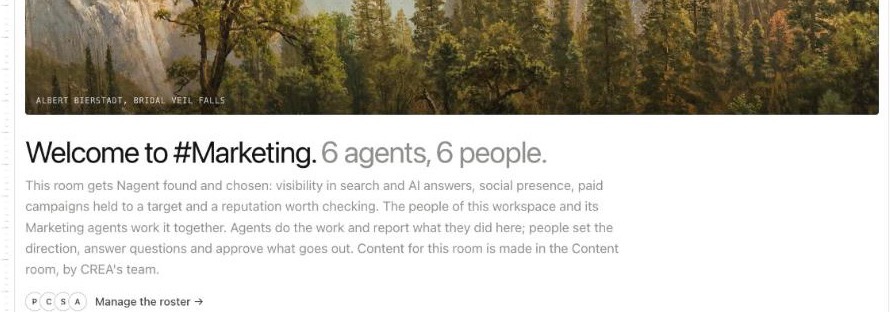
MIRA leads the room, so a message addressed to nobody reaches her. The Inbox panel beside the conversation holds everything waiting on a human, oldest first, and the Team surface tab opens on a Board of what is waiting on you, with a view per lead beside it. A lead room is where you work with one lead and its sub-agents.
Step 5: Check each agent's level and budget
Every agent works at a level from L1 Observe to L5 Lead, and the level decides which of its actions run on their own and which wait for a person. The Agents page, headed Your agents, and how far each one may go., puts every agent in its level's column.
Read your leads' levels before the first ask, so nothing surprises you. NIA, for example, starts at L2 Assist, below the level her live changes need, so every change she proposes to your ads waits for a person. Below L5 Lead, nothing is published without a named person.
Each agent also carries a daily and a monthly spending cap, in credits. Until you set your own, the default is 1,000 credits a day and 20,000 a month per agent. Change it on the agent's Budget pane, or agree a cap per lead with MIRA in the set-up chat.
Step 6: Send each lead a first ask
Start with small, real work, so you can judge each lead on its output.
Where: Marketing room, First ask: "@MIRA what should the marketing team focus on this week, and who should do it?" She writes a plan and puts one task per owner on the board.
Where: DRIS team room, First ask: Run AI visibility check or Weekly actions for your team leads, both marked Good first run
Where: HOOK team room, First ask: Run Ad hooks and angles, marked Good first run
Where: Echo team room, First ask: Run Reputation scan, marked Good first run
Where: NIA, on Advertising, First ask: Ask a plain question about your Google Ads account, such as which campaigns spent the most last month
The workflows sit in each room's member list, under Agents and tools. Each card has Run now, Test run, free model to prove the steps work at no cost, and Keep running to put it on its schedule. Schedules arrive switched off.
Results come back as files, not chat messages. The thread gets a note with Review the work, and you approve the work or request changes. Anything that would act outside the workspace waits on a Confirm before it runs card with Approve and Decline.
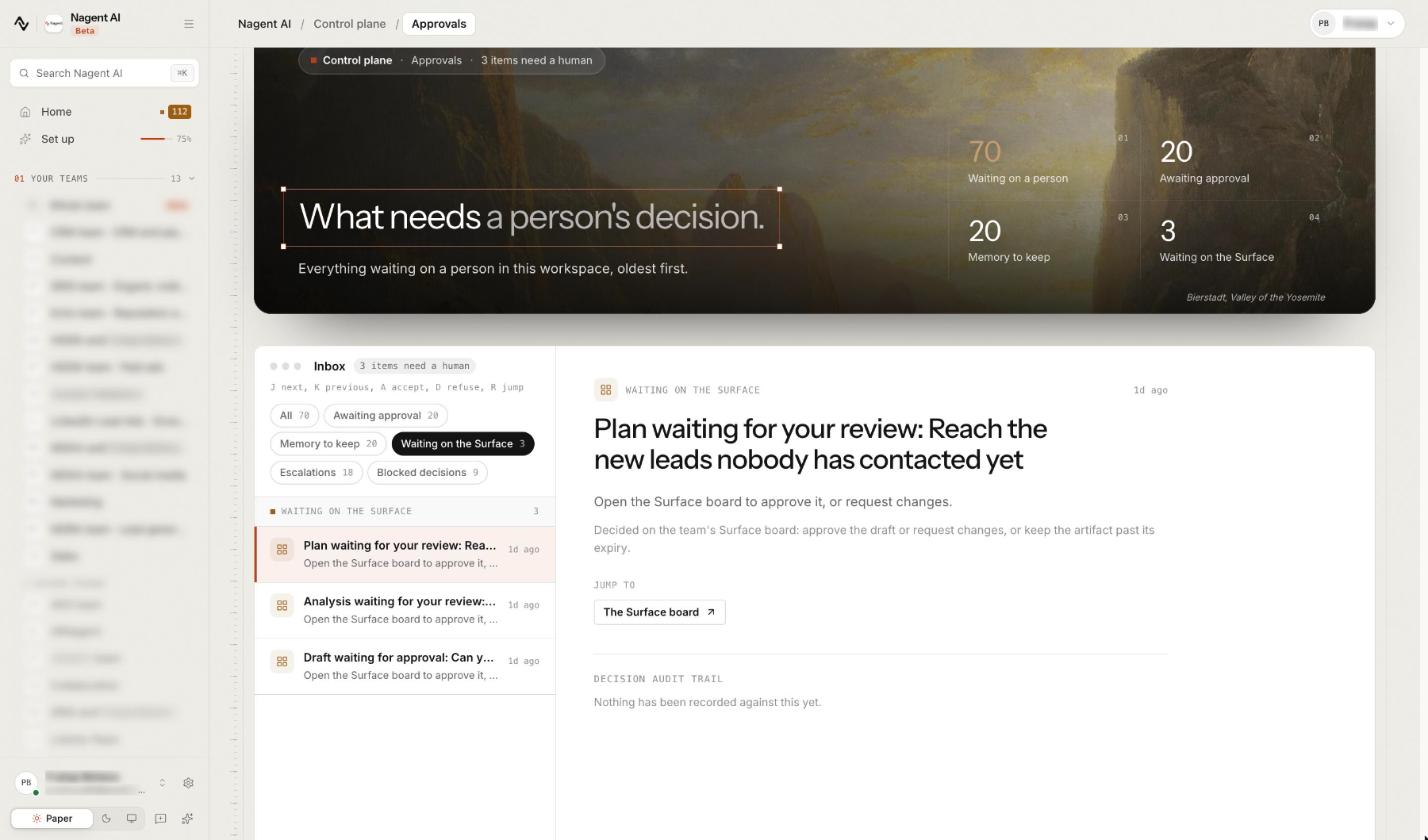
Everything waiting on a person also lands in Approvals, headed What needs a person's decision., with filters for Awaiting approval, Memory to keep, Waiting on the Surface, Escalations and Blocked decisions. A plan a lead leaves on a Surface board shows there with Open the Surface board to approve it, or request changes.
Step 7: Invite the people who approve
Agents propose; people decide. Invite your colleagues and give each a role on a team, a department or the whole organisation. Give at least one person besides yourself a role that can decide, such as Organisation admin or Team lead where the work belongs, so approvals never wait on you alone.
What should you not expect on day one?
Set expectations honestly, and the team will earn trust faster.
MOXA is coming soon. Its seat shows on the Marketing card, but it does not plan or post social work yet. Don't plan a social calendar around it.
HOOK and Echo are in Beta. HOOK works read only against every ad platform. Echo reads, checks and drafts replies; it never posts, so a person copies an approved reply onto the platform.
NIA's live changes all queue. Campaigns arrive paused on every channel, and each live change waits for approval.
Ask MIRA about setting up is a set-up helper. It answers from set-up help notes and your set-up answers, not from your teams, runs or approvals. For those, go to the room or to Approvals.
Writing and visuals need the Content team. Without CREA's Content team installed, MIRA says so plainly, and an admin can add it from Teams.
Frequently Asked Questions
How do I set up an AI marketing team?
Pick the number the team is run against, then hire a coordinator and one lead per channel. On Nagent, hire the Marketing department at sign-up, set up with N and MIRA in N · Setup, connect each lead's tools, check levels and budgets, and send each lead a small first ask.
What is an AI chief of staff for marketing?
An agent that runs the marketing department and owns its number. It decides what the week is for, hands each piece of work to the lead who owns it and reports back against the target. On Nagent that is MIRA, who routes work rather than doing the specialist jobs herself.
Which AI agents does a marketing team need?
One lead per lane: organic and AI search visibility, paid acquisition, ad creative and reputation, each with sub-agents for the detailed work. Nagent's Marketing department seats DRIS, NIA, HOOK and Echo under MIRA, with MOXA for social coming soon.
Do AI marketing agents act without approval?
Only within the level a person gave them. Every agent has a level from L1 Observe to L5 Lead, and anything above it waits on a card for a named person. Below L5 Lead, nothing is published without a person.
Set up the team, then let it earn room
A good AI marketing team starts narrow: one number, one coordinator, clear lanes and a person on every decision that matters. Hire the department, set it up with N and MIRA, connect the tools, and judge each lead on its first piece of work before you give it more. The prebuilt teams guide and MIRA's docs page cover each screen in more detail.
Book a demo to see MIRA set up a marketing team on your own business.