
How to Make Ad Hooks and Scripts with AI Agents
To make ad hooks and scripts with AI agents, work in order: collect ads worth learning from, break the best ones into beats, write a brief whose bets each test one idea, generate hook sets per format, pick the hooks you like, have full scripts written from them, then check every claim before anything ships. In HOOK, Nagent's AI creative strategy lead for paid social (Beta), each step belongs to one sub-agent, and a person decides what spends money and what ships.
Why work from research to scripts in a fixed order?
Most AI ad copy goes wrong at the start, not the end. A model asked for "ten hooks for our product" writes ten versions of the same idea, with claims nobody checked. The fix is a sequence where each step narrows the next:
Research shows what already earns attention in your category.
Teardowns turn a good ad into a mechanism you can reuse, rather than a screenshot to copy.
A brief forces distinct bets, each with a kill condition, so your test teaches you something.
Hooks are cheap, so you write many and keep few.
Scripts are written only for hooks a person chose.
A claim check sits before shipping, because an ad that claims what you can't prove costs more than a weak ad.
HOOK runs this sequence on its Make and Ship tabs, and closes the loop on Learn. You need a complete brand pack first (voice, buyer, at least one claim with its proof and at least one channel pack). It sits under Settings, and the HOOK docs cover filling it in.
Where does HOOK sit in the team?
HOOK is the team lead for creative strategy on Nagent's Marketing team, marked Beta. It reports to MIRA, the AI Marketing Chief of Staff, and runs eight sub-agents.
Layer: AI Chief of Staff, Who: MIRA, Role in this workflow: Owns Marketing's number and routes creative work to HOOK
Layer: Team lead, Who: HOOK (Beta), Role in this workflow: Breaks the request down, briefs its sub-agents, brings one answer back
Layer: Sub-agents, Who: SCOUT, MINE, ANGLE, SCRIPT, GATE, PACK, PULSE, VAULT, Role in this workflow: Research, patterns, brief, hooks and scripts, claim check, packing, reading results, playbook
The team page shows four of these sub-agents on HOOK's card (SCOUT, ANGLE, SCRIPT and GATE); adding HOOK seats all eight, and they are reached through HOOK. HOOK's peers on the Marketing team are DRIS (organic visibility), NIA (paid marketing) and Echo (reputation, Beta); MOXA, the social media lead, is coming soon.
HOOK sits in the Marketing room with MIRA. The room's own welcome says who does what: agents do the work and report it there, people set the direction and approve what goes out, and content is made in the Content room by CREA's team.
A request moves down the line and back up. You ask in the room; the chief of staff hands it to HOOK; HOOK puts tasks on the board and briefs the sub-agents it needs; each hands its result back to HOOK, never sideways to another seat; HOOK returns one answer, with anything that needs a person waiting on a card. Every hop is checked against the receiving agent's budget, and one message travels at most three hops.
Handoffs across departments are written handoffs to that room's lead. Statics and carousels go to RUPA and video to Alpha, both on CREA's Content team. A Google pack goes to NIA, on the Marketing team, who builds it paused under her own approval.
How do you go from research to approved scripts, step by step?
Open HOOK from the sidebar. Its tabs are Today, Review, Make, Ship, Learn and Settings; the steps below run through Make, Ship and Learn in that order.
Step 1: Build a swipe library
Open Make, then Research. The swipe library holds competitor and category ads saved to learn from, never used as your own copy.
Add an ad: Upload the video or image, or Paste a link to where it runs. Fill in the advertiser, the hook as the ad says it, the hook type, the ad copy and why it is worth saving, then press Save to the swipe library. Saving runs on its own.
Let SCOUT search an ad source searches an ad library service for you. It needs an ad source connected for SCOUT; without one the page says "No ad source is connected for SCOUT". Searching is paid, so it waits for approval.
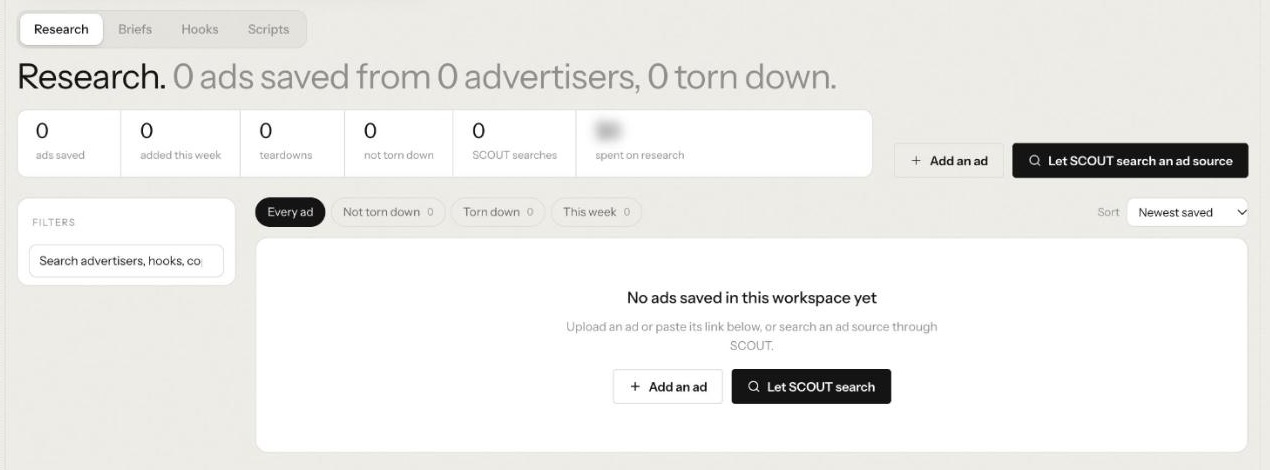
The library filters by Every ad, Not torn down, Torn down and This week, and charts your saved ads by hook type and by advertiser once there are some.
Step 2: Tear down the ads that work
On a saved ad, press Let HOOK tear it down. The cost is quoted before you click, and because teardowns are paid, the run waits for approval. A finished teardown shows the transcript and frames, then the read: Their bet, Where it loses, What to take and What to avoid. A second teardown of the same file reuses the first reading and costs nothing.
From a teardown, Add to swipe keeps it, or Brief from this starts a brief that answers it.
Step 3: Write the brief
On Briefs, use Write a brief. Choose the channel packs (Meta cold, 9:16, Meta retargeting, 1:1, TikTok Spark and Google RSA), then the number of bets (1 to 5) and hooks per pack (3 to 10), and steer it with an optional audience note and constraints. A panel counts what HOOK will write before you start. Press Let HOOK write the brief. ANGLE places the bets, each opening a concept with a kill condition: a metric (hook rate, hold rate, click through rate or cost per acquisition), a percentile against your own account's ads, and when to judge it.
You can also start from Review, on Requests, where colleagues and other leads file work for HOOK with File it or File and let HOOK start.
Step 4: Generate and choose hooks
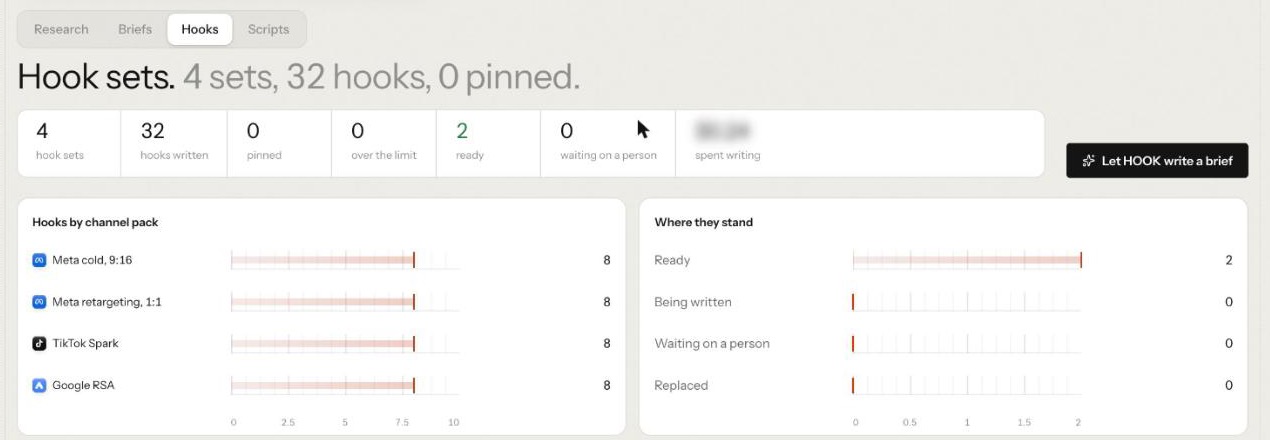
SCRIPT writes a hook set for each concept and channel pack as the brief lands. Open Hooks. The header counts sets, hooks and how many you have pinned, with tiles for hooks over the limit, ready and waiting on a person. Charts show Hooks by channel pack and Where they stand: Ready, Being written, Waiting on a person or Replaced. Every hook's length is measured in code against every limit of its pack, so a search headline and a 9:16 opener are each held to their own format.
Open a hook set to work it:
Pin the hooks you want to keep. SCRIPT leans towards pinned hooks the next time it writes for that concept.
Iterate asks for another round on a set that missed.
Hand to SCRIPT sends the set on to full scripts.
Hook types HOOK writes include promise, POV, number, contrarian, question and testimonial, so a single concept can be tested several ways.
Step 5: Read the scripts
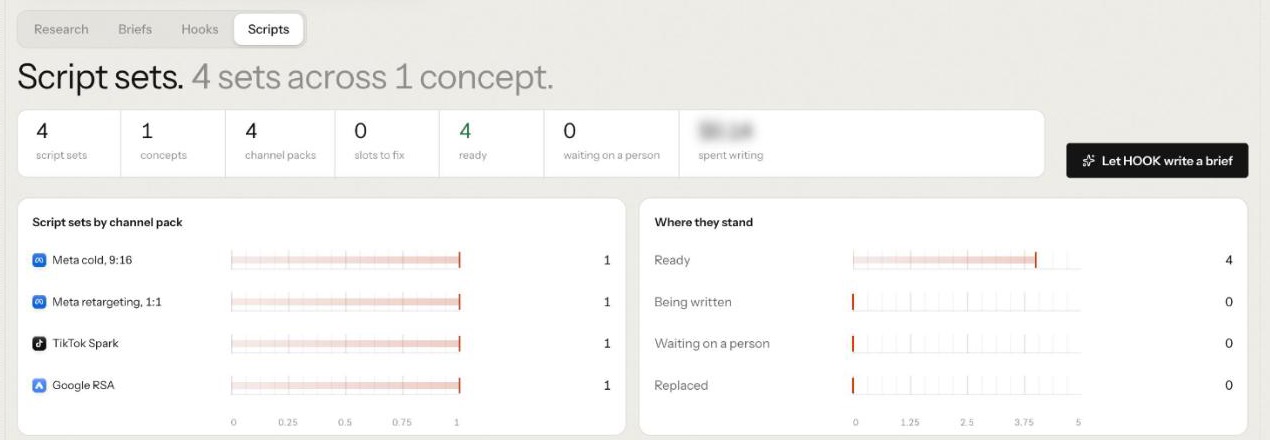
Open Scripts. Script sets come one per channel pack, grouped by concept, and the tiles count slots to fix and sets ready. Open one to read what SCRIPT wrote for that pack: timed Beats with what is on screen, the Voiceover and its pace, Shots, the Deliverables copied from the channel pack, copy Slots each marked Fits or Fix, the Claims used with each claim's status, any Banned words found, and Direction for the producer. SCRIPT checks every claim a script cites against the brand's live claims.
If a version shows Failed, open it: the reason is on the version, not in the list.
Step 6: Make a production brief
On a ready script set, press Make a production brief and choose the producer, the format and the pack: RUPA, statics and carousels or Alpha, video. RUPA renders Meta statics and carousels only.
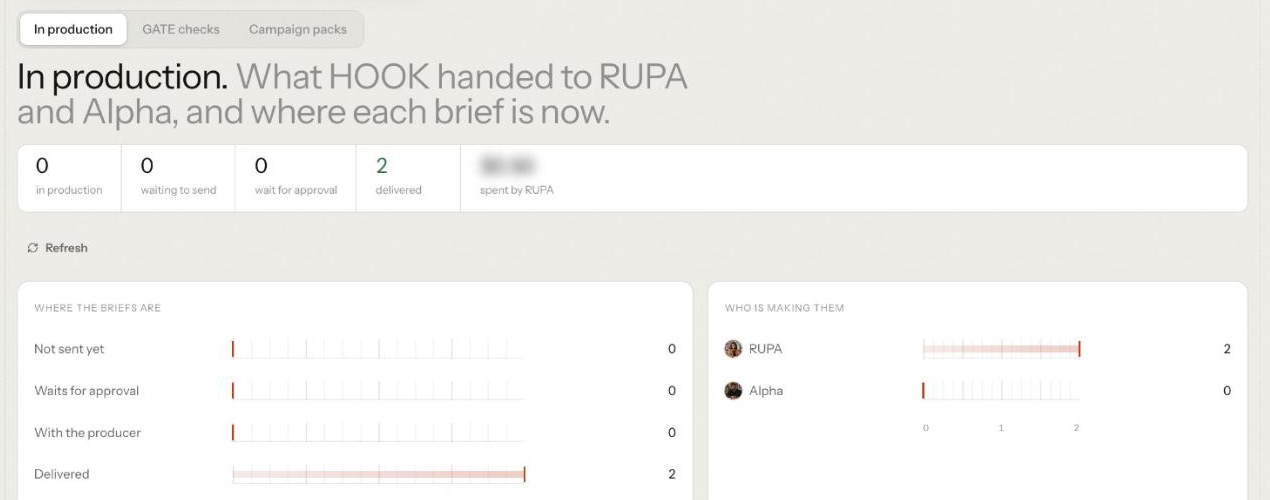
The brief lands on Ship, under In production, as not sent yet. Open it and choose Review and send to RUPA, then Send to RUPA. The brief shows an estimate on RUPA's budget, and because it spends another teammate's budget, the send waits for a person to approve it. Nothing renders until then.
A video brief goes to Alpha, whose Jobs page lists it under From HOOK, where a person takes it. Video is not rendered automatically.
Step 7: Pass the claim check gate
GATE checks work before it ships. It checks a brief RUPA or Alpha has returned, or a ready Google RSA script set when you press Gate this copy. It reads every claim and line against your brand pack: the live claims, the banned words and the approved copy. It also checks that RUPA's images are the right size, and that each Alpha video was saved, can be read and matches the pack's aspect. GATE reads a video's words, not its frames.
On Ship, GATE checks lists every report by verdict. Each report reads Gated when it passes, Blocked by GATE with what blocks it, or GATE could not check with the reason. From a report you can:
Send back to SCRIPT with GATE's fixes attached.
Re-brief RUPA for a plate that failed.
Gate again after a change.
Override this block, with a written reason of 10 to 500 characters. The override waits for someone else to approve it: "The person who asked for an override cannot approve it." The report then reads "Blocked by GATE, overridden by" that person, with the date and reason.
Step 8: Build the pack and ship it yourself
Under Campaign packs, Build a pack: choose a pack, then the gated work to put in it, one to ten items for the same channel pack. The package carries the angle, the script and the constraints together.
Download package gives you the files to upload to Meta Ads Manager yourself. NIA cannot write to Meta yet.
Place with NIA hands a Google pack to NIA, who builds the campaign paused. The placement waits for a person to approve it; NIA builds nothing until then. Google RSA sets follow Google's responsive search ads format, which takes multiple headlines and descriptions and tests combinations of them.
On NIA's side, the change appears on her Review page, under Approvals, which takes changes from a chat, from Recommendations, from her nightly check or from a HOOK pack. The From HOOK tab beside it lists HOOK's packs.
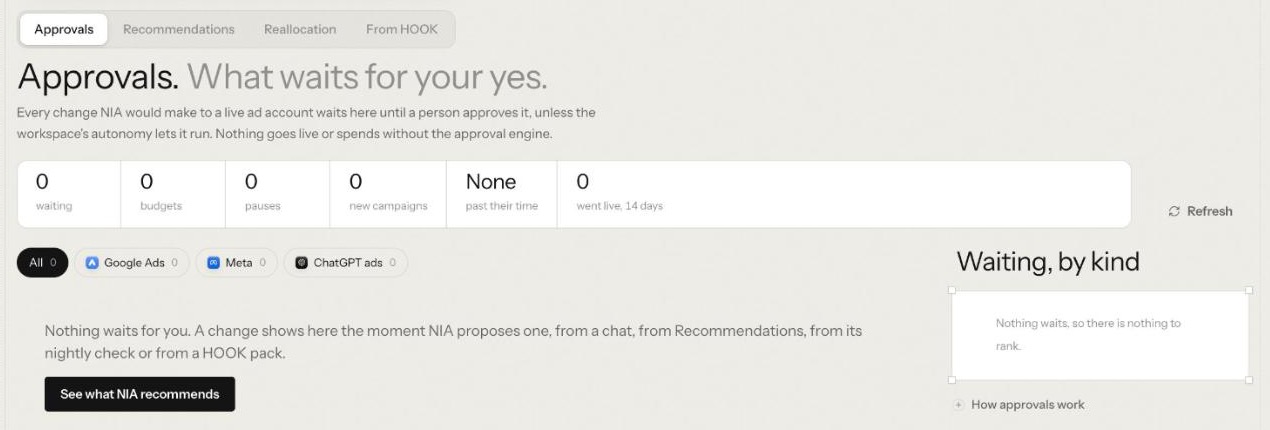
HOOK never launches, pauses or changes a live ad. A person uploads, pauses and spends in the ad platform.
Step 9: Read what won
On Learn, Reads ranks your ads against your own account's ads in the same channel pack. Connect a Meta ad account for a nightly read, or Upload ad data: a .csv or .xlsx export from Meta Ads Manager, Google Ads, TikTok Ads Manager or another platform, up to 10 MB. The file itself is not stored. Diagnoses says why an ad is winning or losing, Refresh plans what to kill, iterate and carry next, and Playbook keeps what has worked, which VAULT hands to the next brief.
On Review, Concepts tracks every bet from brief to winner, so you can see which idea won, not just which ad.
What waits for a person along the way?
HOOK's Settings state the rule it works under: HOOK reads ad platforms and never spends on media, and anything sent to production, and every ad placed, waits for a person. Its sub-agents start at L3. Drafting, checking and reading run on their own; paid calls and anything that spends another teammate's budget wait.
Runs on its own: Saving to the swipe library, Waits for a person: Searching an ad source (paid)
Runs on its own: Writing briefs, hooks and scripts, Waits for a person: Tearing down an ad (paid)
Runs on its own: Gating copy, Waits for a person: Sending a brief to RUPA (spends RUPA's budget)
Runs on its own: Reads, diagnoses, refresh plans, the playbook, Waits for a person: Overriding a GATE block, at every level
Beyond HOOK itself, NIA's Google build waits for NIA's own approval, Alpha's video waits for a person to take it, and uploading to Meta and every ad spend stay with a person in the ad platform.
A run that waits shows Waiting for approval and Open approvals; an admin approves it in the approvals queue before it runs. Paid steps show their cost before they run. Agent work on Nagent is metered in credits.
What are the limits today?
HOOK is in Beta. Meta is read only, so Meta packs are downloaded and uploaded by hand. TikTok packs cannot be placed, and no TikTok video is gated yet. Google Ads results come in by upload only. A gated video cannot go into a pack yet; packs hold statics, carousels and Google RSA sets. Talking to HOOK in chat uses a general prompt rather than this workflow, so run it from HOOK's tabs.
Frequently Asked Questions
How do you make ad hooks with AI?
Start from a brief with distinct bets, then generate several hooks per concept and format, measured against each format's limits. Keep the few that fit and iterate the rest. In HOOK, SCRIPT writes the hook sets, and a person pins the hooks worth scripting.
How do you turn ad research into scripts?
Save ads worth learning from, tear the best down into beats, and brief from the teardown so the mechanism carries over without copying the ad. Then write hooks, pick the strongest and have full scripts written from them, with every cited claim checked.
What is a claim check gate for ads?
A step that reads every claim and line in an ad against the claims your brand can prove and the words it never uses, and blocks what isn't supported. In HOOK, GATE does this, and lifting a block always needs a second person.
Can AI write ad scripts that are ready to shoot?
HOOK's scripts carry timed beats with what is on screen, a voiceover, a shot list, copy slots and direction, written for the channel pack. A person still decides what goes to production, and nothing ships until GATE has checked it.
From research to a pack you can trust
Hooks and scripts are the cheap part of an ad. What makes AI useful here is the order around them: research first, distinct bets, a person choosing what gets scripted, and a claim check before anything ships. HOOK runs that order with eight sub-agents and leaves every spend and every launch to a person.
Book a demo to see HOOK take your ad research to approved scripts.