
How to Write a Creative Brief for AI with HOOK
To write a creative brief for AI, give it what a good strategist would ask for: who the ad is for, the claims you can prove, the words you never use, the formats, and what the brief must not change. Then ask for a few distinct bets, each with a condition for killing it. In HOOK, Nagent's AI creative strategy lead for paid social (Beta), that means a complete brand pack first, then a short request. Here is each step.
What does a creative brief for AI need to contain?
A brief for an AI strategist is shorter in words and stricter in facts. A person can ring you to ask whether a claim is safe; an agent can only use what the brief and the brand record behind it say. Five things matter most:
The buyer. Who the ad is for, and what they already believe. A vague audience produces vague hooks.
Claims with proof. Every factual statement the ad may make, each with the source that backs it. If a claim has no proof, the ad cannot say it.
Banned language and the offer. Words the brand never uses, and what you are actually offering.
Formats. The placements you are making for, because a 9:16 cold video and a search ad need different openings.
What the brief must not touch. If you are fixing the middle of an ad that already hooks well, say so, or the agent will rewrite the part that works.
Two more things separate a brief that teaches you something from one that just produces copy: distinct bets, each testing a different idea, and kill conditions, so failure is defined in advance. HOOK builds both into every brief.
Where does HOOK sit in the team?
Nagent builds AI teams like a team you would hire: an AI Chief of Staff who owns the department's number, team leads who each run one part, and sub-agents who do the specialist work. HOOK is the team lead for creative strategy on the Marketing team, marked Beta, and reports to MIRA, the AI Marketing Chief of Staff.
MIRA, AI Marketing Chief of Staff
DRIS, organic visibility
NIA, paid marketing
HOOK, creative strategy (Beta)
SCOUT, MINE, ANGLE, SCRIPT, GATE, PACK, PULSE, VAULT
Echo, reputation (Beta)
MOXA, social media (coming soon)
The org chart on the team page shows four of HOOK's sub-agents (SCOUT, ANGLE, SCRIPT and GATE); the HOOK docs list all eight, and HOOK reaches every one of them itself.
Work moves down the line and back up it. You ask in one line, in the room. The chief of staff hands it to the team lead who owns it. HOOK breaks it down, puts the tasks on the board and briefs the sub-agents it needs. Each hands its result back to HOOK, never sideways to another seat, and HOOK brings one answer back, with anything that needs a person waiting on a card.
Handoffs to another department are written handoffs to that room's lead. A static or carousel brief goes to RUPA; a video brief goes to Alpha, where a person takes it. Both sit on CREA's Content team. A Google pack goes to NIA, who builds it paused. Every hop is checked against the receiving agent's budget.
How do you brief HOOK, step by step?
Step 1: Make sure HOOK is in your workspace
At sign-up, the Marketing card lists HOOK under MIRA as Creative strategy, tagged Beta. Press the card, marked Whole department, or tick HOOK on its own. Set-up then runs in N · Setup, a chat with N, the head of your AI growth org (Beta), with MIRA beside it. To add HOOK later, an Organisation admin uses Add a team, then Choose a prebuilt team.
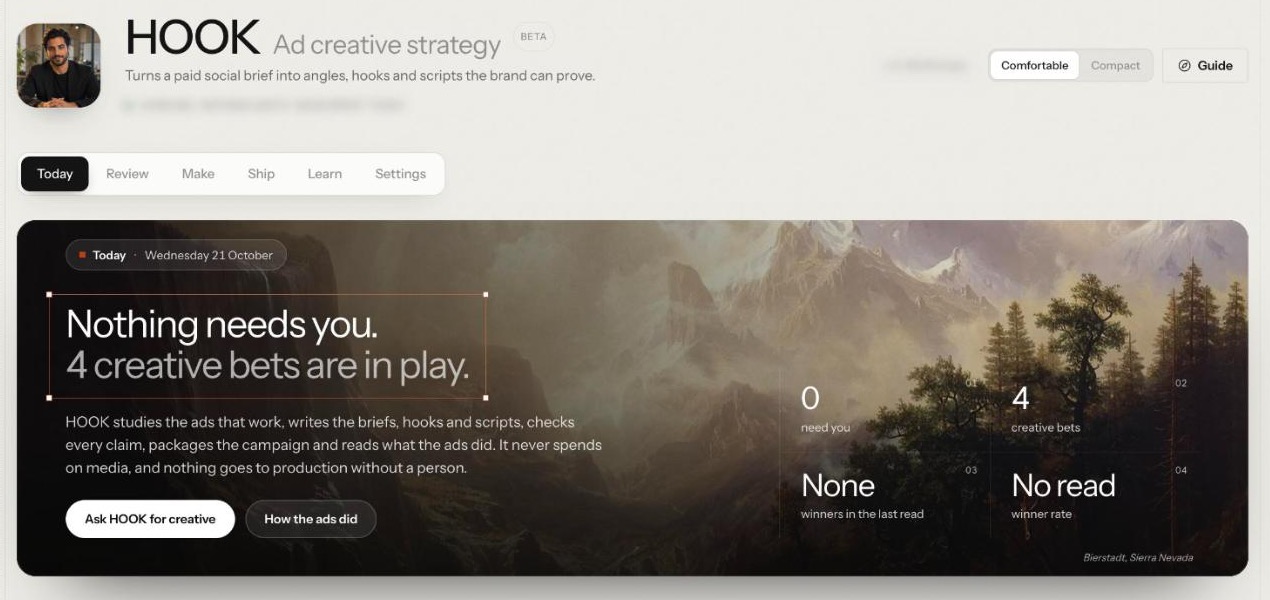
Open HOOK from the sidebar. Its page is headed Ad creative strategy, tagged Beta, with six tabs: Today, Review, Make, Ship, Learn and Settings. The Guide button lists the first jobs in order, starting with Fill in the brand pack and Ask HOOK for creative.
Step 2: Fill in the brand pack before you brief anything
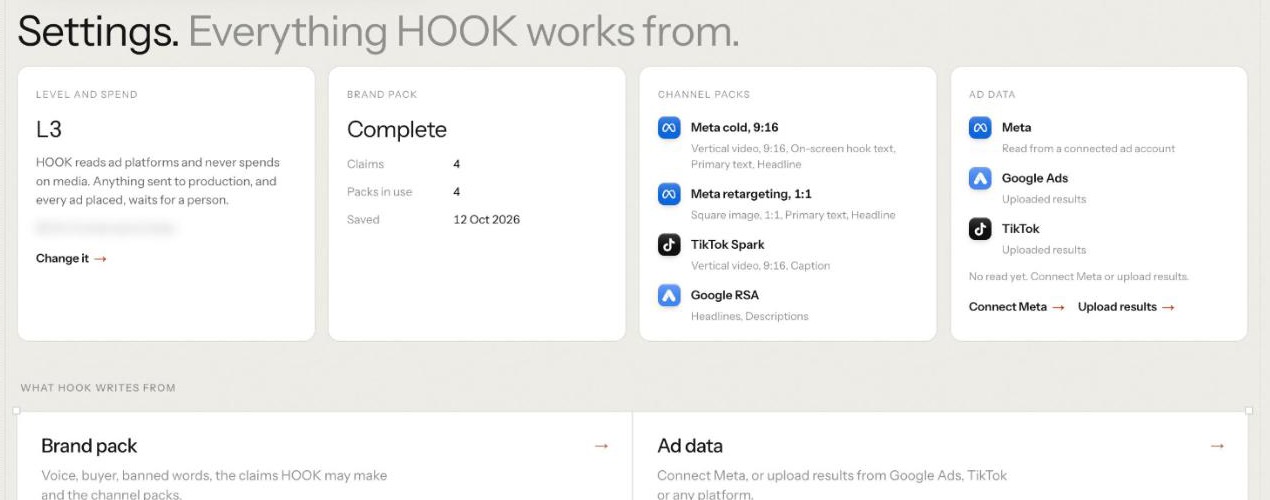
Nothing is made until the brand pack is complete. Open Settings and, under What HOOK writes from, open Brand pack: voice, buyer, banned words, the claims HOOK may make and the channel packs. The page, headed Brand pack. Everything HOOK writes from., has five sections:
Voice. How the brand talks, and its writing style.
Buyer. Who the ads talk to, chosen from your customer profiles, and an optional awareness stage. With no profile yet, Open ICP profiles takes you to the Knowledge Hub.
Banned words and offer. Words no script may say, and what the ad asks the buyer to take up. Optional.
Claims and proof. Each sentence a script may state as fact, with the source that proves it. A claim without a source is not saved. Each claim saves on its own with Save claim.
Channel packs. Which formats you write for: Meta cold, 9:16, Meta retargeting, 1:1, TikTok Spark and Google RSA. Their limits are platform facts; what the hook means on each pack you can change.
Press Save brand pack. It is complete once voice, buyer, at least one claim and at least one channel pack are saved, and the Settings card then reads Complete.
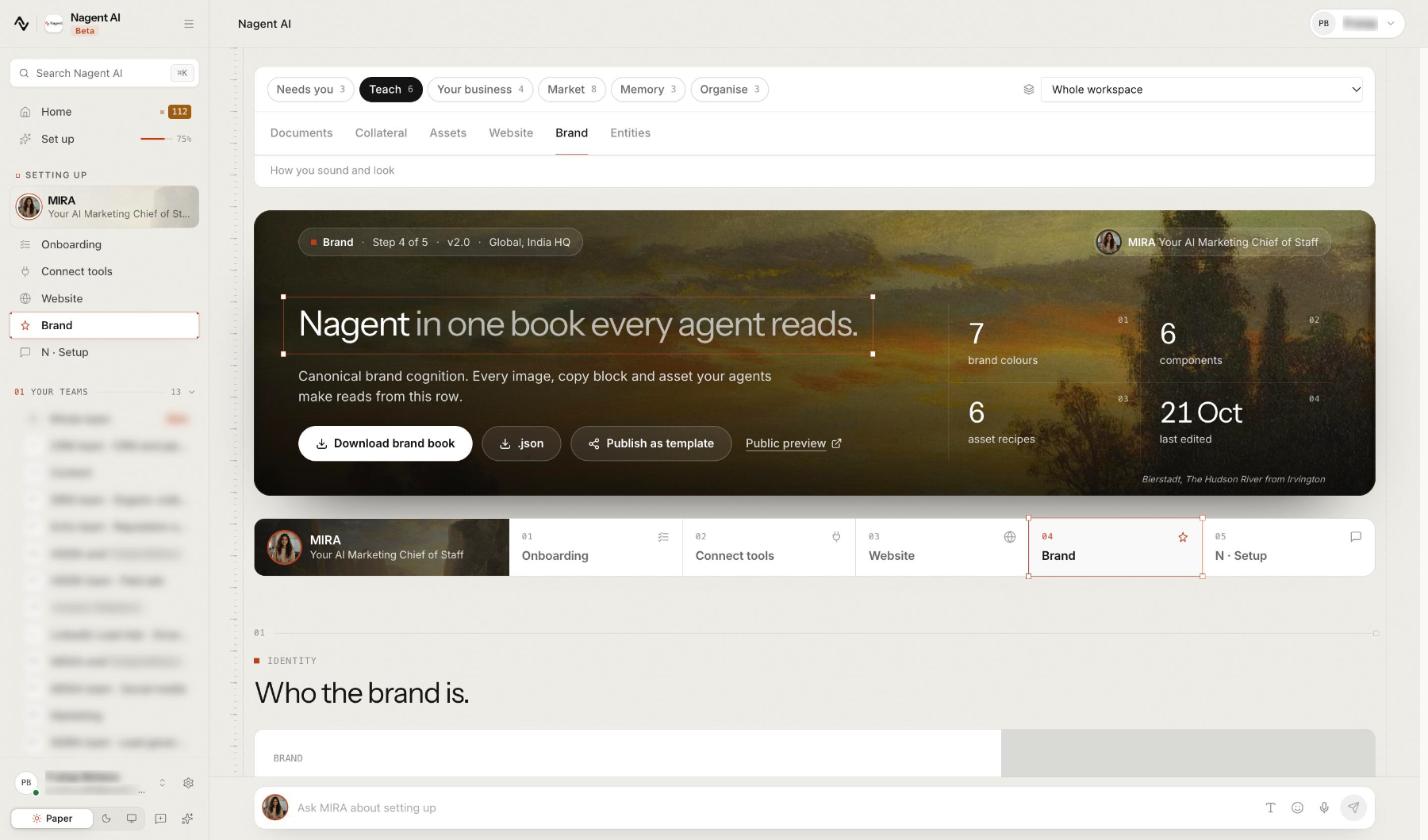
Voice and banned words are the workspace's brand, which every agent reads, so changing them needs permission to change workspace settings. The brand pack page links to the Brand screen in the Knowledge Hub, where they live.
The claims section is the one most teams skip. GATE checks the work against it later, so a thin claims list means more blocked work.
Step 3: File a request, or write the brief directly
From Review, on Requests. This is how you, colleagues and other team leads ask HOOK for work. Ask HOOK for creative on Today opens the same form as New request. Fill in:
What do you want? in your own words, for example "hooks for the spring series".
Who is it for? HOOK itself, or another lead such as DRIS, NIA or MIRA.
Wanted by and Iterate a concept, both optional.
The channel packs, the number of bets (1 to 5) and hooks per pack (3 to 10).
An audience note and constraints, optional but worth filling.
Then press File it, which only records the request, or File and let HOOK start, which also starts the brief. A request for another lead is filed, then started by a person on HOOK. Filing costs nothing; a start may wait for an admin.
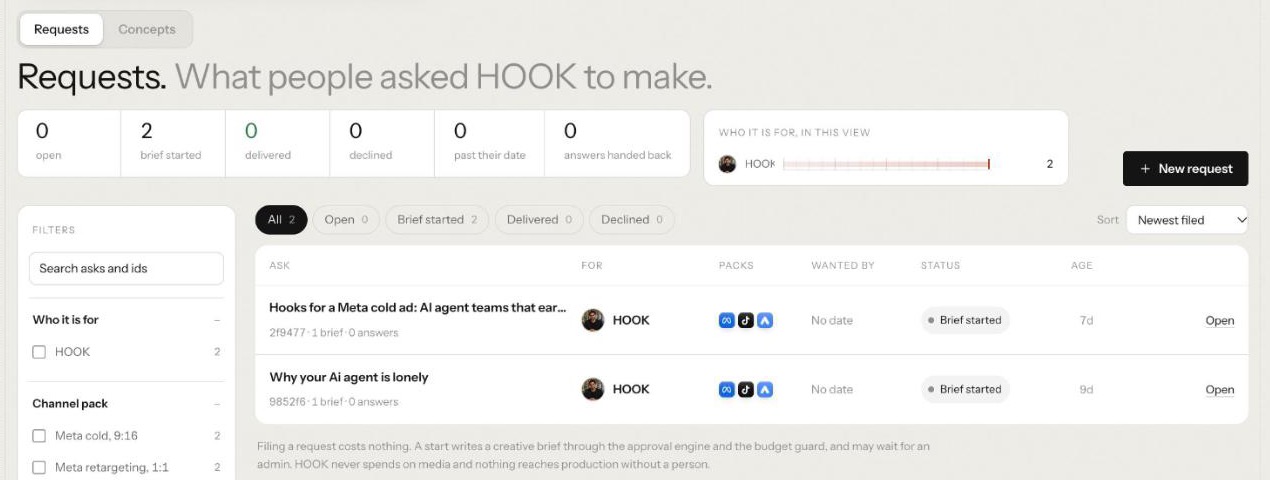
Open a request to Start brief, Mark delivered or Decline.
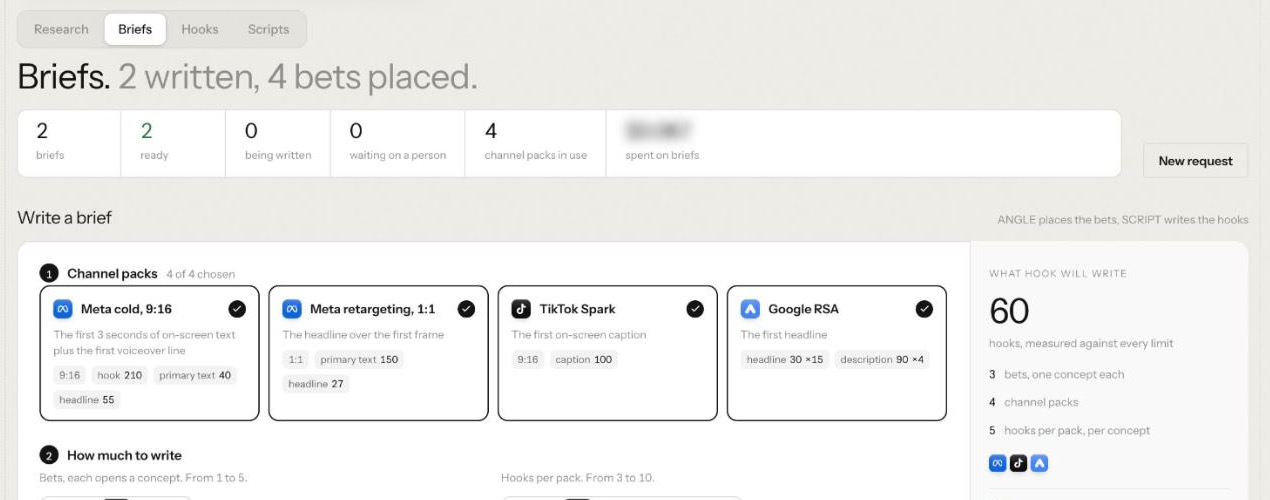
From Make, on the Briefs tab. If you run HOOK yourself, Write a brief takes the same detail in three steps: Channel packs, How much to write and Steer it (audience note and constraints). What HOOK will write counts the hooks before you start. Press Let HOOK write the brief: ANGLE places the bets and SCRIPT writes the hooks. Below the level set for briefs, a person approves first.
Asking HOOK in the Marketing room works too, but chat uses a general prompt, so use Requests or Make for a brief measured against the brand pack.
Step 4: Read the brief that comes back
Open a brief from the Briefs list. Read its four parts before anything else is made:
Audience. Who the brief is aimed at, in plain words.
Not. What the brief will not touch, where your constraints show up: "does not change the hook, the offer or the CTA".
Bets. A table with Concept, The bet, Kill condition and Priors. Each bet opens a concept and carries tags (hook type, format, awareness stage, proof type, offer and first frame). Its kill condition reads as one sentence: kill it if hook rate, hold rate, click through rate or cost per acquisition sits below a set percentile of your own account's ads after a set time or spend.
Provenance. Which sub-agent ran it, at what level, for which packs, and any version it replaces. Once your playbook has data, each bet names the priors it leaned on.
Step 5: Iterate, or move on to hooks
If a bet is wrong, press Iterate for another version. The new brief replaces the whole old one once it is ready; if it fails, the old one stands. If the bets are right, SCRIPT writes a hook set for each concept as the brief lands. Move to the Hooks tab, Pin the hooks you like (SCRIPT leans towards pinned hooks the next time it writes for that concept), then press Hand to SCRIPT for full scripts.
What does each sub-agent do with your brief?
Each sub-agent reads a different part of the brief, which tells you where to put detail.
Sub-agent: SCOUT, What it does: Finds competitor and category ads worth studying, What it needs from your brief: Which advertisers and categories to look at
Sub-agent: MINE, What it does: Finds what is working in the swipe library, and why, What it needs from your brief: Ads saved and torn down
Sub-agent: ANGLE, What it does: Writes the brief: the bets and when to kill each one, What it needs from your brief: Audience, constraints, number of bets, claims
Sub-agent: SCRIPT, What it does: Writes hooks and scripts, checking every claim cited, What it needs from your brief: Channel packs, hooks per pack, the claims list
Sub-agent: GATE, What it does: Checks claims and copy against the brand pack, and can block, What it needs from your brief: A complete claims list and banned words
Sub-agent: PACK, What it does: Packs gated work into a campaign package, What it needs from your brief: Gated work and the channel packs
Sub-agent: PULSE, What it does: Reads and diagnoses ad results, plans refreshes, What it needs from your brief: Connected Meta or uploaded results
Sub-agent: VAULT, What it does: Keeps what has worked as your playbook, What it needs from your brief: Results over time
GATE is the only seat that stops work rather than producing it, which is why the claims list matters more than any field in the request.
How much detail should the brief carry?
Less than you think in the request, more than you think in the brand pack. Anything true for every ad belongs in the brand pack; anything true for this test belongs in the request.
In the request, one sentence of intent is enough if it names the job and the outcome: "Hooks for an autumn paid social test aimed at marketing leads evaluating AI teammates." Then use the fields:
Bets: start with two or three. Each becomes a concept with its own kill condition. Five bets on a small budget spread spend too thin to read.
Hooks per pack: five is a reasonable middle. Every hook's length is measured against each pack's limits in code, so you are not trimming by hand.
Audience note: name the awareness stage and the doubt. "Knows the problem, doubts AI can do the work" gives ANGLE something to argue against.
Constraints: say what is fixed. If the offer, the CTA or a winning hook must stay, write it here. It lands in the brief's Not box.
Leave out what HOOK already reads. Voice, buyer, claims, banned words and channel limits come from the brand pack. Repeating them invites contradictions.
Iterate rather than rewrite. If a concept already ran, use Iterate a concept on the request so the new brief builds on its lineage instead of starting again.
What comes back, and what waits for a person?
HOOK's Settings state the rule: HOOK reads ad platforms and never spends on media, and anything sent to production, and every ad placed, waits for a person. Its sub-agents start at L3, where drafting runs on its own because it costs little and changes nothing outside your workspace. Paid steps wait.
Runs on its own: Saving to the swipe library, Waits for a person: Searching an ad source (paid)
Runs on its own: Writing briefs, hooks and scripts, Waits for a person: Tearing down an ad (paid)
Runs on its own: Gating copy, Waits for a person: Sending a brief to RUPA (spends RUPA's budget)
Runs on its own: Reads, diagnoses, refresh plans, the playbook, Waits for a person: Overriding a GATE block, at every level
A run that waits shows Waiting for approval and an Open approvals button; an admin approves it in the approvals queue before it runs. Overriding a GATE block always needs a second person: the person who asked for the override cannot approve it.
Paid steps show their cost before they run, and HOOK stops if the workspace goes over its daily limit. Agent work on Nagent is metered in credits.
What can't HOOK do yet?
HOOK is in Beta, and the HOOK docs list its limits plainly:
It never launches, pauses or changes a live ad. A person does that in the ad platform.
Meta is read only. You download the package and upload it in Meta Ads Manager yourself.
TikTok packs cannot be placed, and Google Ads results come in by upload only.
Packs hold statics, carousels and Google RSA sets, not gated video yet.
Chat uses a general prompt, not HOOK's full workflow.
Frequently Asked Questions
How do you write a creative brief for AI?
Start with what doesn't change: the buyer, the claims you can prove with their sources, banned words and the formats. Then write one sentence of intent, choose a few bets, describe the audience's doubt and list what must stay fixed. Ask for a kill condition on every bet.
What should a creative brief template for paid social include?
Audience and awareness stage, the offer, claims with proof, banned language, the channels and aspect ratios, what must not change, the bets and when each gets killed. In HOOK, the brand pack holds the standing parts and each request the rest.
Can AI write the creative brief for you?
Yes, if it has the brand facts. In HOOK, ANGLE writes the brief from your request and brand pack: the audience, what it won't touch, and each bet with its kill condition. A person decides whether to iterate or move on to hooks.
Does HOOK run the ads it briefs?
No. HOOK makes read calls only on an ad account and cannot launch, pause or change a budget or a bid. A person uploads the package and spends.
Brief once, test with intent
A creative brief for AI works when the facts behind it are settled and the request is short: who, which formats, how many bets, what stays fixed. HOOK keeps the standing facts in a brand pack, writes bets you can kill on evidence, and leaves every paid step and GATE override to a person.
Book a demo to see HOOK turn your brand pack into a creative brief.
Continue learning
Agents that match this read.
Kinetiq: AI Motion Design Studio
Kinetiq turns briefs, scripts, website URLs, and brand assets into editable After Effects-style motion videos, including explainers, SaaS videos, product launches, ads, kinetic typography, and social videos, without manual motion-design work.
View agent VVirtual Photoshoot Agent
A comprehensive virtual production tool that orchestrates full-scale photoshoots with total control over models, weather, location and other styling preferences via AI.
View agent