
How to Create a Competitor Comparison Guide with AI
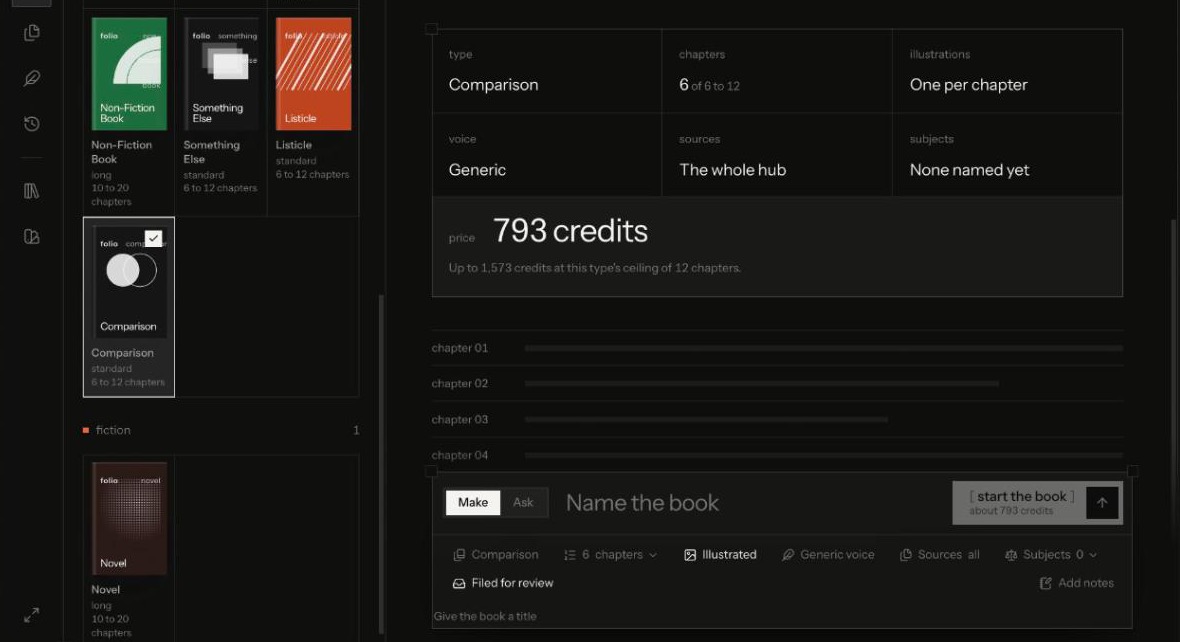
To create a competitor comparison guide with AI, fix the criteria before you write, gather evidence for every product you compare (yours from your own documents, theirs from public sources), and make the AI cite a source for every factual claim. Structure it as one chapter per criterion, with tables where the data supports one, and check it for fairness before anyone sees it. This guide does that on Nagent with FOLIO, whose Comparison book type is built for exactly this job.
What makes a comparison guide buyers trust?
Buyers read comparison guides near the end of a decision, when they already suspect every vendor is biased. A guide earns their trust by being useful to them even where it isn't flattering to you:
Criteria the buyer cares about. Integration effort, total cost, support, time to value, not the five features only you have.
Evidence for every claim. A statement about a competitor without a source reads as spin, and can create legal risk.
Honest trade-offs. Saying where another option suits a different buyer better makes the rest of your claims more believable.
A date. Products change. A comparison without a "correct as of" date ages into misinformation.
A comparison guide is also not a battlecard. A battlecard is internal shorthand that helps a rep handle an objection on a call. A guide is written for the buyer, so it has to survive being forwarded to the competitor you named. Write it to that standard and your reps can share it freely.
That is a lot of research and checking, which is why comparison guides are often out of date or never written. AI can take the research and drafting off your team, provided it works from cited evidence rather than its general sense of the market.
How does FOLIO fit into Nagent's Content team?
Nagent organises AI agents the way you'd organise a department: an AI chief of staff, team leads under it, and sub-agents under each lead. The team page walks through the model. For a comparison guide, the line is:
You and your people. You name what is compared, check the facts and approve the finished guide.
CREA, AI Content Chief of Staff. Owns output and the brand line. Requests for long-form publications go to FOLIO, and CREA says who holds the work now.
FOLIO, AI Long-Form Publications Lead. Owns the book, with six stage agents:
Ingestor reads your documents and, for a comparison, researches named subjects your documents don't cover.
Architect designs the chapters, foreword, executive summary and cover brief.
Writer drafts each chapter, told to cite every factual claim in a comparison to a numbered source.
Artist adds up to three visuals per chapter, and can capture a subject's web page into the book.
Compositor renders PDF and DOCX.
Publisher files the finished PDF, only after a person approves.
RUPA (images) and Alpha (video) are CREA's other team leads.
Work goes down the line and comes back up it: each stage hands its output back up to FOLIO, never sideways, and the finished book comes back to you for review. Other departments reach FOLIO through CREA. A sales team that wants a comparison can type @CREA in its own room; that becomes a written request on the Content board, and the outcome is posted back to the thread that asked. The book itself is set up in FOLIO's Studio, because a new book can't be started from a room.
How do you create a competitor comparison guide with AI?
Step 1. Name the subjects and the reader
Decide what you are comparing and for whom. FOLIO's Comparison type takes two to six subjects, which is also a sensible editorial limit: beyond six, readers stop comparing and start skimming.
Write down the reader as precisely as you can, for example "a head of RevOps at a 200-person software company replacing a legacy tool." The reader decides which criteria matter, and the criteria decide the chapters.
Step 2. Fix the criteria before anything is written
A comparison is shaped as one chapter per criterion, with real comparison tables where the data supports one. So the criteria are your outline. Pick six to twelve that your reader would actually use to decide, for example:
What it does out of the box
Setup and integration effort
Pricing model and total cost
Security and compliance posture
Support and onboarding
Who each option fits best
Put the list in the book's author notes in Step 5, so the outline follows it. Fixing criteria first is also your best defence against bias: you're choosing the questions before you know the answers.
Step 3. Load your own side of the evidence
FOLIO reads your Knowledge Hub, and for your own product your documents should win every time. Open the Knowledge Hub and make sure it holds current material: product documentation, pricing sheets, security notes, implementation guides.
Check Products & Services too. An offering reaches agents only once a person makes it active, so a stale draft offering can't leak into the guide.
Add anything missing with Add knowledge: paste text, give a URL or upload a file. A document is readable once its status reads embedded. If you hold your own research on a competitor, such as win-loss notes or analyst material you're licensed to use, add it too.
Step 4. Write your rules about competitors down
Comparisons are where brand and legal rules matter most. Write yours down before you start: claims you never make, wording you never use about other companies, and statements every comparison must include, such as a "correct as of" line.
Then check what FOLIO can pick up. In the Studio, the Voice list shows the brand guidelines your workspace already holds. Pick one and every stage writes in that brand's voice and honours its banned claims. Leave it on Generic voice and the book reads generic. If the list holds only Generic voice, put your rules in the book's notes in Step 5, and check each one again in review.
Step 5. Set up the Comparison book in FOLIO's Studio
Open FOLIO from its tab on the Content room's Team surface, or from FOLIO's own page, and go to Studio. Then:
Name the book, for example "Choosing a pipeline tool: four options compared."
Pick the type under Book types: Comparison, "a structured head-to-head comparison with real data tables and cited sources." It runs from 6 to 12 chapters.
Set the chapters to match your criteria list.
Name the subjects. The Subjects pill opens a list headed "what is compared": type each subject's name and, if you have one, its https page. Add up to six. The start button stays shut until at least two are named.
Choose illustrations. With Illustrated on, a subject's https page is screenshotted into the book. Leave the page blank to compare from your sources alone. With Illustrated off, the guide is text and tables.
Pick the voice under Voice, as in Step 4.
Pick sources. Every book searches your whole Knowledge Hub; documents you pick come first.
Add notes with your reader, your criteria list and your rules about competitors.
The plan updates as you choose: type, chapters, illustrations, voice, sources, subjects and the price.
How research works: a subject with none of your documents behind it can be researched on the web when the book starts, and a subject backed by your own document never is. Your own material still wins. Research is priced in, so the estimate rises with each subject you add.
Step 6. Check the price and start
The start button shows the estimate in credits for your current choices and stays shut until it has resolved. Press start the book; the confirmation repeats the type, chapter count, illustrations and price, which is "spent as FOLIO writes." Leave Filed for review on so the finished guide lands in Review.
FOLIO's long-form budget is separate from the blog budget. Every model, image and research call checks it first, and a book stops at the chapter or image that would cross it.
Step 7. Fact-check every competitor claim
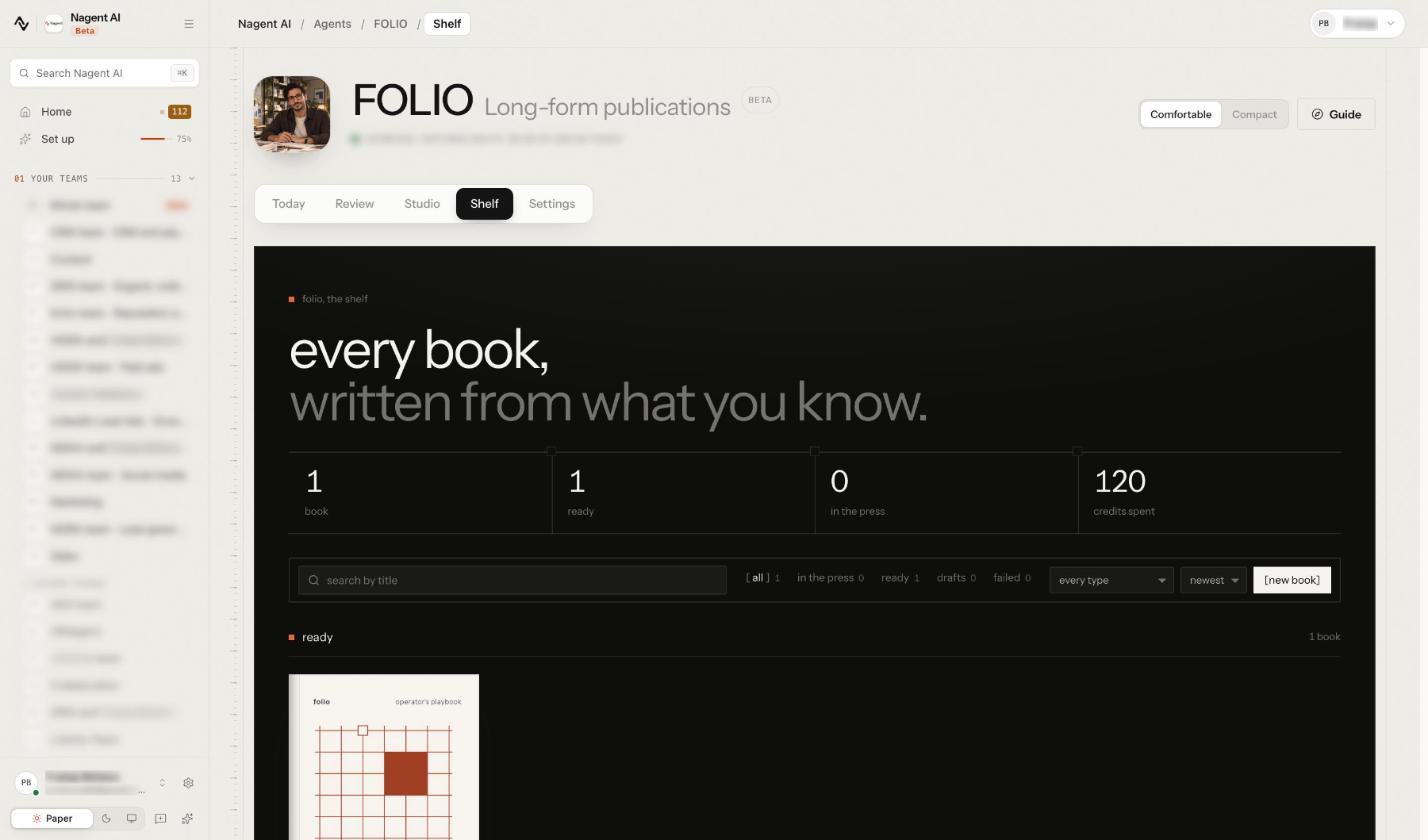
Open the book from the Shelf when it's ready. The reader shows each chapter with its takeaways.
Then check like a lawyer would:
Follow every numbered source. Open it and confirm it says what the chapter says it does.
Check every price and limit against the competitor's current public page, and date it.
Remove anything you can't verify. An uncited competitor claim is a liability, however likely it is to be true.
Read it as the competitor would. If they'd call a sentence unfair, rewrite it or cut it.
Make sure you lose somewhere. A guide where you win every row persuades nobody.
Keep the source list with the file. When a competitor or a customer questions a line, you want the answer in minutes, not a fresh research project.
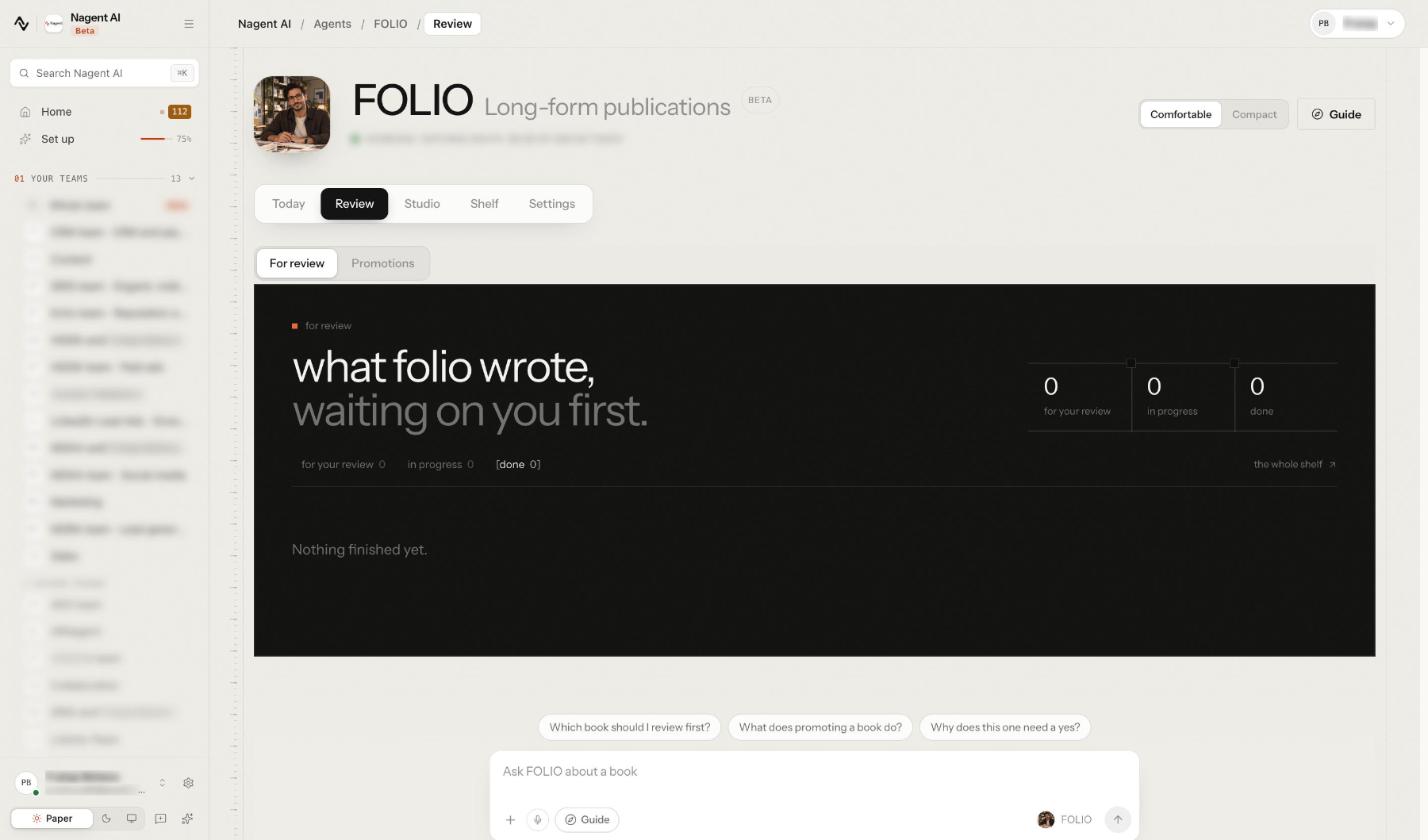
Then, in Review, under For review, press Approve, with a note if you like, or Request changes and say what to fix. Have your legal or compliance reviewer read the DOCX before anything goes public.
Step 8. Put the guide to work
Once rendered, the PDF and DOCX sit beside the book's contents. Use the DOCX for tracked edits and the PDF as the finished file.
Promote on the finished book files the PDF as a knowledge asset, and with Also publish as a gated lead magnet ticked, as a gated download too. Promotion is never part of the chain that writes the book; it waits for a person's yes under Review, Promotions. Promoting a book needs permission to write content.
A related option: if you want something shorter that AI answer engines can quote, FOLIO's Listicle type writes a numbered list of punchy items, each making one clear claim.
How do you keep a comparison guide fair and current?
Re-run it on a cadence. Competitors ship and reprice. Set a review date when you publish, and start a fresh book from updated sources when it arrives; FOLIO doesn't refresh a book on its own.
Keep your criteria stable. Changing the criteria between editions makes it look like you moved the goalposts.
Fix sources, not just sentences. If a claim about your own product is wrong, correct the document in the Knowledge Hub so the next edition is right too.
Log what changed. A short "what's new in this edition" note builds trust with returning readers.
What can't FOLIO's comparison do?
It can't keep prices current after it's written. Research happens when the book starts. A month later, check again.
It can't start from a chat message. Comparisons are set up in the Studio, with the subjects, sources and price in front of you.
It won't run on a schedule. FOLIO has no timed trigger; a person starts every book.
It won't publish on its own. The chain stops at the rendered files, and promotion waits for a yes.
It can't make a comparison fair for you. Cited sources help; balanced criteria and an honest review are still your team's job.
Frequently Asked Questions
What should a competitor comparison guide include?
A clear reader, a fixed set of criteria, one section per criterion with evidence for every product, comparison tables where the data supports them, honest trade-offs, sources for every claim and a "correct as of" date.
Can AI research competitors for a comparison guide?
Yes, with limits. In a FOLIO comparison, a named subject with none of your documents behind it can be researched on the web when the book starts, and the writer is told to cite every factual claim to a numbered source. A person should still verify each one.
How many products should a comparison guide compare?
Two to six is a practical range, and it's the range FOLIO's Comparison type accepts. More than that and readers stop comparing and start skimming.
Is it legal to name competitors in a comparison guide?
Comparative content is common, but rules on comparative claims differ by country and industry. Keep every claim factual, sourced and dated, avoid disparaging language, and have your legal team review the guide before it's published.
Build a comparison buyers can check
A comparison guide works when a buyer can check every line of it. Fix fair criteria, load your own evidence, let FOLIO research the subjects your documents don't cover and draft each criterion with numbered sources, then review it as hard as a competitor would. The CREA guide covers the rest of the Content team that FOLIO works with.
Book a demo to see FOLIO build a cited comparison from your own documents.