
How to Respond to Reviews with AI and Stay in Charge
To respond to reviews with AI and keep a person in charge, let the agent do the drafting and keep the decision human. Set the brand voice and the facts a reply may state, have the agent draft each reply from them, and have a named person approve the exact words, one reply at a time. The person posts it. Sensitive reviews skip the agent entirely. In Echo, the reputation lead on Nagent's Marketing team (Beta), every reply works this way, and Echo cannot post a reply itself.
What makes a good reply to a review?
Before any tool, agree on what a good reply looks like. The rules Echo's seats draft by are a useful house standard whether or not you use an agent:
Thank the person, name the specific issue, and say what happens next and who does it. A reply that could sit under any review reads as a template, because it is one.
Ground every claim in an approved fact. If no fact applies, make no claim.
Match the brand's voice. Warm, formal, plain: whatever you chose, every reply should sound like the same company.
Keep it short. Two to four sentences, unless the platform's norm is longer.
Write in the language of the review.
And the things a reply should never do:
Promise a refund, a date or a remedy that no approved fact supports.
Ask for personal details in public. Offer a private channel instead.
Argue, blame the reviewer, or reveal anything about them.
Copy the same reply onto several reviews.
Here is the shape in practice. Say a two-star review complains that an order arrived late and a support message went unanswered, and your approved facts say support replies within one working day. A good draft reads: "Thank you for telling us, and we're sorry your order was late and your message went unanswered. That isn't the service we aim for. Our support team will reply within one working day if you message us through the contact form on our site, so we can look into your order privately." It thanks, names the issue, says what happens next and who does it, and offers a private channel. The one promise it makes rests on a fact.
Some reviews should get no public reply at all. Where a platform allows no public reply, the reply should say so and stop. Reviews about safety, harassment or a legal threat belong with a person, not a draft.
Where does Echo sit in the team?
Nagent builds AI teams like a team you would hire: an AI Chief of Staff who owns the department's number, team leads who run one part of it, and sub-agents who do the specialist work. Echo is the reputation lead on the Marketing team, a team lead marked Beta, and reports to MIRA, the AI Marketing Chief of Staff.
Layer: AI Chief of Staff, Who: MIRA, Role in a review reply: Owns Marketing; names Echo as the owner of reputation
Layer: Team lead, Who: Echo (Beta), Role in a review reply: Holds the case, routes it, keeps the draft on Approvals
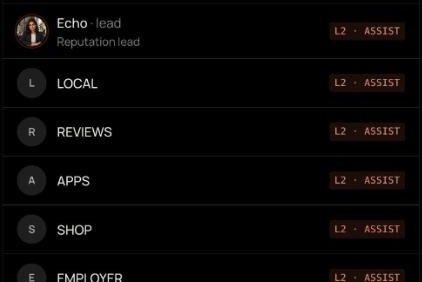
Layer: Sub-agents, Who: REVIEWS, LOCAL, APPS, plus SHOP, EMPLOYER and SOCIAL, Role in a review reply: The seat that owns the review's platform writes the draft
Layer: Your people, Who: Anyone with permission to change Echo, Role in a review reply: Approve the exact words, post them, mark them posted
The team page shows REVIEWS, LOCAL and APPS on Echo's card; Echo's seats cover one kind of review platform each. Echo's peers on the Marketing team are DRIS, NIA and HOOK (Beta); MOXA, the social media lead, is coming soon.
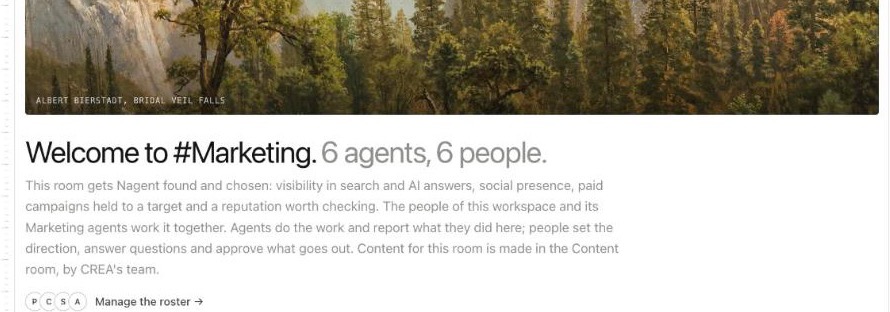
Echo has a seat in the Marketing room, whose welcome lists "a reputation worth checking" among the room's jobs and says people approve what goes out. Echo also has a room of its own, Echo team · Reputation and reviews, which works inside the Marketing room, led by MIRA.
Work moves down the line and back up. A review lands with the seat that owns its platform. The seat grades it and flags what matters to Echo. Echo opens the case. When a draft is asked for, the owning seat writes it and hands it back to Echo, never sideways to another seat, and Echo puts it in front of a person. A fix that belongs to another lead, such as a page DRIS should improve, goes to that lead as a written handoff.
How do you reply to reviews with AI, step by step?
Step 1 happens in the Knowledge Hub. Steps 2 to 7 happen on Echo's own screens: open the Echo team room, choose the Echo tab on its Team surface, and press Open full page.
Step 1: Confirm your brand voice
Echo's seats read your workspace's brand voice before they draft. It lives on the Brand page of the Knowledge Hub, under Brand voice: "How your agents sound when they write." If your workspace is still in set-up, Brand is one of the set-up steps, after Website.
Make sure your website has been crawled.
Select Extract from website. Nagent reads up to eight of your crawled pages and writes a draft beside the voice in use: a personality, a writing style, what to avoid, and examples taken from your site.
Read the draft, then select Confirm to make it your voice, or Reject and extract again. As the page puts it, the voice is read off your site and never applied on its own: nothing changes until you confirm it.
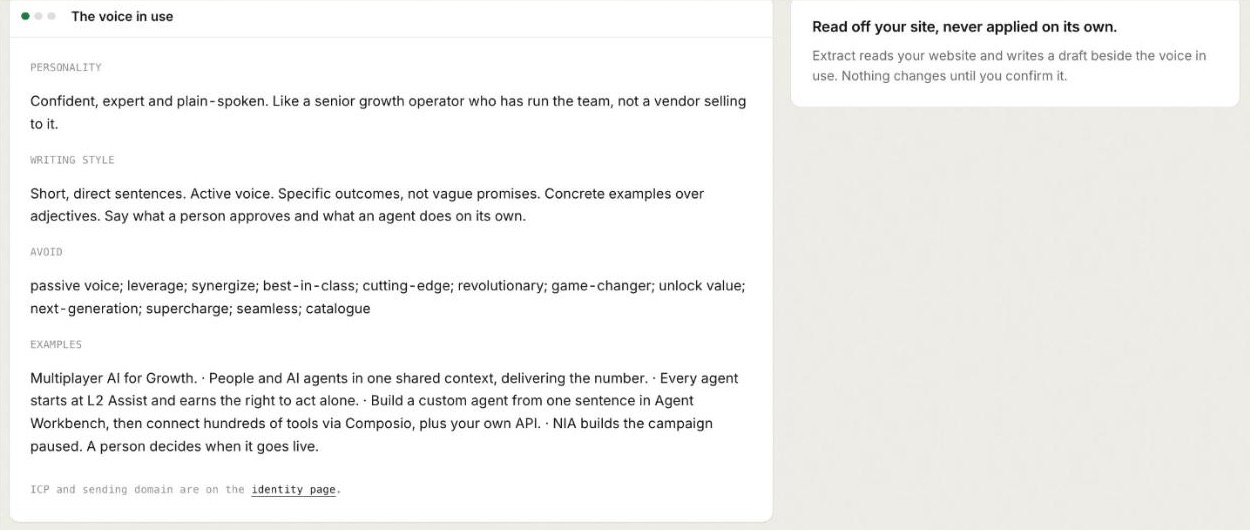
The same voice reaches every agent that writes for you, so your review replies sound like your emails and your ads. The brand docs cover each field.
Step 2: Approve the facts a reply may state
In Echo, open Manage, then Knowledge. Click Add fact for what a reply might need: opening hours, how refunds work, what a plan includes, how to reach support. Edit a fact when it changes, and Expire it when it stops being true.
Drafts are grounded in these facts and nothing else. If a reviewer asks about something with no approved fact, the draft makes no claim about it.
Step 3: Decide who approves
Anyone with permission to change Echo can decide a draft. Before reviews start arriving, give at least one colleague besides you a role that holds that permission, so replies never wait on one person. Approval is a decision about exact words, so the approver should be someone who can speak for the company on that platform.
Step 4: Open the case and ask for a draft
Reviews Echo reads arrive in its Inbox, on Needs triage, Cases, Mentions and Incidents. A serious negative review opens a case with its issue, source, risk, owner, reply state and due time.
Open the case and press Draft a reply. The seat that owns the source writes a reply of up to 1,500 characters, grounded in your approved facts, and the reply state turns to Draft: "Draft in progress. Nothing is published until it is approved." The draft lands on Approvals and on the case's Response tab. A mention on the Mentions tab has its own Draft a reply.
A few rules keep this clean. One draft is open per review, and asking again replaces it. A case marked Sensitive is not drafted. A case whose reply is already posted, or approved and waiting to be posted, is not drafted again. Echo's seats also triage and draft on their own regular pass, and those drafts wait on Approvals in the same way.
Step 5: Read the draft on Approvals
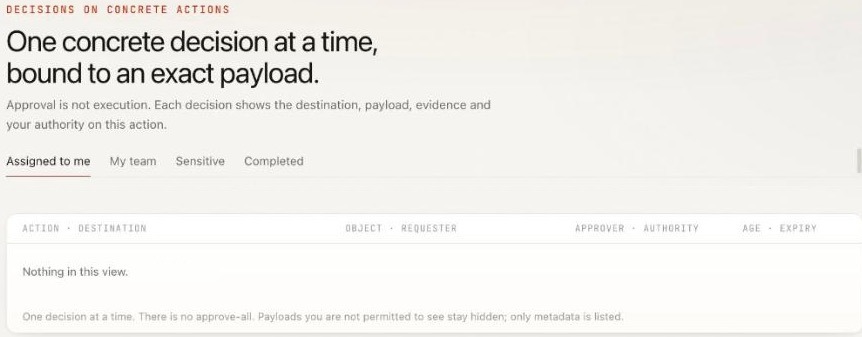
Open Approvals. Its heading sets the rule: "One concrete decision at a time, bound to an exact payload." Under it: "Approval is not execution." The tabs are Assigned to me, My team, Sensitive and Completed, and a payload you are not permitted to see stays hidden, with only its metadata listed.
Open a draft to see the exact words, the review it answers, the checks, and the facts it rests on. Read it the way the reviewer will: does it name their issue, promise only what a fact supports, and sound like you?
The rule at the foot: "One decision at a time. There is no approve-all."
Step 6: Approve, send back or reject
Each draft gets one of three decisions:
Approve this exact version records your decision. The note beside it says what that means: "Approval records your decision. Echo never posts; you copy the reply and post it."
Request changes asks for a reason, which goes back with the draft. Press Draft again on the case for a new version, and the reason is carried into it. Use this to teach tone: "Too formal for a local listing" or "Don't mention the refund window here."
Reject closes the draft.
The approval holds the exact words that were read. A new draft takes a new reference and needs its own approval, and an older draft's decision never moves a case whose reply is already posted.
Step 7: Post it yourself and mark it posted
After approval, Copy reply and Mark posted appear. Post the words on the platform yourself, then press Mark posted, and the case records who posted it and when. Until a draft is posted and marked posted, no new draft is written for that review.
This is deliberate, and it is a plain limit: Echo cannot post a reply on Google or any review site. The Google connection reads reviews only, and the platforms Echo reads give it no safe way to post. A reply posted by a person is one a person has read.
How do you set the tone of AI review replies?
Tone comes from three places, and you control all three.
The brand voice you confirmed on the Brand page sets the baseline: personality, writing style, words to avoid.
The approved facts set what a reply can say. Most tone problems in review replies are really content problems: a promise nobody can keep, or a defensive explanation. Facts fix that.
Send-back reasons tune each draft. A reason given with Request changes is carried into the next draft, so a sentence like "apologise first, then explain" shapes the rewrite.
Two habits help. Send back drafts for tone early and specifically, rather than editing in your head and approving. And keep replies to two to four sentences: a long reply to a short complaint reads as a lecture.
How does escalation work when a review needs a person?
Not every review should get an AI draft. Echo routes these to people:
Sensitive reviews. A review about safety, health, discrimination, harassment, a legal threat or a child's wellbeing is graded sensitive. No seat drafts its reply: a person writes it, and its words are kept out of the seats' triage brief. When one waits, the pending decisions count on the Echo tab says it needs a designated reviewer.
Employee reviews. On employer review sites, Echo never guesses who wrote a review and never suggests a reply that discusses the person's employment. Harassment, discrimination, unpaid pay and safety go to a person, never to a reply.
Taking over a case. On any case, Take over moves it from Echo to you, and Return to coworker hands it back. The case shows who holds it.
Incidents. Flag incident marks something that needs urgent handling.
Asking from a room. Asking Echo in its room or the Marketing room to draft a reply, decide a draft or mark one posted files a card for approval first, like every other Echo action asked for in a room. The team room guide explains those cards.
What will Echo never do?
Echo never posts a reply, at any level. Public replies are decided one at a time, with no approve-all. Echo and its seats work at L2 Assist. Echo's work is not yet scored for promotion, so Nagent proposes no raise from its record; a person sets how much Echo and each seat may do alone, and every change is written to the audit log. Echo shows usage as counts inside a daily budget, and stops with a message when it is spent.
Echo is in Beta. Talking to Echo in its own app is not built yet; the chat box there says so. The Echo docs list what else is still to come.
Frequently Asked Questions
How do you respond to reviews with AI?
Set the brand voice and the facts a reply may state, let the agent draft each reply from them, and have a named person approve the exact words before posting. With Echo, the owning seat drafts, a person approves on Approvals, then copies, posts and marks it posted.
Should AI reply to negative reviews?
AI can draft the reply; a person should decide it. A good draft thanks the reviewer, names the issue, says what happens next and promises nothing a fact doesn't support. Reviews about safety, harassment or legal threats should go straight to a person, and Echo won't draft those.
Can Echo post replies to Google reviews automatically?
No. The Google connection reads reviews only. Echo drafts, a person approves the exact version, and a person posts it on Google and marks it posted.
How do you keep AI review replies on brand?
Confirm a brand voice once, approve the facts replies may use, and send back any draft that misses with a one-line reason. The reason is carried into the next draft.
Keep the drafting fast and the decision human
Responding to reviews with AI works when the agent does the reading and the first draft, and a person owns every public word. Set the voice, approve the facts, decide each reply on its own and post it yourself. Echo is built around that split, from the first draft to the case record of who posted it.
Book a demo to see Echo draft review replies for your team to approve.