
Giving agents new tools
The ways to give an agent a tool it does not have yet, from ticking one in the agent builder to adding your own API or a code tool, and asking N to draft one.
Browse documentation
A tool is an action an agent may call
An agent works through tools: reading your CRM, drafting in your mailbox, calling your own API. Every agent already has the tools it reads your workspace with. Everything else is given to it, one tool at a time, and each call still passes the agent's level, its policies and its budget.
There are five ways to give an agent a tool. Pick the first one that fits.
| You want the agent to | Do this | Page |
|---|---|---|
| Use a tool your workspace already has | Tick it in the agent's review, or on its Tools page | Below |
| Use an app such as Gmail, HubSpot or Slack | Connect the app and choose its actions | Connecting a tool |
| Call your own API, or a business system such as Salesforce or SAP | Add a connector | Adding a connector |
| Use tools from an MCP server | Add the server as a connector | Adding a connector |
| Run a small calculation or rule | Build a code tool (Beta) | Code tools |
Ticking tools in the agent builder
In the agent builder's review, Tools (Beta) lists every tool your workspace has, grouped as Platform actions, Connected apps, Connectors and Monid. The tools every agent has are named once under Always on and are not listed again. Tick the ones this agent needs.
A line marked Needs whitelisting is a connected app's action that is not allowed for agents yet. The agent is built anyway, and once it is provisioned the page lists it under Not usable yet: either the app is not connected yet, or the action needs ticking on Integrations.
An agent built this way is sent only the tools you ticked, plus the ones it always has. See creating an agent.
Changing an agent's tools later
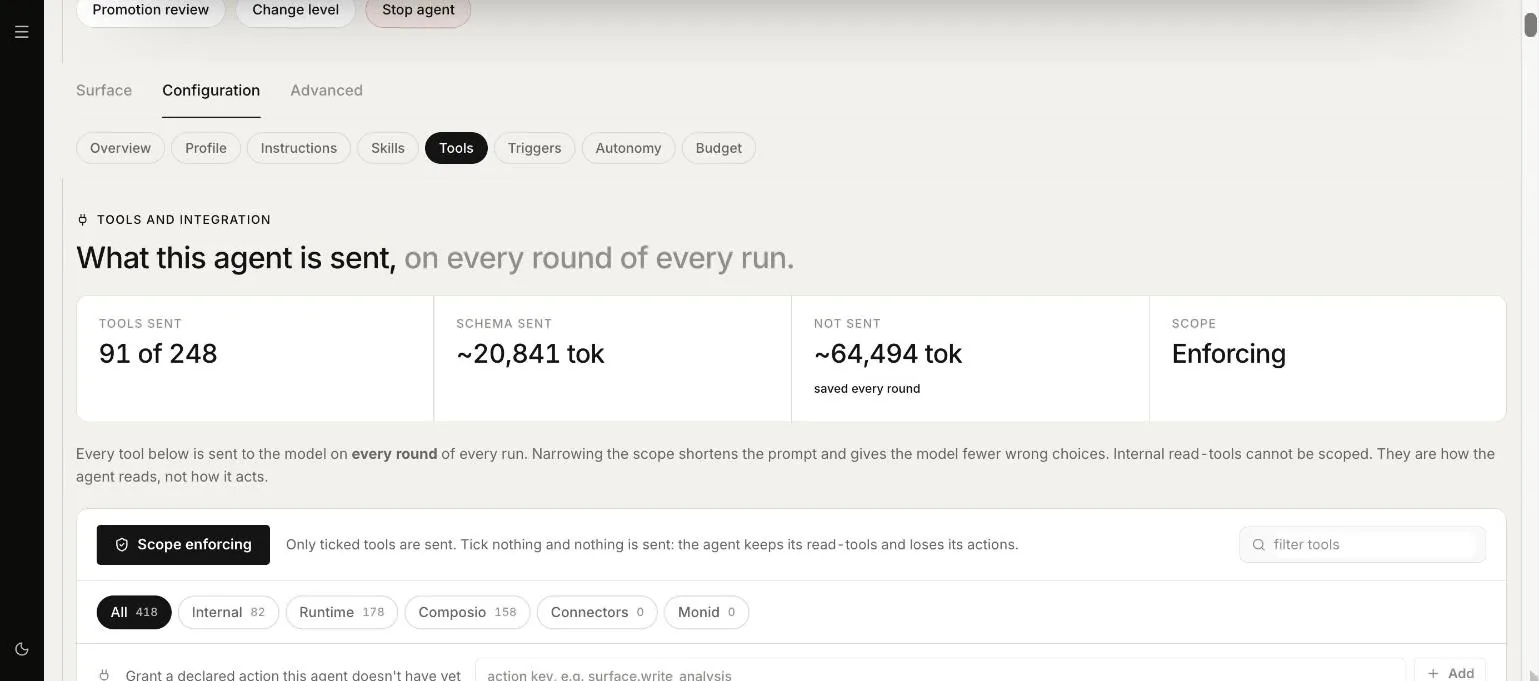
Open the agent, then Configuration and Tools. The page leads with what the agent can use, grouped by what it is for, and lets you narrow it:
- Platform default: nobody has chosen yet, and Nagent's default for the agent's job applies.
- Only the tools ticked below: the agent gets only the ticked tools, plus the platform reads every agent has.
- Every tool this agent is allowed: it gets every tool your workspace allows.
A shorter list gives the agent fewer wrong choices, and costs less when it holds actions, which are sent on every round. See the Agent Workbench.
Asking N to draft a connector or a code tool
In your own chat with N, describe the API or the calculation you need. N can draft a connector from an API description or a manifest, or ask for a code tool. Nothing is created from the chat: the draft waits on an approval card. Approving a connector card creates the connector in review, where an admin confirms each operation and pastes the key on the review screen. Approving a code tool card starts the build.
Never paste a key or a password into the chat. A request that carries one is refused, and the key belongs on the review screen instead.
Asking for either needs permission to manage tools, which a workspace admin and an Integrations admin hold. Connectors and code tools are on the Business plan and above.
Our logic
A tool is how an agent reaches past your workspace, so it is never given by accident. Each route ends with a person ticking, confirming or approving, and every call after that is still checked against the agent's level.
Where to go next
- Builders: every builder in one place.
- Third-party tools: the kinds of tools and the checks every call passes.
- Connectors: how a connector is reviewed, watched and stopped.