
Getting started
What Nagent is, the few ideas you need before you begin, and which pages to read first to sign up, sign in and get through your first hour.
Browse documentation
Nagent gives your business a team of AI teammates you can govern
Nagent puts AI teammates to work inside your business. Each one holds a role on a team, works from your own material, and does as much on its own as you allow, no more. What it is not yet trusted to do waits for a person, and what it did is on the record.
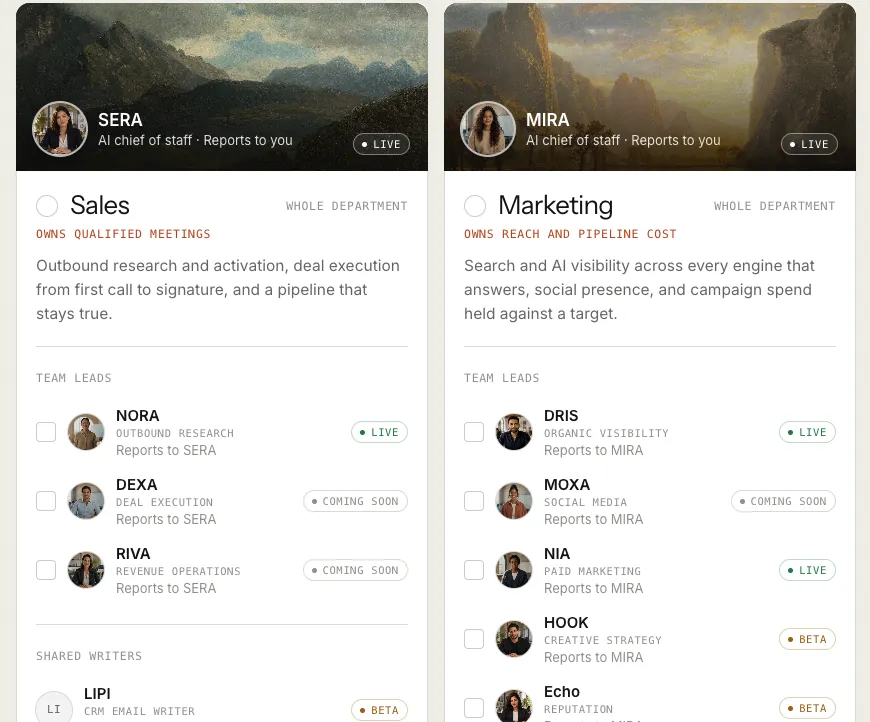
You hire teams, not tools. Each team owns one outcome: the Sales team owns qualified meetings, for example, and the Marketing team owns reach and pipeline cost. You choose your teams, or single team leads, when you sign up, and they install into your workspace the first time you sign in.
The ideas in two minutes
These words appear on almost every screen. The glossary has the rest.
- AI teammate. An agent with a role, skills, access to your knowledge and an autonomy level. See what an agent is.
- Team and AI chief of staff. A group of AI teammates and people that owns one outcome. The AI chief of staff plans the work and hands it to the team leads who report to it. See prebuilt teams.
- Brief. The outcome you want, sent to a teammate in a team room. See sending a brief.
- Autonomy level, L1 to L5. Observe, Assist, Operate, Represent and Lead. Every action declares the level it needs to run on its own; below it, the action waits for a person. See autonomy and governance.
- Approval. A person's yes before an action runs. On a new workspace every e-mail NORA sends waits for one, whatever NORA's level. See approvals and the Inbox.
- Knowledge Hub. Your documents, customer, offerings, website and brand, which your agents work from. See the Knowledge Hub.
The way in, in three pages
For the whole path, from sign-up through your first hour, week and month, see how onboarding works. Read these in order.
- Signing up. Choose your teams or team leads, give your name, work e-mail and company, agree to the terms, and open the sign-in link we send. Nothing is charged at sign-up.
- Setting up with your AI chief of staff. The set-up chat that opens when you first sign in, and how your lead sets the workspace up with you.
- Signing in. The three ways back in: Google, an e-mailed link, or a password you set later.
If a colleague invited you, skip sign-up: the invitation e-mail carries what you need. See signing in.
Your AI chief of staff sets up the workspace with you
When you sign up and first sign in, you land in the set-up chat, Set up your workspace, marked Beta. The lead of the first team you chose runs the whole set-up with you there, while your teams activate. Tell it about your business: what you sell, to whom, and what you want from the next three months. It saves each answer where it belongs, with Undo where a change can be undone. The one step it leaves to you is signing in to your tools. You can type, or talk to it with voice (Beta). See setting up with your AI chief of staff.
Prefer to do it yourself? Press I'll set it up myself in the chat. Both ways write the same settings, and you can switch at any time.
Home tells you where you stand
Home is a short report on a new workspace: how many teams and agents you have, who is in, which set-up tasks are done, and what to do next. Open set-up takes you to the full list. See your first hour.
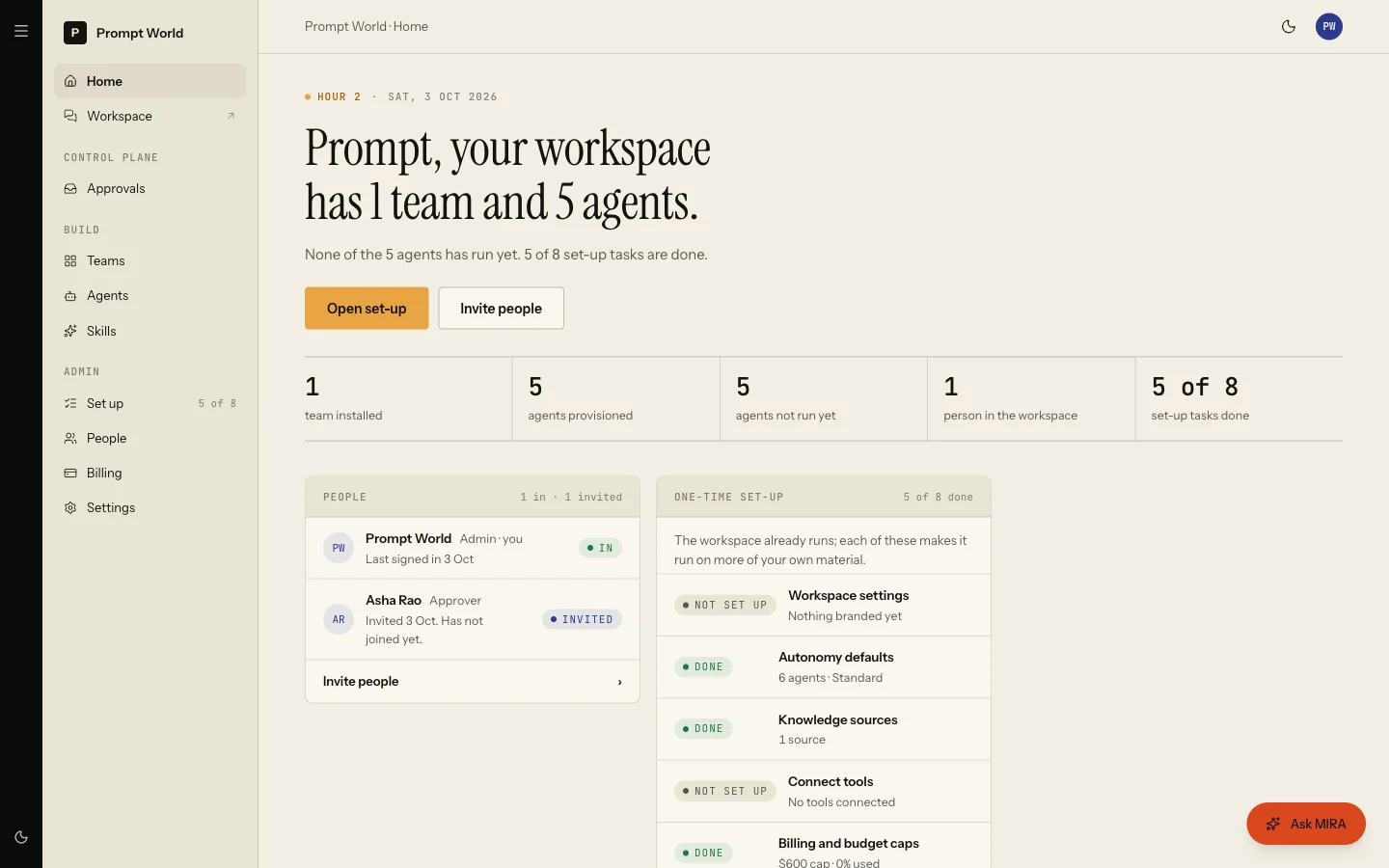
Whichever way you set up, the set-up that matters most is, in order:
- Connect your tools, so agents can read and act in the systems you already use. See connecting a tool.
- Fill the Knowledge Hub, starting with your website and your customer. See the Knowledge Hub.
- Invite the people who approve work. See people and roles.
- Send the first brief.
Workspace set-up reports each of these from what your workspace actually has, not from which pages you visited.
Then, the work itself
Day to day, you work in your team rooms. Each team appears as a channel on
the left. Address a teammate with @, describe the outcome you want, and
the work comes back to the room as a file you can accept or send back.
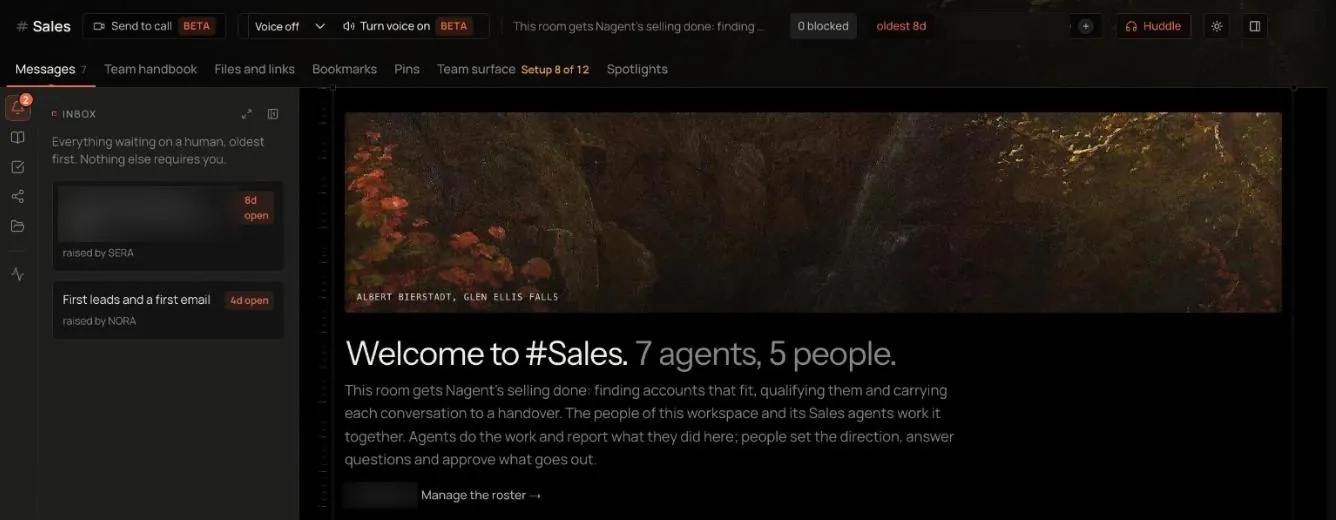
For Prompt World, whose growth number is 30 qualified workshop enquiries a month, a first brief to NORA might ask for five B2B companies in India whose marketing teams are hiring for AI roles, and a first outreach to each head of marketing.
- The team room: the tabs, the board and approving work.
- Sending a brief: questions, instructions and where the result comes back.
- Approvals and the Inbox: deciding what waits for you.
Where to go next
- Prebuilt teams: the teams you can hire.
- Billing and plans: what each plan includes.
- Credits and budgets: how spend is measured and capped.