
Your first hour
What Home shows a new workspace, how to read its counts, people, set-up ledger and agent list, and the order to do things in during the first hour.
Browse documentation
Home tells you what is true about your workspace right now
After sign-up you land on Home. For a new workspace it is a short report, not a dashboard: what you have, what is set up, who is in, and what to do next. Every figure on it is read from the workspace as it is now. Where nothing measures something yet, Home says "Not measured yet" rather than printing a zero.
Home changes with the age of the workspace. For the first 24 hours the kicker at the top reads Hour 1, Hour 2 and so on, and the page is built around getting set up. From the second day it shifts to what ran and what is waiting on you, and after a month to numbers, spend and promotions.
The greeting and the counts
The headline names what you have, for example "Priya, your workspace has 1 team and 5 agents." The line under it says how many agents have not run yet and how many set-up tasks are done.
Two buttons follow. While your first team's first job is ahead of you, the first button starts it, and once the job has brought something back, the first button opens it to approve: Approve the draft, for example. The second is then Open set-up. A workspace whose first team has no first job sees Open set-up and Invite people. Below them is a row of counts.
| Count | What it is |
|---|---|
| Teams installed | Teams seated in this workspace |
| Agents provisioned | Agents installed for your teams |
| Agents not run yet | Agents with no recorded run |
| People in the workspace | Active members, you included |
| Set-up tasks done | Items in the set-up ledger marked done, out of 8 |
| Spent this month | Spend so far against the sum of your agents' monthly caps |
A note on the last one. Until you set budgets yourself, each agent carries the default cap of 20,000 credits a month, so a five-agent workspace shows 100,000 credits. That number is the sum of the caps that would stop each agent, not a plan allowance and not a bill. See autonomy and governance.
Ask MIRA
Beside the counts sits MIRA, the AI Marketing Chief of Staff, with three questions you can ask, such as "What should I do first in this workspace?". Pressing one puts it in the ask box at the foot of the page; nothing is sent until you send it. The box names the lead who answers: the lead of the first team you picked, MIRA where that team is Marketing.
Sending the question opens the set-up chat, and your lead answers it there. It reads the same set-up facts Home does, and the set-up guide for each item, so it can say what a card means, what is still open and what would close it, and it can do most of those steps for you as you talk. It also works as one team with the other leads: ask for work another team does and it brings that team's lead into the chat. Inside a team's room, the lead hands work to the teammate whose job it is. See Setting up with your AI chief of staff.
People
The People block lists who is in the workspace, with In for members who have joined and Invited for those who have not signed in yet.
While you are the only person, it suggests three roles that usually finish set-up on their own clock:
| Role | Why invite them |
|---|---|
| Growth lead | Names the number each team owns and approves the first briefs |
| IT or security | Connects and authenticates the tools agents may act in |
| Finance | Sets the monthly caps that stop an agent spending past its limit |
These are suggestions, not roles in the product. Each of those jobs needs the Organisation admin role today, so invite them as admins if you want them to do it. See people and roles.
One-time set-up
The ledger lists eight items, each Set up, Needs you or Not set up. The intro says it plainly: the workspace already runs, and each item makes it run on more of your own material.
| Item | Done when |
|---|---|
| Workspace settings | Your brand name, mark or colour is set |
| Autonomy defaults | A governance profile has been chosen |
| Knowledge sources | At least one source is indexed and none failed |
| Connect tools | At least one tool is connected and none needs re-authorising |
| Billing and budget caps | Agents have monthly caps and are under 90 % of them |
| Webhooks | At least one event subscription exists and none is failing |
| Invite the team | Someone else has joined and no invitation is still open |
| The growth number | A growth number is named |
Every item links to Workspace set-up, which explains each one in detail. Set-up counts seven cards and Home counts eight, because Home adds the growth number. See workspace set-up.
Billing and budget caps usually reads as done on a new workspace, because the default per-agent caps count as caps. Review them anyway.
The first hour, in order
This block is the plan for the next sixty minutes. Each row says Done once the workspace shows it done, and the next row to do is highlighted. Nothing is marked done because you opened a page.
| When | What | About |
|---|---|---|
| now | Tell us your website, and your team reads it | 2 min |
| +5 | Check what your team read about your business | 1 min |
| +10 | Your first team's first job | 5 min |
| +20 | Approve what the first job brought back | 2 min |
| +30 | Invite the people who approve work, connect tools and set the caps | 5 min |
| +60 | Nothing else. Agents run inside their caps, and this page shows what ran |
The first four happen on the card at the top of Home, Your next step, one at a time. Each is marked Beta while it settles. Each card also has Do it with my team, which opens a conversation with your AI chief of staff on that step: see Setting up with your AI chief of staff.
-
Tell us your website. Type its address and choose Read my site. Your team reads up to ten of its pages, which takes a minute or two, and drafts four things: what you sell and to whom, your industry and size, your products and services, and how you sound. The products and services wait as drafts on Products and services and the voice as a draft on Brand Lock. Nothing the read drafts is used as yours until you confirm it. No website yet? Choose No website? Tell us in one sentence instead and say what you sell. See bootstrapping from your website.
-
Check what your team read. The card reads it back as one sentence, such as "You sell bookkeeping software to small clinics. Software and SaaS, 11 to 50 people." Choose Yes, that is right, or Change it to correct any part. If you can edit customer profiles, the buyers you confirm also become your customer profile description when it has none.
-
Start the first job. Each team has one, and each ends in something for you to approve:
Team What it does What you approve Marketing DRIS checks your home page the way search engines and AI answers read it, and lists the fixes worth making first The top fix, on DRIS's proposals page. An approved fix goes live once your site is connected Sales Lead generation: NORA finds up to ten leads that match the buyers you confirmed, researches the best fit, and VANI drafts a first email to it The draft, on NORA's email page. Approving sends nothing; the email goes only when you send it Content CREA writes a short first post from your site, in the voice you confirmed The post, in the Content room: Accept or Send back on the message that files it. Nothing is published The team reports in its room what it did. If a job cannot start, the card says why: no website read yet, no buyers confirmed for Sales, or not enough of today's budget left.
-
Approve it. The card then opens on the job's review card until you approve something. That approval is your first win. If you leave before approving, your next visit opens on the same card.
-
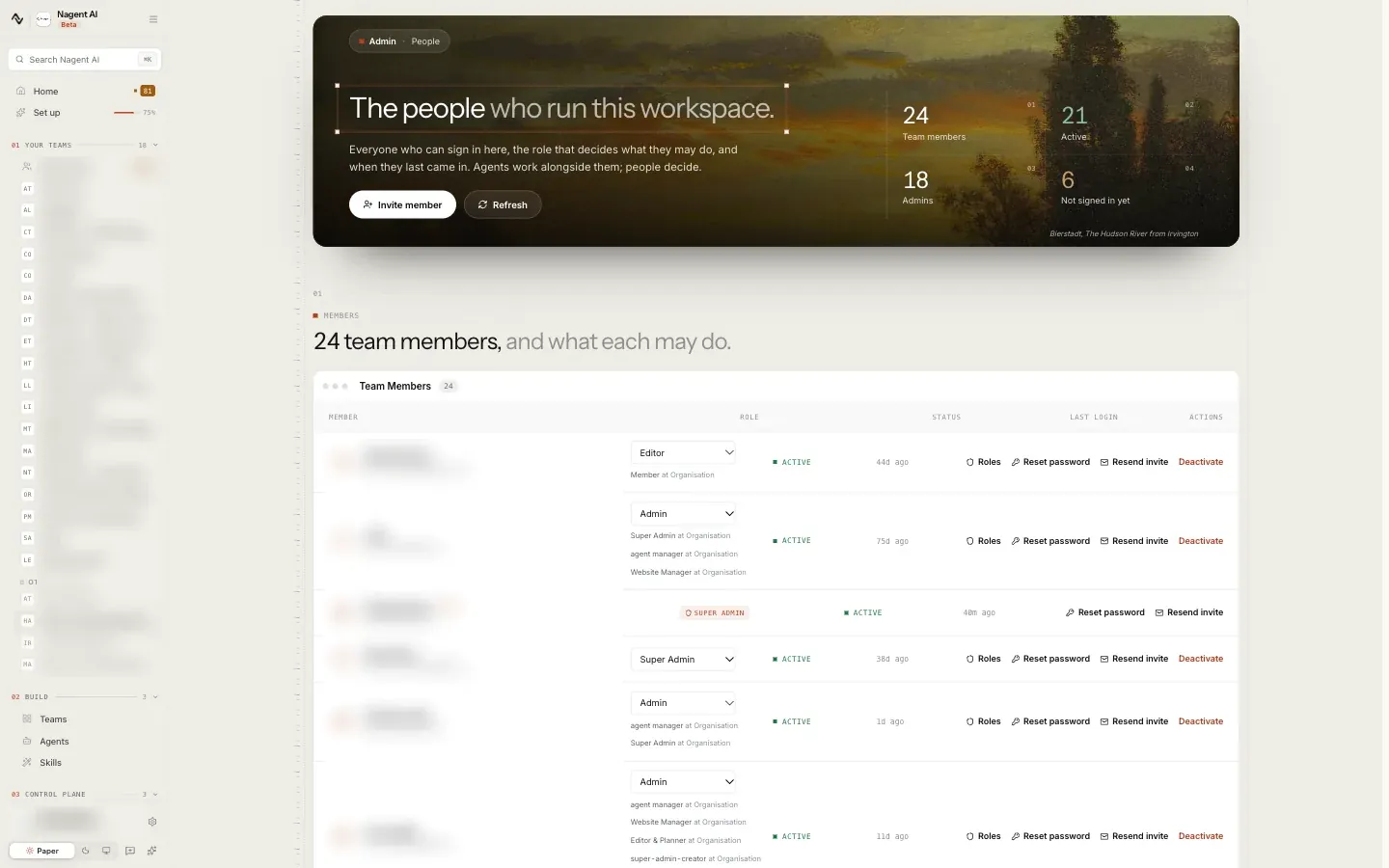
Invite people. The row opens Team Members.
You can also connect your tools and add your brand book in the Knowledge Hub at any point. A Sales team asked to contact companies needs a sending account before it can, and a fix approved for your site goes live only once the site is connected. See connecting tools.
Provisioned agents
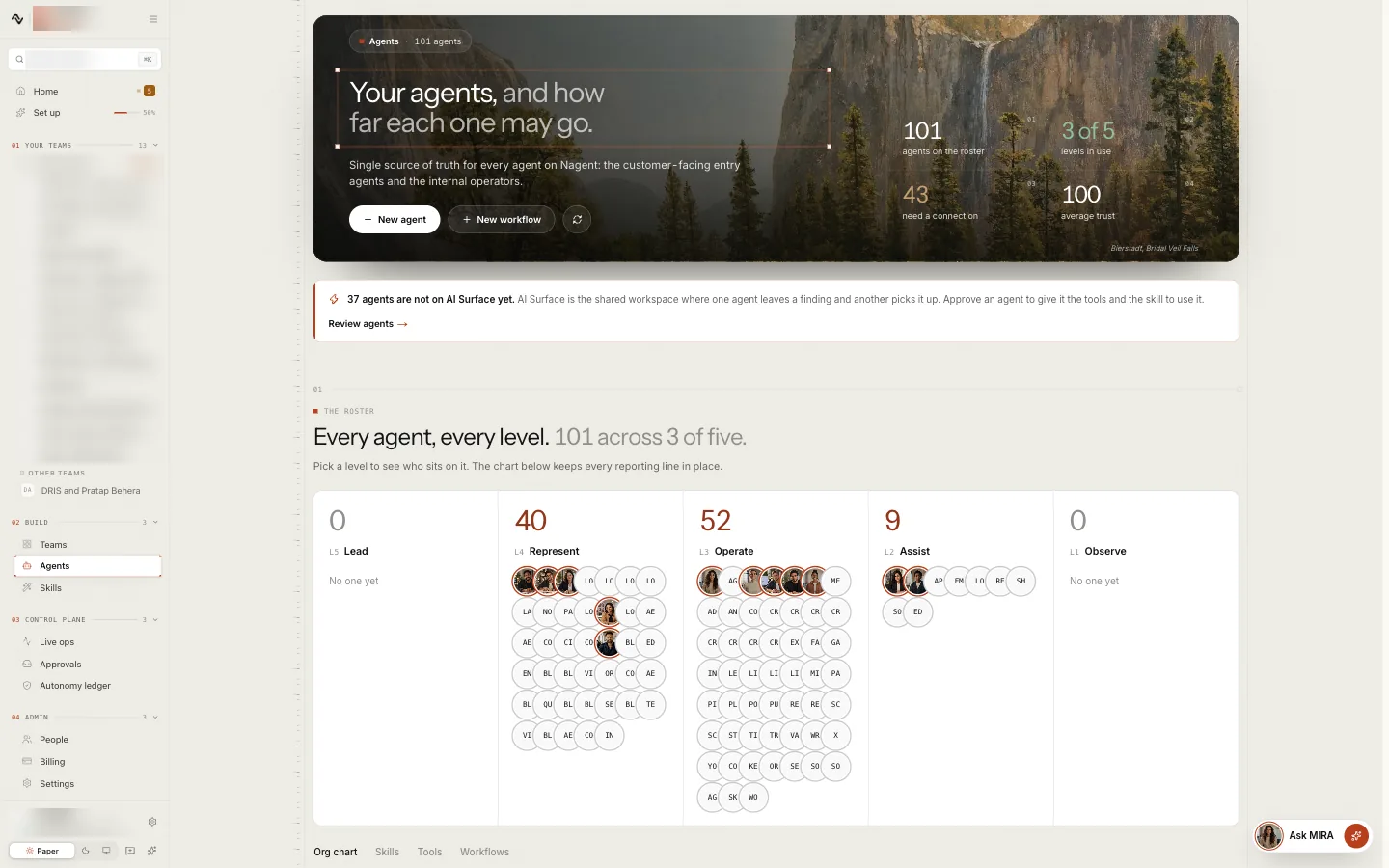
The last block lists every agent installed for your teams, with its level (L1 to L5), when it last ran, and Live or Idle. A new agent reads "Has not run yet". The note above the list explains the empty trust column: trust scores are earned run by run, so an agent that has not run has none yet.
See every agent opens the Agent Workbench, where you can open an agent, set its level and its budget.
Our logic
Home never counts a page visit as progress. A ledger item is done when the thing exists and works: a tool token that expires turns its item back to Needs you, even if someone finished the connection wizard yesterday. That is also why the counts can go down as well as up.
If you are not an Organisation admin
Teammates without admin rights see a simpler Home: a link into the workspace and anything an Organisation admin has nominated them for, such as a Nagent event or a guide.
Where to go next
- Setting up with your AI chief of staff: the same steps, in a conversation.
- Workspace set-up: the seven cards in full.
- People and roles: who to invite, as what.
- Approvals and the Inbox: when an agent asks first.