
NIA: performance marketing
What NIA reads in your Google Ads, ChatGPT Ads and Meta ad accounts, what she proposes, why every live change to your ads waits for your approval, and where to work with her.
Browse documentation
NIA proposes; nothing changes your ads until you approve
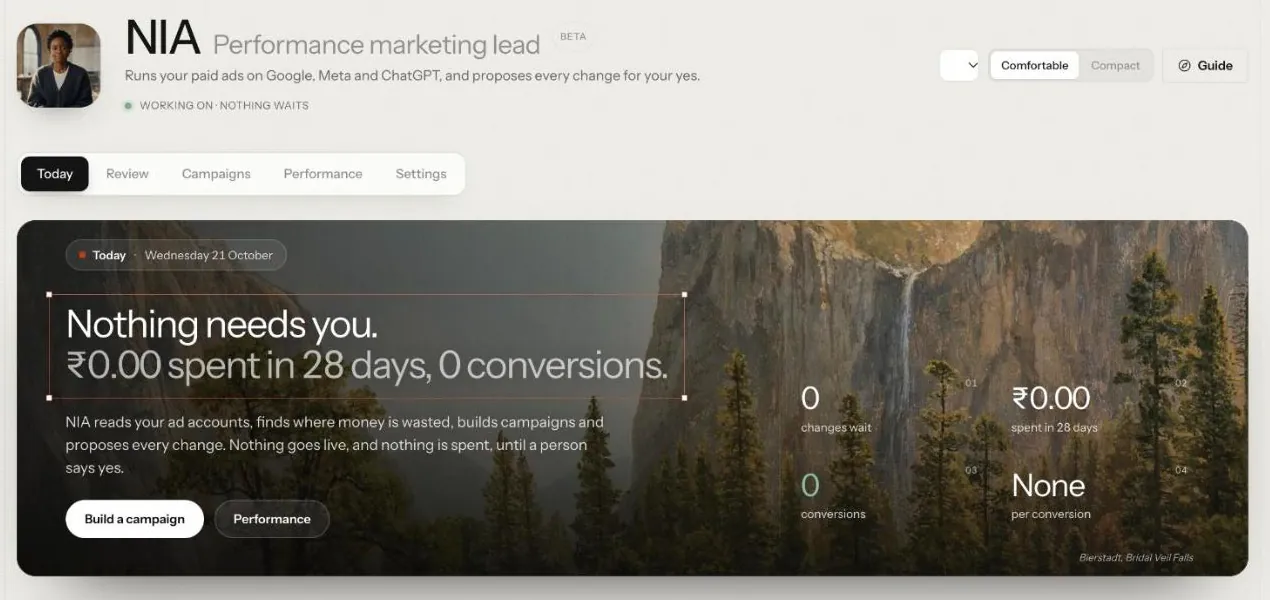
NIA is the Marketing team's performance marketing teammate. She runs paid ads on Google Ads, Meta ads and ChatGPT ads (the last two in Beta), each through its own sub-agent. She reads your connected ad accounts, answers questions about them in plain English, builds new campaigns from a brief, and proposes changes to live ones: pausing a campaign that wastes spend, moving budget, tuning bids, adding or pausing keywords.
Every one of those changes is held for a person, apart from ChatGPT ads' self-optimising run, which stays inside limits a person approved (see below). That is not a setting you have to find: NIA starts at a level below the one her live actions need, so each proposal waits in her Review tab, under Approvals, and on Actions, until someone approves it.
| Field | Detail |
|---|---|
| Team | Marketing, led by MIRA |
| Starting level | L2 Assist: below the L3 her live writes need, so every action queues for human approval |
| Level her live writes need | L3 |
| Screens | NIA: Today, Review, Campaigns, Performance and Settings |
| Agent page | Agent workbench, NIA |
What NIA reads
NIA works from your connected Google Ads account and the performance data Nagent stores from it: campaigns, ad groups, ads, keywords, search terms, spend, conversions, cost per conversion and return on ad spend, for whatever date range you ask about. She does not need the data pasted in; she fetches it when she needs it.
Connecting Google Ads
- Open NIA's Settings, then Google Ads setup.
- Connect with Google. Google's consent screen opens.
- Pick the account to connect. You do not need to look up an ID.
- Sync, so the latest data is stored.
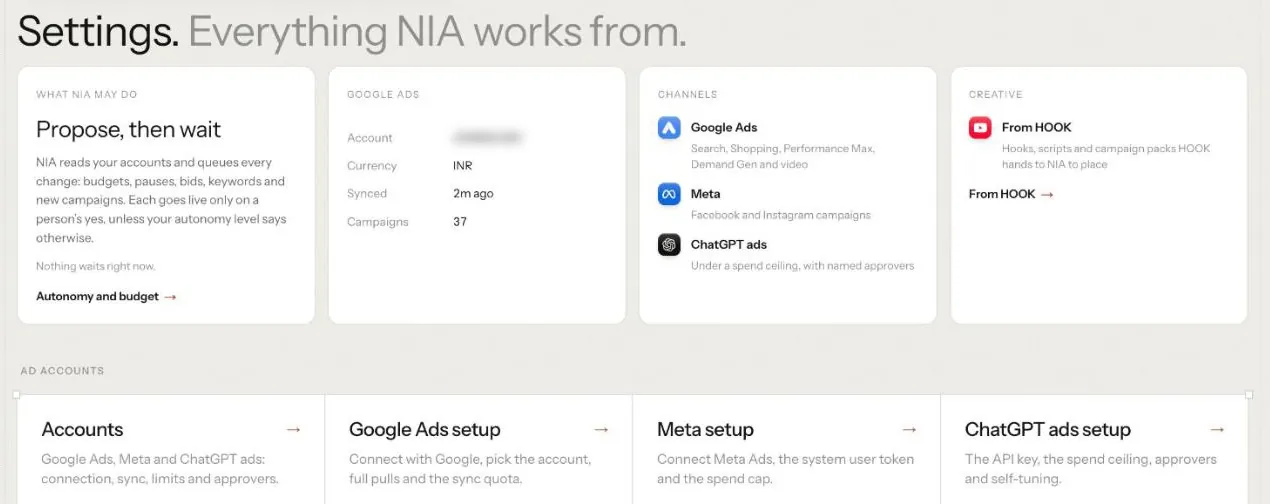
Once connected, Settings shows the account, its currency, when it last synced and how many campaigns it holds, beside the channels NIA works on and the setup card for each ad account.
If the page says Google Ads is not available on this deployment, contact Nagent support; it has to be enabled for the service before any workspace can connect.
What NIA proposes
| Action | What it does to the live account | Runs on its own from |
|---|---|---|
| Build Search campaign | Creates a campaign with ad groups, ads and keywords, always paused | L3 |
| Pause campaign | Stops a campaign that is wasting spend | L3 |
| Resume campaign | Starts a paused campaign serving again | L3 |
| Reduce budget | Lowers a campaign's daily budget | L3 |
| Increase budget | Raises a budget, as the receiving side of a reallocation | L3 |
| Set target CPA | Tightens the bidding target on a campaign | L3 |
| Set CPC bid | Sets a manual bid on an ad group or keyword | L3 |
| Pause keyword | Stops a wasteful keyword | L3 |
| Resume keyword | Starts a paused keyword again | L3 |
| Add keyword | Adds a keyword the campaign is missing | L3 |
| Add negative keyword | Excludes a wasteful search term | L3 |
| Edit ad copy | Replaces headlines or descriptions on a live ad | L3 |
| Change geo targeting | Adds or excludes locations | L3 |
NIA starts at L2, so all thirteen queue. Installing the Marketing team cannot seat her higher than L2, whatever level the rest of the team starts at.
Each change is validated as a dry run before it can be queued.
Building a campaign
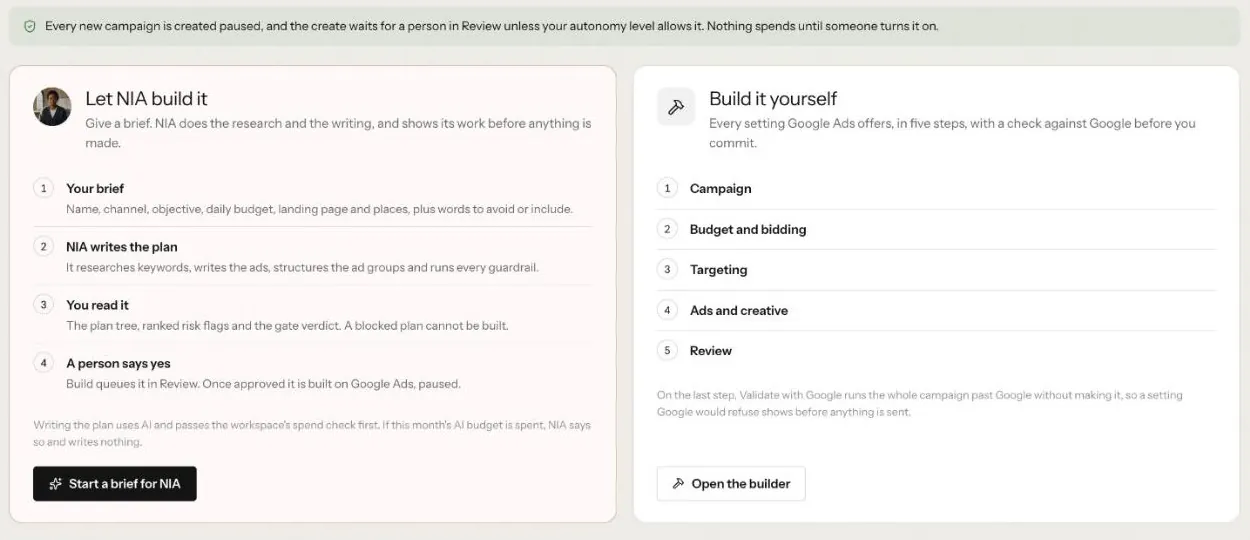
- Open NIA's Campaigns tab, then Build, and press Start a brief for NIA under Let NIA build it.
- Fill in the brief: campaign name, objective, budget, locations, landing page, terms you never want to bid on, and phrases that must appear.
- NIA drafts a plan: ad groups, responsive search ads and keywords.
- A chain of fixed checks then decides whether the plan may go further: budget ceiling and pace, structure, copy safety, conversion tracking, and duplicates. NIA drafts; the checks decide. You see the plan, the ranked risks and the verdict.
- If the verdict passes, click Build. This queues it in Review.
- A person approves it. The campaign is created in Google Ads paused, so it serves nothing and spends nothing until you enable it.
Build it yourself beside it walks every setting Google Ads offers in five steps, and Validate with Google checks the whole campaign against Google before anything is sent.
For Prompt World, a brief might be "enquiries for in-house prompt engineering workshops, India, 30 qualified enquiries a month, landing page /workshops".
Optimising live campaigns
Review, then Recommendations, shows what NIA would change. Let NIA check the account reads the stored metrics, diagnoses problem campaigns and proposes spend-safe fixes; each one goes through approval before it touches the account. Findings with no safe action are shown as advice.
Review, then Reallocation, compares Google and Meta side by side and recommends a reallocation when one is clearly more efficient. It only recommends; budget moves still go through each channel's own approval.
Asking NIA
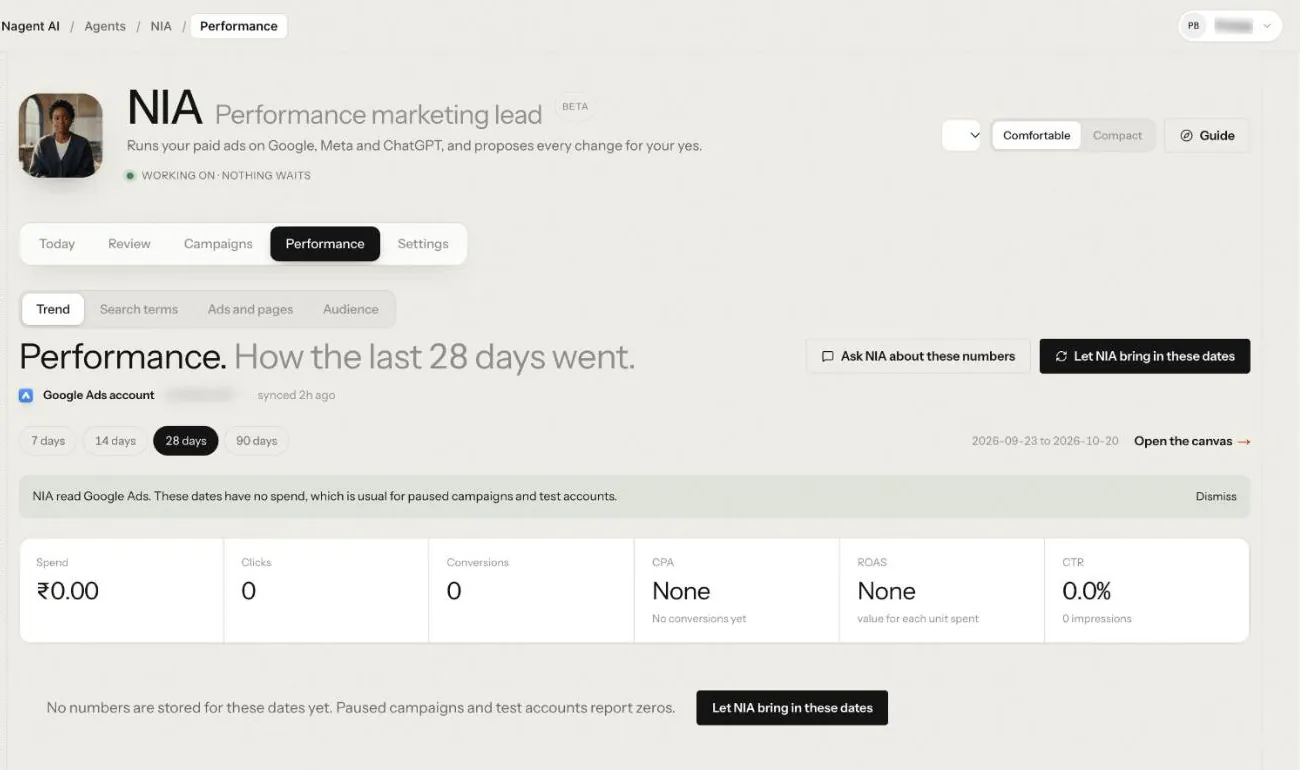
Open NIA's Performance tab, pick the dates and press Ask NIA about these numbers, or ask her in the Marketing room: "How did the last 14 days go?", "Where is budget being wasted?". She answers from your data and can draw a chart.
If you ask her to change something, such as pausing a campaign or cutting a budget, she queues the action and tells you it is waiting for approval. Nothing reaches Google until a person approves it. New campaigns are always routed to Build rather than created in one step.
Performance gives prebuilt views: Trend, Search terms, Ads and pages and Audience. Open the canvas opens dashboards for campaigns, search terms and trends.
Working with NIA in a team room
NIA's page also opens inside the Marketing room, under the room's surface tab.
In a room you can ask NIA to make a change to a live campaign: pause or resume a campaign or keyword, raise or lower a budget, set a target CPA or a bid, add a keyword or a negative keyword, edit ad copy, or change geo targeting. From a room every one of these queues for approval first, whatever level NIA is set to, and runs once a person approves it. You need permission to run integrations to ask.
Three reads answer straight away: how the account performed, a daily series, and a table of campaigns, ad groups or keywords. Each answer is capped at 20 rows.
Building a new campaign still starts from Build on NIA's Campaigns tab, because it needs a plan that passed the checks.
ChatGPT ads (Beta)
NIA can also run paid ads in ChatGPT through the OpenAI Ads API. A workspace admin connects the ad account, sets its spend ceiling and names who may approve, on the ChatGPT Ads admin page. The API key is entered there and never in chat.
The page has a setup checklist: key connected, brand approved by OpenAI, spend ceiling, approver, conversion events and pixel events received. Ask NIA where you are and she names the next setup step that is not done. The steps are in Connect your ChatGPT Ads account.
Conversions can come from the OpenAI pixel on your site or from your own systems through the API; the connect guide shows both. Ad cards can also carry an image, from an https address you give.
In NIA's team room, tell her the offer, the audience, the countries, the objective, the page to send people to, the budget and the dates. For a conversions campaign she also asks which conversion event to optimise for, such as sign-ups counted by the OpenAI pixel on your site, and the target cost per conversion. OpenAI still charges per click, and the goal and event cannot change once the campaign is created. She asks for whatever is missing, checks the plan (budget within the ceiling, a destination on your own site, ad copy within the limits) and saves it. Then two separate cards follow:
- Create, paused. Approving it creates the campaign, ad group and ads at OpenAI, all paused. Nothing serves.
- Start delivery. Approving it re-reads the campaign at OpenAI, refuses if anything changed since you approved, and starts it.
Only a person on the account's approver list can approve either card, and an approval is refused once the plan is edited or after 72 hours. NIA reports a campaign as live or paused only after reading it back; until then she says it is unconfirmed. Ask her to pause a campaign at any time. Paid ChatGPT ads are reported apart from organic AI visibility.
Self-optimising (Beta)
The start-delivery card also sets limits for NIA to tune the campaign on her own. The defaults are:
- the bid or target cost per conversion moves at most a quarter either side of what you approved, and by no more than 15% a day;
- the daily budget can go down to half and back up to what you approved, never above it;
- a losing ad can be paused, as long as at least one keeps running.
She starts after 7 days and 100 clicks, and checks once a day after the morning sync. Each day she makes at most one bid change and one budget change, and she reads every change back from OpenAI before she reports it.
For a conversions campaign she judges the cost per conversion over the week ending the day before yesterday, because conversions take about a day to settle. Above target, she lowers the bid. Below target and held back by the budget, she gives budget back. Below target with budget to spare, she raises the bid.
Anything outside the limits comes to you as a card that a named approver must approve. That includes a bigger budget for a campaign that converts well, and any new ad wording. Approving such a card re-centres the limits on the new figure. Ask NIA what she changed and why. She can undo any change, and you can switch self-optimising off for a campaign without pausing it.
The ChatGPT Ads admin page has a Self-optimising card with every campaign that has gone live. Each one shows whether tuning is on, the Bid now and Bid limits, the Daily budget now and Budget limits, when it last ran, and any change waiting on a card because it is outside the limits. Below that is the log, newest first: what changed, from what to what, why, and whether NIA made it inside the limits or a person approved it on a card.
- Undo puts a change back. A bid or budget change can be undone only while it is still the figure set, because undoing an older one would skip the changes made after it. An undone change stays in the log, struck through.
- Switch off stops the tuning for that campaign and leaves it running. Switch on starts it again.
Either one can need approval like any other change. Then the page says it is waiting for approval and a card goes to Actions for a named approver.
Meta ads (Beta)
NIA can also work on your Facebook and Instagram ad account. A workspace admin connects it and sets its hard spend cap, daily and monthly, on the Meta Ads page. The access token is handled there and never in chat.
In NIA's team room you can ask her:
- what the account holds: each campaign, its status and budget, the cap and how much of it is left today and this month;
- how campaigns did over the last 1 to 30 days, against the days before;
- to sync the latest figures from Meta;
- to pause a campaign or lower its daily budget;
- to resume a paused campaign or raise a daily budget;
- to create a new campaign with a name, an objective and, if you want one, a campaign daily budget.
Pausing and lowering a budget only reduce spend. Each still waits for an approval, and NIA reads the campaign back before she says it is done.
Resuming, raising a budget and creating a campaign commit money, so each one is a card that a named approver clicks, every time. Before the card is filed, NIA checks the hard cap: the daily budget must fit within what is left today, and the same amount for every day left this month must fit within the monthly cap. With no cap set, she refuses and asks an admin to set one. When the card is approved she syncs the campaign again, refuses if it changed since the card was filed, and checks the cap again before anything is sent to Meta.
A campaign NIA creates is always paused and empty: add its ad sets, audiences, ads and creative in Ads Manager. It serves nothing until it is resumed with its own approval. Paid Meta results are reported apart from Google Ads, ChatGPT ads and organic reach.
Approving NIA's work
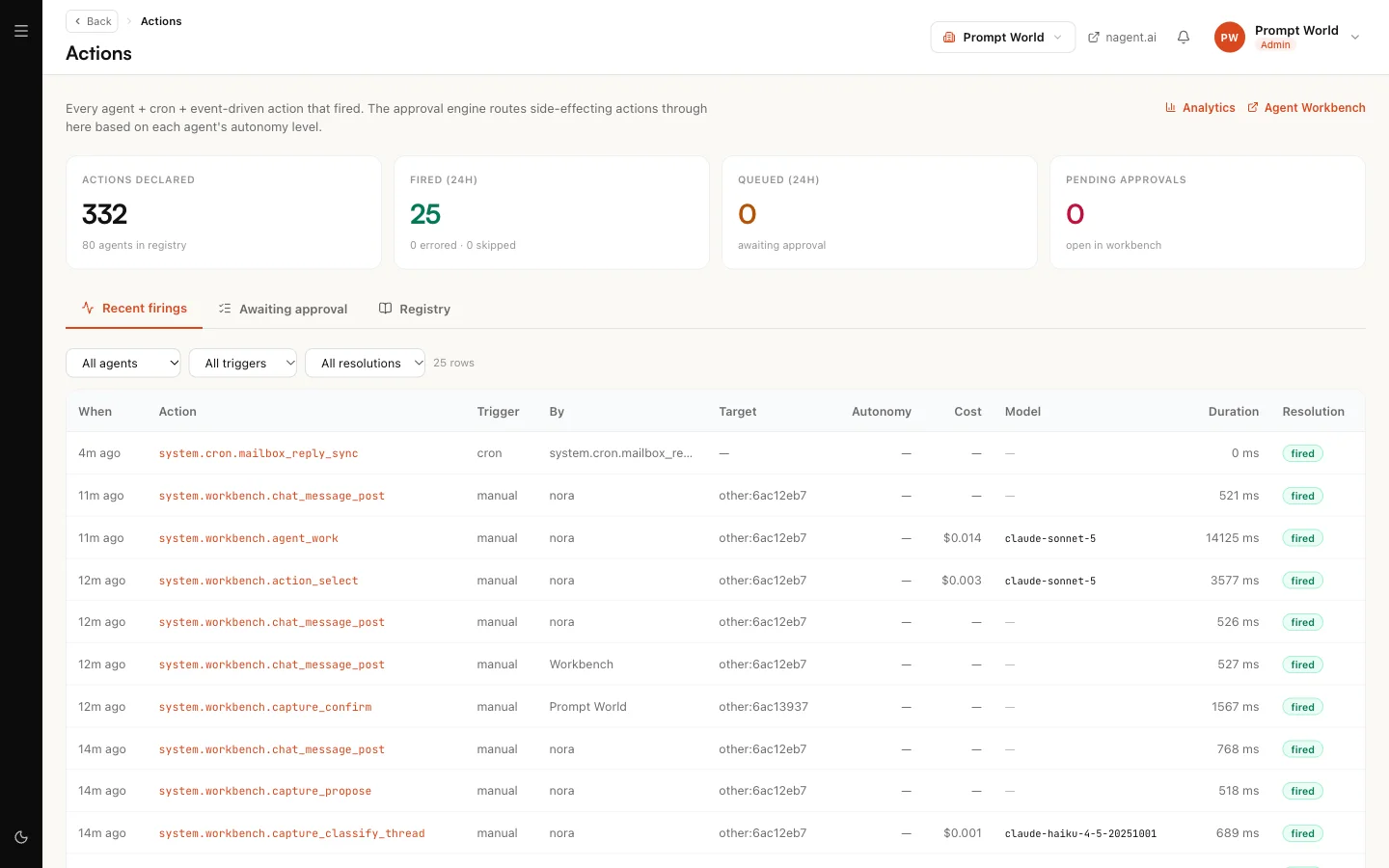
Queued changes appear on Actions, with what the change does and its risk note. Approve or reject each one. They do not appear in the Inbox yet.
Our logic
Ad spend is the one thing an agent can do in your workspace that costs money by the minute and cannot be taken back once it has been spent. So NIA drafts and fixed rules decide, every live change waits for a person, and a built campaign arrives paused. Trust can be earned upward later; it is not assumed on day one.
Limits today
- On Meta, campaign-level changes only. NIA pauses, resumes, changes a campaign daily budget and creates an empty campaign. Ad sets, audiences, ads and creative stay in Ads Manager, and a campaign whose budget sits on its ad sets can be paused but not resumed or re-budgeted from the room. Boosting a published social post starts in MOXA, and a named person approves it.
- A new Google Ads campaign starts from Build. The room does not create one in one step. ChatGPT ads and Meta campaigns are created from the room, always paused. A room can ask for every other change, and each one queues for approval.
- An approval can unlock repeats. For an hour after you approve one of NIA's actions, the same kind of action fired by you runs without asking again. Approve deliberately. A boost, and resuming, raising or creating a Meta campaign, are the exceptions: each one waits for its own approval.