
Credits and budgets
How Nagent keeps agent spending inside limits you can see, what happens when an agent reaches its cap, and where to read what your workspace has spent.
Browse documentation
A budget is checked before the money is spent
Every AI teammate in your workspace costs money when it works: model calls, paid lookups, image and video renders. Nagent's rule is that a limit is checked before a call is made, not reported after the bill arrives. An agent that has reached its cap stops; it does not finish the job and tell you later.
Four controls work together today:
| Control | What it limits | Who sets it |
|---|---|---|
| Per-agent caps | What one agent may spend in a day and in a month | You, on the agent's Budget pane |
| The workspace daily limit | What the whole workspace may spend in a rolling 24 hours | Nagent, per workspace |
| Quotes and approvals | What a single expensive job may cost, such as a video | You, when you approve the quote |
| The monthly credit allowance | What the whole workspace may draw in a month before paid tools pause, with a hard ceiling above it where everything stops | Your plan |
Behind all four sits the credit ledger, which records every billable call against your workspace.
Per-agent caps
Each agent has two caps in credits: a daily cap and a monthly cap. Until someone sets them, an agent runs on the platform default caps, so there is never an agent with no limit at all.
The daily counter resets at midnight UTC and the monthly counter at the start of each UTC month.
What happens at the cap
Work an agent does with its tools, and every render it asks for, is checked against both caps before it starts. Money already committed to calls that are still running counts as spent, so two calls cannot both slip under the same last credit.
When an agent reaches a cap, the When exceeded setting decides what happens next:
| Setting | What happens |
|---|---|
| Queue actions for approval | The agent's paid calls are refused and the refusal is recorded. The default |
| Pause the agent | The same, and the agent is switched off until a person turns it back on |
| Notify only (continue) | The calls go ahead and the breach is recorded as an event |
Under the default, work starts again when the daily window rolls over or when you raise the cap. Pausing is stricter than it looks: a paused agent stays off past midnight, so one busy day would leave it off the next morning. That is why it is not the default.
Changing an agent's caps
-
Open the Agent Workbench and choose the agent.
-
Open the Governance tab, then Budget.
-
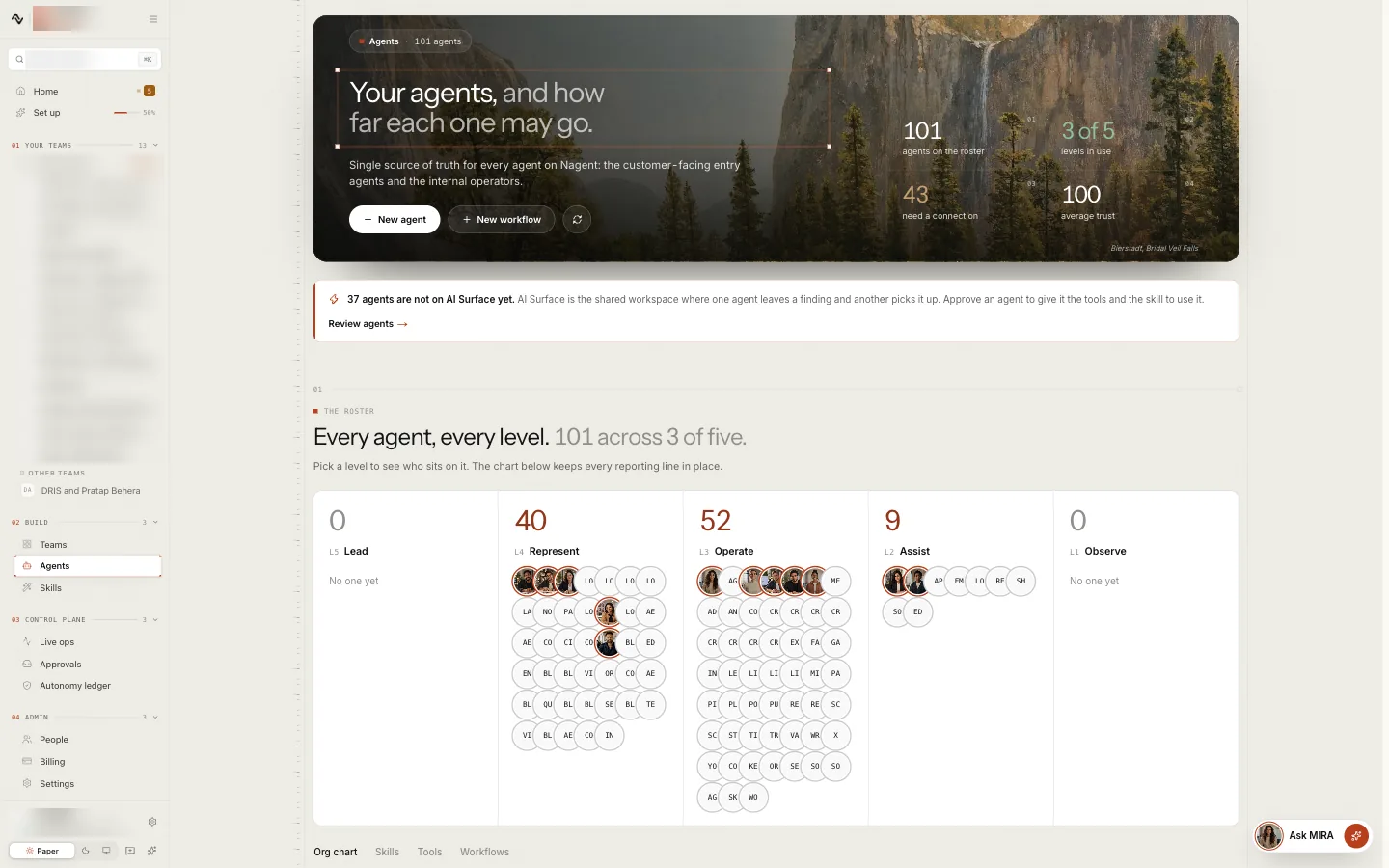
Read Today and This month: what the agent has spent against each cap, with a 14-day trend underneath.
-
Under Edit caps, set the Daily cap (credits), the Monthly cap (credits) and When exceeded, then press Save.
The pane's status reads Healthy, Approaching cap at 80 per cent of either cap, Exceeded, or Paused. Reset counters sets both counters back to zero. Changing caps needs the AI team write permission, which workspace admins hold.
Our logic: one cap per agent means one runaway agent cannot spend the whole workspace's money, and a cap you can read on the agent's own page is a cap you can trust.
The workspace daily limit
Above the agents sits one limit for the whole workspace, counted over the last 24 hours. It is checked when a request that costs money starts: running an agent or a workflow, starting paid HOOK work, and changing agent governance.
When the workspace is over it, those requests are refused with a message that names the amount spent and the limit. Everything else keeps working: you can still read, review and approve. As the 24-hour window moves on, the earliest spend drops out and work can start again.
If your workspace needs a different daily limit, ask the Nagent team.
Paid tools count
Some tools charge per use: deep web research, contact enrichment, page scrapes, renders. When an agent uses one, the tool's price is recorded against that agent's budget and on your workspace's credit ledger, exactly as a model call is. A paid tool is not a way around a cap.
That includes an agent's everyday web searches and page reads. Each one is checked against the agent's budget before it runs and recorded on the credit ledger at the search provider's price. When the budget is spent, the search is refused and the agent is told why; it is not quietly tried through another provider instead. An agent cannot read a page on a private or internal address.
Searching your knowledge counts too. When an agent, or MIRA in chat, looks something up in the Knowledge Hub, the search is priced and checked against the budget of the agent it runs for before it starts. If the budget is spent, the search is refused and the agent is told why, rather than going ahead unrecorded.
Monid calls, the paid public-data reads some agents make, are checked twice more: against the most one call may cost, and against the agent's budget. The Monid page shows what your workspace has spent through Monid this month. See third-party tools.
An image an agent draws in a team room is checked the same way before the image model is asked: against the agent's budget and against the workspace's credits, with the refusal written in words in the room.
Describing your images
Every image that lands in your workspace is described by the model and indexed, so the studio library and your agents can search by what is in a picture. That is a priced call, about a cent an image, charged to the workspace's credits and to the budget of the agent the image arrived through: RUPA for uploads, Knowledge Hub images, brand kit logos, renders and preset references, and the agent that drew the picture for an image made in a team room. Both are checked before the call. An image refused for budget is kept; it is simply not described until it can be. See RUPA, the image studio.
Research before writing
When a teammate in a team room is asked for something that needs looking up first, a plan, a brief, an audit, it may run a research pass over the tools it has been granted before it writes: the knowledge base, the brand voice, memory, the web, the workspace's own visibility data and its paid lookups. The pass is bounded four ways, so it cannot keep paying until the model is satisfied:
- at most 4 model rounds;
- at most 6 lookups across the pass;
- at most 100 credits for the rounds and the priced lookups together;
- the agent's budget and the workspace's credits, checked before every round.
The pass stops at the first bound it reaches and the agent writes from what it found. A round already paid for is not refunded by stopping. Each lookup runs through the same gates as any other tool call, so a paid lookup is priced and recorded, and one that needs approval is queued rather than run. The agent says in the thread what it looked up.
Priced stops
Some of the work an agent can start from a room or a chat is a single expensive step. Each is priced before it runs, asked of the agent's own budget, and shown on its approval card as "Spend about" so many credits, so the person who approves sees the figure first:
| Agent | Step | About |
|---|---|---|
| CREA | Draft blog body, one blog draft | 100 credits per draft |
| DRIS | Make the plan, the growth plan against your objective | 28 credits at most, up to three planner calls |
| NIA | Synthesise a campaign plan, a Google Ads plan from a brief | 18 credits, one model call |
| FOLIO | Generate a draft book, written, illustrated and rendered | 1,572 credits for a 12-chapter illustrated book; the card names this book's own estimate |
DRIS, NIA and FOLIO charge the figure on success and on a failure after the call was sent, because the provider charges either way; a blog draft that fails returns its hold. None of these publishes anything: the plan, the draft and the book wait for a person.
Batches
Work nobody waits on, such as the daily reasoning passes and the monthly check of what AI answers say about you, is sent to the provider as a batch and comes back later, at half the price of a live call. The ledger treats a batch honestly: the workspace's credits are asked before it is sent, with the estimate at the batch rate, half of what the same calls would cost live; that half is reserved on the ledger; and when the answers are collected the reservation is settled to what they actually cost. A batch that would cross the credit bound is refused before it is sent.
Quotes for expensive work
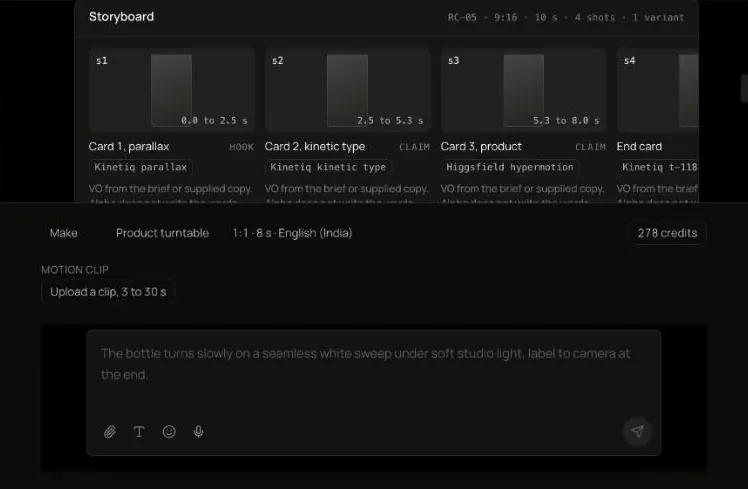
Work that costs more than a conversation is quoted before it runs. ALPHA, the video studio, prices a video in your workspace's credits, the same credits every agent draws on, and waits for a person to approve the storyboard and its quote. A delivered job bills at most what was approved. If a quote is above a brief's cap, it waits for a named approver, and no agent may lift that cap on its own. See ALPHA, the video studio.
Agent meetings work the same way, with a cap per meeting and a daily ceiling per team. See Meetings.
Credits
Your plan comes with a monthly credit allowance, and every billable call in your workspace is drawn against it on the credit ledger: model calls, paid tools and renders, at what the provider charged. See billing and plans for what your plan includes.
The ledger decides as well as measures. Before a call is made, it adds the call's estimate to what the workspace has drawn this month and compares the result with two bounds:
| Bound | What happens when a call would reach it |
|---|---|
| The allowance | Paid tools pause. Conversations and agent work keep going |
| The hard ceiling, above the allowance | Nothing further runs until more credits are added in Settings, under Billing, or the month turns |
Work is sorted into two kinds for this. Core work is what keeps the product answering: a chat, an agent's own rounds of work in a room, a room job, a research pass, a batch. Past the allowance it is still allowed, and the crossing is recorded. Discretionary work is a paid tool: a Monid lookup, an image an agent draws, describing an image, reading a picture someone shared. Past the allowance it is refused, with the reason written where the work was asked for, in credits: "This workspace has used its monthly allowance of 6,000 credits (6,010 used), so paid tools are paused until more credits are added in Settings, under Billing, or the next monthly period starts, though conversations keep working." Past the hard ceiling, every request that costs credits is refused, and the message says the workspace "has reached its hard spending ceiling".
In the team workspace, the AI team chat and the co-host stage, the refusal
comes with a button that opens Billing at the part that fixes it: Upgrade
plan while a plan is active, or Choose a plan when there is none or it
has lapsed. A request to Nagent's API that is refused this way gets an HTTP
402 reply with the code credits_exhausted, the action that would fix it,
the credits drawn and the hard ceiling.
Both bounds count the call that reaches them as the one that used them up. Nothing waits for a bill: the check is made before the provider is asked. If the ledger cannot be read, the call is allowed and the failure is logged, so a billing fault never takes the product down.
Whether a refusal is acted on is a switch the Nagent team holds per environment. Where it is off, the ledger records every refusal it would have made and the per-agent caps, the workspace daily limit and the approvals above are what stop spending.
The allowance comes with your plan. A move to a larger plan raises this month's bounds at once; a move to a smaller one takes effect at renewal, so what you were held to this month is not rewritten.
Where you see spend
Home
On a new workspace, Home lists Billing and budget caps in its set-up ledger. From the workspace's 31st day it shows Spend this month against caps: each agent's spend against its monthly cap, marked when it passes 80 per cent and when it reaches the cap. After 90 days it adds Spend by month.
Workspace set-up
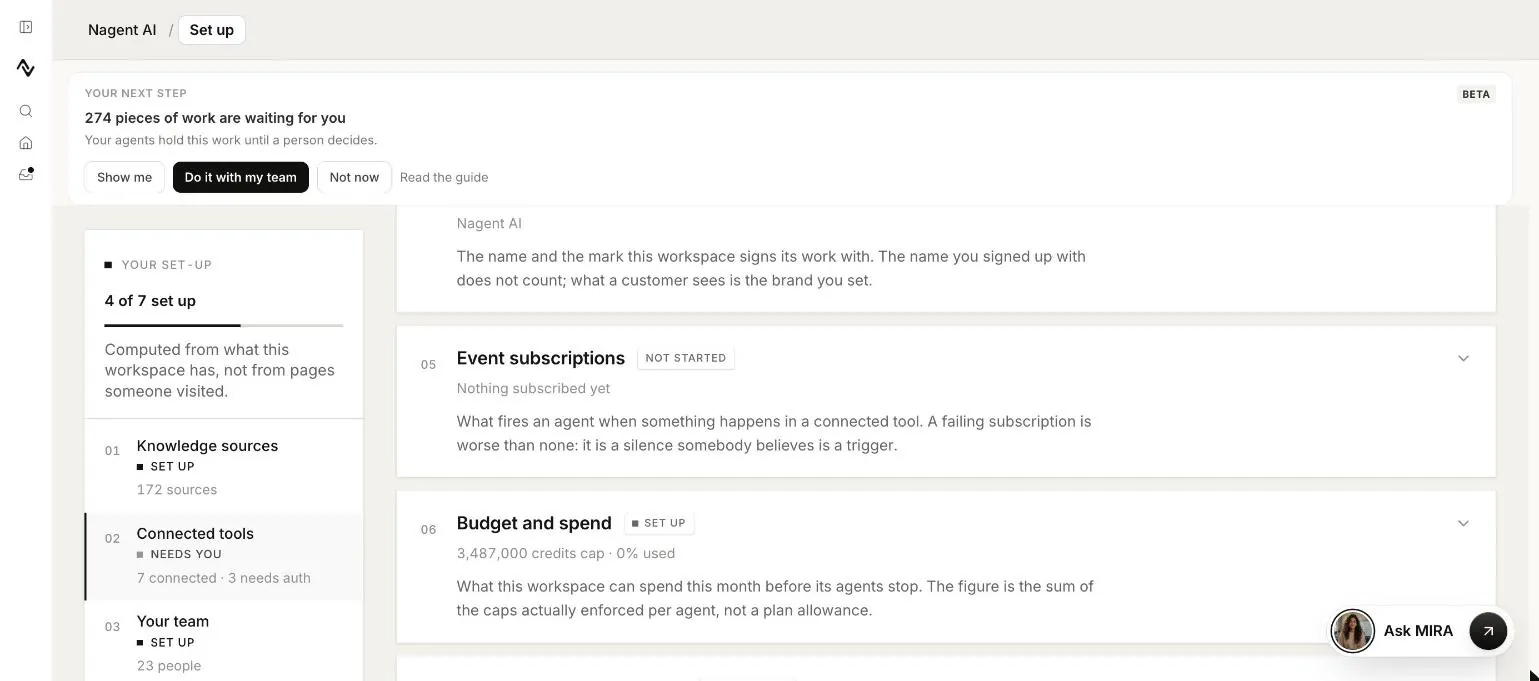
The Budget and spend card on Workspace set-up shows three figures:
| Figure | What it is |
|---|---|
| Monthly cap | The sum of every agent's monthly cap, the most your agents can spend this month before they stop |
| Used this month | What they have spent so far |
| Per-agent ceiling | The largest single agent's monthly cap |
The card reads Needs you once 90 per cent of the monthly figure is used. As the card itself says, the figure is the sum of the caps actually enforced per agent, not your plan's allowance. It grows as you add agents, because each new agent brings its own cap.
The agent's page
The Budget pane described above is the most exact view: one agent, today and this month, against its own caps.
Where to go next
- Autonomy and governance: what an agent may do without asking, which is the other half of keeping it safe.
- Billing and plans: plans and payment.
- Approvals and the inbox: where queued work waits for you.